
CodeGraph – Open-Source Code Knowledge Graph for AI Coding Agents
Executive Summary:
CodeGraph is an open-source code knowledge graph tool built for modern AI coding agents. It fundamentally optimizes how code is understood and analyzed. Through deep integration with mainstream AI cod...
1. What Is CodeGraph
CodeGraph is an open-source code knowledge graph tool built for modern AI coding agents. It fundamentally optimizes how code is understood and analyzed. Through deep integration with mainstream AI coding agents such as Claude Code, Cursor, and Codex CLI via the MCP protocol, it uses tree-sitter to parse codebases and pre-index symbol relationships, call graphs, and code structure into a local SQLite database. This pre-indexed graph lets AI agents locate target code with a single graph query, eliminating the inefficient traditional approach of grep, glob, or file-by-file scanning. Benchmark tests on seven real open-source projects show that CodeGraph reduces API costs by an average of 35%, token usage by 59%, execution time by 49%, and tool calls by 70%, while running 100% locally with no external API keys required.
Technical positioning and domain: CodeGraph sits at the intersection of software engineering tools and AI infrastructure. Its specific role is as a "context engine for AI coding agents." It is not a standalone development tool, but rather a "second brain" for AI programming assistants, addressing the pain points of limited context windows and inefficient tool usage when agents work in large, complex codebases.
Development background: The project was initiated and maintained by developer Colby McHenry. The motivation came from observing that existing AI coding agents perform poorly on large projects. Traditional methods rely on agents scanning files one by one to build context, which consumes enormous amounts of tokens and often misses global dependencies, leading to incorrect understanding or omissions. CodeGraph was designed to solve this efficiency and accuracy bottleneck.
Core value: CodeGraph elevates the AI coding agent's view from local files to global architecture. By pre-building a knowledge graph, it lets AI agents intuitively "see" function call relationships, class inheritance hierarchies, and inter-module dependencies, enabling more accurate decisions aligned with overall project design. This directly translates into significant cost savings (tokens, API calls) and efficiency gains (response time, development speed).
Technical characteristics: CodeGraph's technical advantages rest on two pillars: "pre-indexing" and "graph querying." It uses tree-sitter for precise syntax analysis to generate structured symbol relationship graphs, combined with advanced capabilities such as FTS5 full-text search and impact-radius analysis for fast, deep code understanding. Its zero-configuration, cross-platform, self-contained design greatly lowers deployment and usage barriers.
2. Key Features
Pre-indexed code knowledge graph: This is CodeGraph's core technical advantage. Through tree-sitter, the codebase is parsed into an abstract syntax tree (AST), from which symbol nodes such as functions, classes, and methods are extracted, along with relationship edges such as calls, imports, and inheritance. All structured information is persisted in a local SQLite database, forming an instantly queryable graph. This transforms code understanding from "runtime scanning" to "querying known structure," fundamentally eliminating the cost of repeated parsing and scanning.
Intelligent context building: When an AI agent needs to understand a piece of code, a single CodeGraph tool call returns entry points, all related symbols, and their code snippets. This contrasts sharply with the traditional "exploration agent" model, where agents repeatedly call
Read,Grep, and other tools to scan files one by one and piece together context. This "one-shot" approach reduces tool calls by an average of 70%, greatly cutting token consumption and response latency.Full-text symbol search: Built on SQLite's built-in FTS5 full-text search engine, CodeGraph enables instant search across all symbols in the codebase (function names, class names, variable names, etc.). Regardless of project size, users or AI agents can locate the exact position of target symbols in milliseconds by entering keywords—critical for navigating large codebases quickly.
Impact radius analysis: A key capability for code refactoring and review scenarios. Through the
codegraph_impacttool, users can trace callers and callees of any symbol and visualize its complete upstream and downstream dependency chain. Before modifying a public function or core class, developers can immediately see which files will be affected, assess risk in advance, and avoid introducing regression bugs.Framework-aware routing: CodeGraph automatically recognizes route files for 14 mainstream web frameworks including Django, Flask, FastAPI, Express, NestJS, Laravel, Spring, and Gin. It parses the mapping between URL patterns and corresponding handler functions or classes and incorporates them into the knowledge graph. This lets AI agents understand "which HTTP request triggers which code," significantly improving code understanding in web development scenarios.
Real-time automatic sync: To keep the knowledge graph aligned with the latest codebase state, CodeGraph natively integrates OS-level file system event listeners (FSEvents on macOS, inotify on Linux, ReadDirectoryChangesW on Windows). When file changes are detected, a 2-second debounce buffer triggers incremental sync, updating only the graph portions corresponding to changed files—efficiently and seamlessly.
Change impact test tracking: Through the
codegraph affectedcommand, CodeGraph tracks transitive dependencies of Git-changed files and precisely locates all affected test files. This integrates seamlessly into CI/CD pipelines, allowing developers to run only tests related to current code changes rather than the entire test suite, dramatically shortening build and feedback cycles.Zero configuration, ready to use: CodeGraph's design philosophy emphasizes extreme ease of use. It automatically recognizes programming languages by file extension and respects
.gitignorerules in projects without any user configuration. Users simply runcodegraph init -ito build an index for the project, with all complex configuration handled automatically in the background.
3. How to Use
| Environment requirements and installation: CodeGraph supports cross-platform deployment including Windows (x64/arm64), macOS (x64/arm64), and Linux (x64/arm64). Installation is minimal: macOS/Linux users run curl -fsSL https://raw.githubusercontent.com/colbymchenry/codegraph/main/install.sh | sh in the terminal; Windows users use `irm https://raw.githubusercontent.com/colbymchenry/codegraph/main/install.ps1 |
Select and configure the integrated agent: After installation, run the
codegraphcommand. The installer automatically detects installed AI coding agents such as Claude Code, Cursor, Codex CLI, OpenCode, and Hermes Agent. It presents an interactive list for users to select agents to integrate with and automatically writes MCP server configuration to the corresponding agent config files—no manual JSON editing required.Restart the AI agent and initialize project index: After configuration, restart the corresponding AI agent so it loads and enables the new MCP server. Then navigate to the target project root directory and run
codegraph init -i. This command builds a complete code knowledge graph index for the current project and automatically creates project-level agent rule files in locations such as.cursor/rules/, guiding the AI agent to use CodeGraph tools.Start using and manual querying: After successful initialization, a
.codegraph/folder is generated in the project directory. Thereafter, when using an integrated AI agent in that project directory, the agent automatically calls CodeGraph's graph query tools for code understanding. Developers can also query manually via CLI, for examplecodegraph query <keyword>for full-text search, orcodegraph callers <symbol name>to see who calls a function.
4. Pros and Cons
| Pros |
|---|
| Significantly reduces AI usage costs: By replacing file-by-file scanning with a pre-indexed graph, it reduces token consumption by an average of 59% and API costs by 35%. Effects are especially pronounced on large codebases, directly saving development budget. |
| 100% local and privacy-safe: All code analysis data is stored in a local SQLite database. No network connection or external API keys required, completely eliminating code leakage risk and meeting enterprise security compliance requirements. |
Zero configuration and seamless integration: The installer auto-detects and configures mainstream AI agents, auto-recognizes languages and .gitignore, requiring no manual config file editing—delivering a smooth out-of-the-box experience. |
| Deep framework routing understanding: Natively recognizes routes for 14 mainstream web frameworks, associating URL patterns with handler code, enabling AI agents to understand web applications more precisely than simple symbol search. |
5. Comparison with Similar Tools
| Dimension | CodeGraph | Sourcegraph Cody | GitHub Copilot (Agent Mode) |
|---|---|---|---|
| Core architecture | Local knowledge graph based on tree-sitter, data stored in SQLite | Cloud code search index service, supports remote repos | Context understanding via GPT-4o and similar models, no local index |
| Performance and efficiency | Extremely low latency, millisecond graph queries; average 70% reduction in tool calls | Fast search but network-dependent; large repo indexing has latency | Depends on model processing speed; slow context building on large projects, high token usage |
| Feature highlights | Impact radius analysis, framework routing awareness, change impact test tracking | Code search, navigation, context-aware chat, code review | Code completion, context-aware chat, auto-fix, multi-file editing |
| Deployment | 100% local, self-contained binary, no external services | SaaS cloud, requires account and internet | Cloud service via GitHub Copilot plugin |
| Ease of use | Zero config, installer auto-integrates, developer-friendly | Install IDE plugin and sign in, easy to start | Install IDE plugin and sign in, low barrier |
| Open-source license | Open source (see repo for specific license) | Core open source, advanced features paid | Closed source, paid subscription |
| Community ecosystem | Emerging project, growing community, documentation and tutorials need improvement | Mature community, rich documentation and plugin ecosystem | Largest developer community globally, extremely complete docs and ecosystem |
Selection recommendations:
For professional dev teams prioritizing cost, privacy, and security: CodeGraph is the best choice. Especially suited for large private codebases, it significantly reduces AI coding tool costs while ensuring code never leaves local machines. If your workflow heavily uses MCP-compatible agents like Claude Code and Cursor, CodeGraph's efficiency gains are transformative.
For enterprise teams needing code search and collaboration: Sourcegraph Cody offers more comprehensive code search and team collaboration, but its SaaS model may not suit all security policies. If your team already relies on Sourcegraph for code search, Cody is a natural extension.
For general developers wanting out-of-the-box convenience and broad ecosystem support: GitHub Copilot remains the most mainstream, most convenient choice. While less efficient than CodeGraph on large codebases, its strong model capabilities and ubiquitous IDE integration meet most daily development needs. Aider suits developers who prefer terminal workflows, conversational coding, and Git control.
6. Editor's Review
CodeGraph precisely addresses a core pain point of current AI coding agents in real-world use: the unsustainability of efficiency and cost. It doesn't try to replace the LLM itself, but plays the role of an exceptionally smart "architect," providing AI agents with high-quality "structured memory." This "pre-indexing + graph querying" approach, compared to traditional "real-time scanning + model inference," represents an important engineering philosophy shift—reflecting respect for compute resources (tokens, API calls) and pursuit of extreme efficiency.
From a technical innovation standpoint, CodeGraph combines tree-sitter's precise parsing with graph database query efficiency and cleverly connects to existing AI agent ecosystems via the MCP protocol—a clear and pragmatic design. Features like impact radius analysis and framework routing awareness aren't simple feature stacking, but reflect deep understanding of real developer workflows with high practical value. Benchmark data (e.g., 70% reduction in tool calls) provides strong evidence for its technical claims.
In practical value, CodeGraph is nearly indispensable for developers working on medium-to-large projects. It saves real money on API fees and, more importantly, saves developer waiting time—transforming AI agents from "slow searchers" into "agile analysts." Its 100% local nature also addresses enterprise code security concerns—a major plus.
CodeGraph's target audience is clear: software engineers, tech leads, and architects using or planning to use AI coding agents on large, complex codebases. For small projects or personal toy projects, advantages may be less obvious, but for any repository with 100K+ lines of code, value grows exponentially with project scale.
Looking ahead, CodeGraph has potential to become core infrastructure in AI-driven software engineering. As the MCP ecosystem expands, it may integrate with more IDEs, CI/CD tools, and code review platforms. Further optimization for dynamic language support and a richer community plugin ecosystem would unlock substantial growth potential.
7. Application Scenarios
Rapid architecture Q&A: When developers need to understand architecture-level questions like "How does the extension host process communicate with the main process?", they need not manually review large amounts of source code. Simply ask an AI agent integrated with CodeGraph, and the agent locates relevant inter-process communication code, interface definitions, and call relationships via the graph, providing clear explanations with code references—greatly accelerating technical research and troubleshooting.
Code review and impact analysis: Before modifying a public function called in many places, developers can run the
codegraph_impactcommand to view all callers and call paths. CodeGraph clearly shows all files that may be affected. Code review shifts from relying on personal experience to data-driven factual verification, effectively preventing hard-to-find regression bugs from core logic changes.Onboarding and codebase familiarization: New team members can ask AI agents natural language questions like "What is the complete user login flow?" or "Which services does the order module depend on?" Agents use CodeGraph graph queries to quickly map related classes, functions, and file dependency chains, presenting them structurally to newcomers—far more efficient than reading docs or browsing files file-by-file, dramatically shortening onboarding time.
Precise test targeting: In CI pipelines, configure a step to obtain changed files via
git diff, then pass them to thecodegraph affectedcommand. The command analyzes transitive dependencies of changed files and outputs all affected test files. Subsequent test steps run only those specific tests rather than the full suite, shortening build time by tens of minutes or even hours—enabling efficient incremental testing.Cross-file refactoring assistance: When refactoring a public API or core data structure, developers first use
codegraph callersandcodegraph calleesto obtain all code locations referencing that API or structure. CodeGraph provides a complete reference list. Developers can modify one by one or in batch based on this list, ensuring refactoring completeness and consistency without missing any reference points.
8. FAQ
Q: Does CodeGraph support my programming language?
A: CodeGraph fully supports 19+ mainstream and niche languages, including TypeScript, JavaScript, Python, Go, Rust, Java, C#, PHP, Ruby, C/C++, Swift, Kotlin, Scala, Dart, Svelte, Vue, Liquid, and Lua. It auto-recognizes via tree-sitter parsers without manual configuration.
Q: Does CodeGraph require internet or API keys?
A: Not at all. CodeGraph runs 100% locally. All code parsing, graph storage, and querying happen on your local machine without connecting to any external service or providing API keys, ensuring code privacy and security.
Q: Will CodeGraph slow down my project or IDE?
A: No. CodeGraph syncs changes in the background via OS-level file event listeners with a 2-second debounce strategy, using minimal system resources. Queries are SQLite-based with extremely fast response, having almost no impact on daily development. Initial index building may cause brief CPU spikes, but this is a one-time cost.
Q: Can CodeGraph work with all AI coding tools I'm using?
A: CodeGraph integrates with AI agents via MCP (Model Context Protocol). It officially supports Claude Code, Cursor, Codex CLI, OpenCode, and Hermes Agent. For other MCP-compatible tools, integration is theoretically possible via manual MCP server configuration, though official automated install scripts may not be provided.
Q: Can CodeGraph work efficiently on very large codebases (e.g., millions of lines)?
A: This is exactly CodeGraph's design target. Its pre-indexing mechanism makes efficiency gains especially significant on large codebases. Benchmarks show the larger the project, the more pronounced CodeGraph's cost and efficiency advantages. While initial index building may take a few minutes, once established, subsequent queries and incremental sync are very fast.
Q: Can CodeGraph's graph data become stale? How does it update after I modify code?
A: CodeGraph listens for file changes in real time via native OS file system events (such as inotify, FSEvents). When you save a file, it detects the change and automatically triggers incremental sync after a brief 2-second debounce, updating only affected graph portions—keeping data synchronized with the codebase without manual intervention.
9. Project Links
- GitHub repository: https://github.com/colbymchenry/codegraph
Related AI Model Articles

In-Depth Review of Longcat-2.5-preview: Meituan's Next-Generation Multimodal Long-Range Agent Model
LongCat-2.5-preview is Meituan's latest next-generation large model. Building upon the 1.6T total parameters, approximately 48B active parameters, and native 1M token context of LongCat-2.0, it marks ...
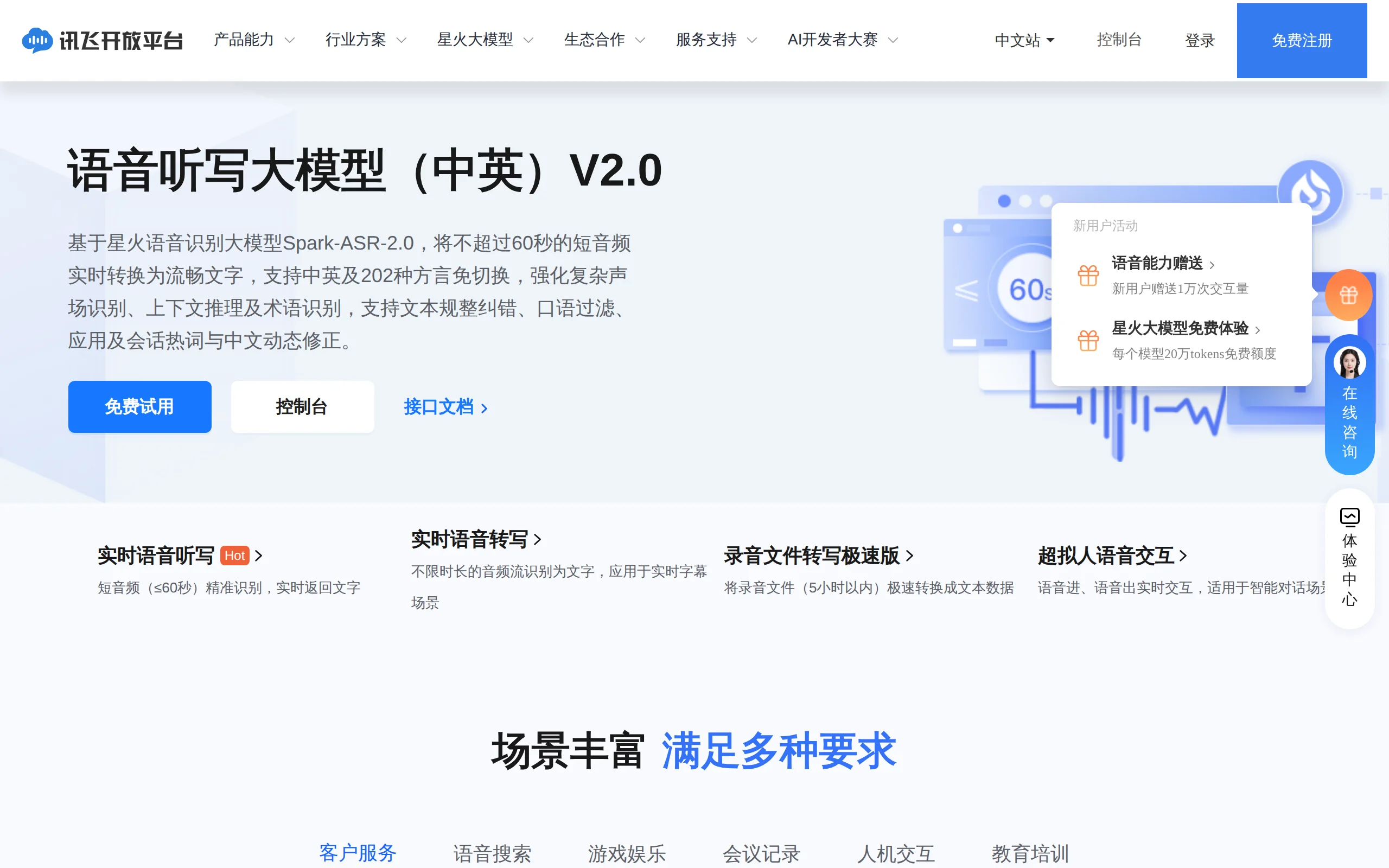
In-Depth Review of Spark-ASR-2.0: A New Paradigm in Speech Recognition with Non-Autoregressive Architecture
Spark-ASR-2.0 is the latest generation speech recognition large model launched by iFLYTEK based on its proprietary Spark-Audio speech foundation model. This model continues the non-autoregressive para...

Step Code – In-Depth Review of StepFun's Open-Source Terminal Programming Agent
Step Code is an open-source terminal programming agent launched by StepFun, licensed under the MIT License, which allows developers to complete the full workflow of code writing, debugging, execution,...
Xiaomi MiMo-V2.6 – Xiaomi's Open-Source Multimodal Model Series
Xiaomi MiMo-V2.6 is a series of fully multimodal models released and open-sourced by Xiaomi, comprising two native full-modal models: Pro and Flash. It is centered on large-scale Agentic reinforcement...
© All Rights Reserved. Some content on this site is partially generated by AI with human review.