
WinClaw – Desktop AI Agent with Permanent Free Token Access
Executive Summary:
WinClaw (branded “WinClaw Lobster” in Chinese marketing) is a desktop AI agent from Winicssec (威努特) aimed at everyday users who want automation without a technical setup. It lowers the bar for file ha...
1. What Is WinClaw
WinClaw (branded “WinClaw Lobster” in Chinese marketing) is a desktop AI agent from Winicssec (威努特) aimed at everyday users who want automation without a technical setup. It lowers the bar for file handling, search, document writing, and multi-step tasks via natural language. Its headline offer is permanent free tokens on Winicssec-hosted Qwen 3.5, with optional third-party model APIs. The app ships ready to run—no CLI install—with a dozen preset agents and 50+ skills for office, research, and remote control. Remote IM control lets you drive the agent from WeChat; scheduled tasks automate collection and push notifications. Winicssec brings industrial cybersecurity experience to local file handling for stronger privacy assurances.
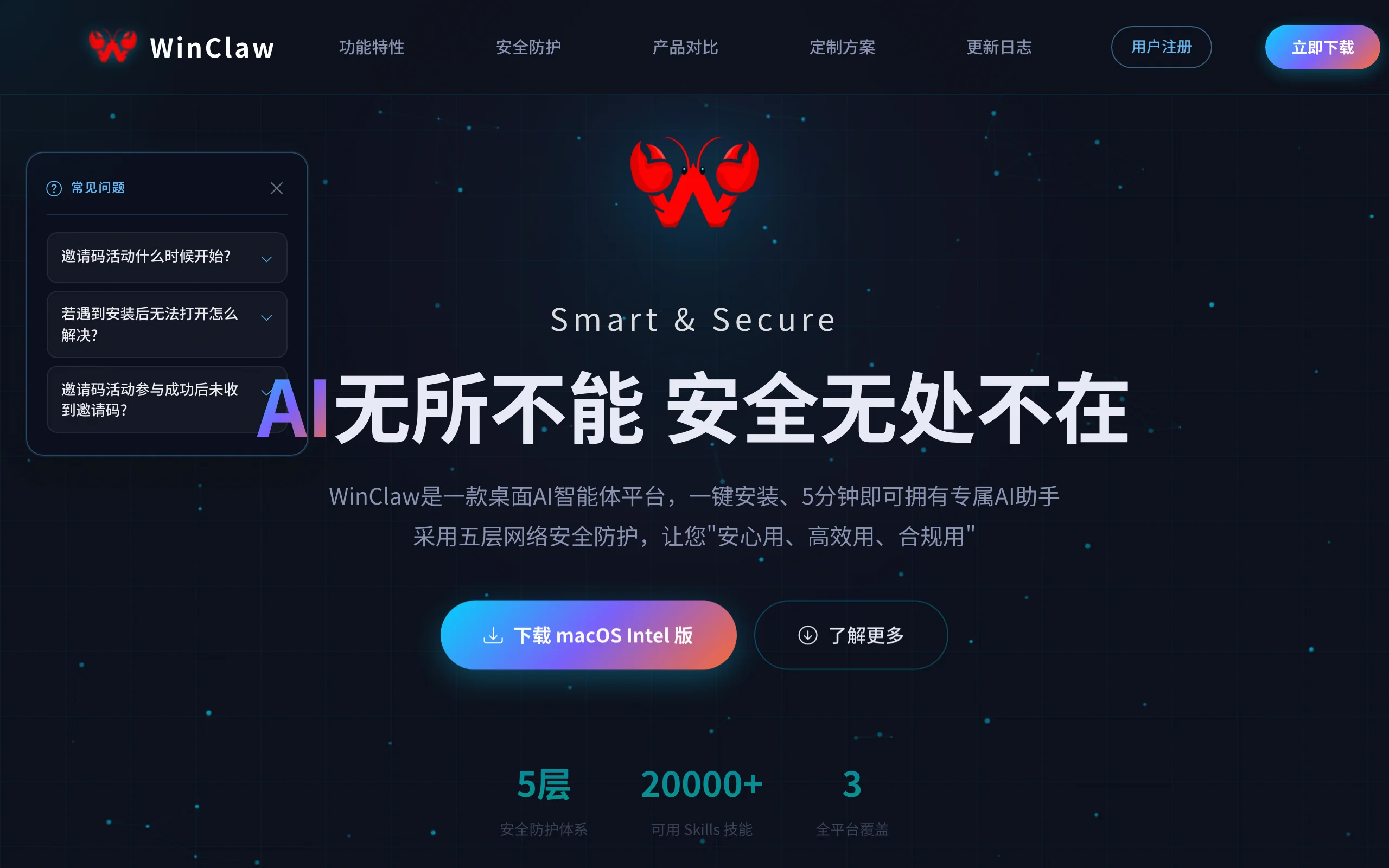
Image source: Official article
Technical positioning and domain: Application-layer AI agent for desktop automation and NL interaction—between a generic chat assistant and low-code RPA. Complex workflows are packaged as configurable agents non-developers can run.
Development background: Winicssec serves critical infrastructure (nuclear, rail, etc.) with 12 years of high-assurance security. WinClaw targets mass AI agent adoption via free tokens while embedding security expectations for local data.
Core value: Addresses token cost, deployment friction, and trust in local file ops—free Qwen 3.5 tokens, double-click install, and security branding from an industrial vendor.
Technical characteristics: Self-hosted distributed search across 200+ sources (Baidu, Bing, GitHub, academic indexes, etc.) with task-aware routing; Qwen 3.5 today with a planned OpenClaw 5.4 architecture upgrade; multilingual intent understanding beyond keyword matching.
2. Key Features
Permanent free token program: After claiming an invite during the campaign, Qwen 3.5 tokens from Winicssec stay free—ideal for high-frequency office automation and monitoring.
Remote IM control: Generate a QR in the client, verify via WeChat, then send commands from mobile—“phone bossing the PC” for search, file cleanup, etc.
Multi-step task decomposition: Complex asks (e.g., “research and write a report”) split into subtasks with search, deep reading, progress updates, and structured deliverables.
Scheduled tasks and push: Daily 6pm AI news to WeChat—or any recurring collect-and-notify workflow.
Built-in agents and skills: Presets like Document, Code, and Research assistants plus 50+ skills (rename files, summarize pages, extract data); custom agents attach tools/skills for domain workflows.
Distributed search engine: 200+ sources with automatic routing by task type for sharper retrieval than single-engine search.
Secure local file handling: Industrial-grade local processing for invoices, contracts, and other sensitive documents without unnecessary cloud upload.
3. How to Use
Install: Windows 10+ recommended; no GPU required. Run the installer as administrator—no Python/CLI setup.
Register: Client or https://winclaw.winicssec.com/ — phone or email signup and login.
Claim free tokens: During the campaign (May 7–17, 2026, 12:00–24:00 daily, hourly drops on the hour), enter your phone on the promo page. SMS invite code → “Free Token Redemption” in the client → “Super VIP” badge confirms permanent free Qwen 3.5 usage.
Configure agents: Agents tab → pick a preset or Edit to create one (name, description, tools, skills) → select in chat.
Run tasks: Natural language in chat—e.g., “Rename local invoices by vendor and date.” Remote: Remote Control → WeChat → QR scan → command from phone.
Schedules: Timed Tasks → create name, cron (e.g., daily 18:00), action, and push target (WeChat).
Tips: Admin install avoids permission issues; be on time for hourly code drops; keep client running in background for remote control; consider a secondary WeChat account for automation risk.
4. Pros and Cons
| Pros |
|---|
| Permanent free tokens: Zero cost for bundled Qwen 3.5—great for frequent automation. |
| True out-of-the-box UX: No terminal or coding—accessible to non-technical users. |
| Remote IM control: Convenient mobile → desktop orchestration. |
| Security positioning: Industrial vendor story for local sensitive files. |
5. Comparison with Similar Tools
| Dimension | WinClaw | AutoGPT | ChatGPT Desktop |
|---|---|---|---|
| Architecture | Qwen 3.5 agent app + proprietary search | GPT-4 autonomous agent, CLI-first | GPT-4 chat desktop, no agent loop |
| Barrier to entry | Very low—installer + NL | High—Python, API keys, CLI | Low chat, no automation |
| Token cost | Free tier via campaign (Qwen 3.5) | Paid OpenAI API | ChatGPT Plus ~$20/mo |
| Remote control | WeChat remote | None | None |
| Automation | Multi-step + schedules | Autonomous tasks, no native cron | Single-turn chat |
| Privacy story | Industrial local security marketing | Data via OpenAI | Data via OpenAI |
Selection advice: Non-technical users wanting free tokens, schedules, and phone control → WinClaw. Developers needing deep customization → AutoGPT (with API cost). Daily chat → ChatGPT desktop. Enterprise orchestration → Coze (mind data residency).
6. Editor's Review
WinClaw’s wedge is clear: permanent free tokens + frictionless Windows client + WeChat remote for mainstream office users. The 200-source search router is uncommon in desktop agents; WeChat control lowers psychological friction despite platform risk.
Model depth and agent programmability are modest vs pro tools. Treat the free-token promo as time-sensitive—verify long-term policy after the campaign.
Audience: Office workers, students, creators, curious early adopters—not advanced agent engineers.
Outlook: OpenClaw 5.4 upgrade and richer document skills could deepen pro use if APIs open and IM dependency diversifies.
— Strong on cost and accessibility; loses points for model limits, depth, and promo scarcity.
7. Use Cases
Office automation: Rename invoices, extract PDF fields, organize folders by NL commands.
News monitoring: Scheduled industry digests pushed to WeChat for investors and analysts.
Remote work: Find/send files or trigger jobs on office PC from phone via WeChat.
Research: GitHub/academic routed queries—“AI meeting-summary repos updated last month with 1k+ stars.”
Draft writing: Document agent gathers sources, outlines, and first drafts for reports and content.
8. FAQ
Q: How do I get permanent free tokens?
A: During May 7–17, 2026 (12:00–24:00, hourly on the hour), grab a code on the promo page with your phone, redeem in-client for Super VIP—free Qwen 3.5 tokens thereafter.
Q: Supported OS?
A: Windows 10+ only today—no official macOS/Linux client.
Q: Is remote IM control safe?
A: Encrypted QR pairing—but WeChat ToS/account risk exists; use a backup account and keep client running locally.
Q: Other LLM APIs?
A: Yes—bring your own OpenAI/Claude keys (you pay). Free tier applies only to Winicssec Qwen 3.5.
Q: Custom agents?
A: Yes with limited tool/skill wiring—not full autonomous programming like AutoGPT.
Q: Local file privacy?
A: Vendor claims encrypted local handling for sensitive files; still review their policy for your compliance needs.
Q: After the promo?
A: Super VIP from the campaign is marketed as permanent for Qwen 3.5; watch official announcements for policy changes.
9. Project Links
- Website: https://winclaw.winicssec.com/
Related AI Model Articles

OpenMuse – CopilotKit Open-Source Personal AI Assistant
OpenMuse is an open-source personal AI assistant project developed by the CopilotKit team. Its core design philosophy is "giving an Agent a computer" — by combining a persistent browser, optional Linu...

In-Depth Review of Longcat-2.5-preview: Meituan's Next-Generation Multimodal Long-Range Agent Model
LongCat-2.5-preview is Meituan's latest next-generation large model. Building upon the 1.6T total parameters, approximately 48B active parameters, and native 1M token context of LongCat-2.0, it marks ...

Review of DeepSeek Harness Desktop: How the Official GUI Client Lowers the Bar for Agent Usage
DeepSeek Harness Desktop is the official graphical client launched by DeepSeek, designed to provide a visual interface for the originally command-line-based DeepSeek Harness framework. After users log...

Step Code – In-Depth Review of StepFun's Open-Source Terminal Programming Agent
Step Code is an open-source terminal programming agent launched by StepFun, licensed under the MIT License, which allows developers to complete the full workflow of code writing, debugging, execution,...
© All Rights Reserved. Some content on this site is partially generated by AI with human review.