
ToolJet – Open-Source AI Low-Code Development Platform for Visual Drag-and-Drop App Building

Executive Summary:
ToolJet is an open-source low-code development platform designed to replace commercial low-code tools such as Retool. It provides over 60 draggable components and more than 80 data source connectors, ...
1. What is ToolJet
ToolJet is an open-source low-code development platform designed to replace commercial low-code tools such as Retool. It provides over 60 draggable components and more than 80 data source connectors, supporting an embedded PostgreSQL database, visual workflow orchestration, and JavaScript/Python code extensions. This enables developers and business personnel to quickly build internal management systems, data dashboards, and approval processes. The community edition is completely free under the AGPL-3.0 license and supports one-click self-hosting via Docker, ensuring full data autonomy and control. It is suitable for enterprise scenarios with strict compliance and privacy requirements.
Image source: Official article
Image source: official article
Technical positioning and domain: ToolJet belongs to the low-code development platform domain, focusing on the rapid construction of internal enterprise tools and backend management systems. It lowers the development barrier through visual drag-and-drop interfaces and pre-built components, while retaining code extension capabilities, achieving a balance between low-code and professional development, and filling the gap for enterprise-grade low-code platforms in the open-source ecosystem.
Development background: ToolJet is driven by the open-source community, with its core team dedicated to building a fully functional, self-hostable low-code platform to address the high cost and lack of data security control of commercial low-code tools (e.g., Retool). Since its open-source release on GitHub, the project has garnered over 28k stars, with active community contributions and frequent version updates.
Core value: The core value of ToolJet lies in combining the convenience of low-code development with the data security of open-source self-hosting. Enterprises can obtain enterprise-level application development capabilities at zero cost, while keeping all data stored on their own servers, meeting compliance requirements such as GDPR and information security standards. This significantly reduces the time and cost of internal tool development, enabling non-technical teams to participate in application building as well.
Technical features: ToolJet uses a plugin-based architecture, supporting over 60 UI components and 80+ data source connectors, covering mainstream databases, REST/GraphQL APIs, and SaaS services. It includes a built-in workflow engine that supports conditional branching and scheduled triggers, while also allowing the embedding of JavaScript/Python code and custom React components within applications, offering both flexibility and extensibility. The enterprise edition further integrates application generation capabilities based on natural language.
2. Key Features
Visual Application Builder: Offers over 60 pre-built UI components, including tables, forms, charts, buttons, navigation, and more. Users can build application interfaces through drag-and-drop without writing frontend code. Components support responsive layouts and custom styling, enabling the rapid creation of professional-grade backend interfaces and significantly shortening development cycles.
Data Source Connectors: Includes more than 80 built-in data source connectors, covering databases such as PostgreSQL, MySQL, MongoDB, Redis, and SaaS services like REST API, GraphQL, Slack, Google Sheets, and Stripe. Connection configurations are completed through the interface, supporting query caching and parameterization, which greatly simplifies data integration tasks.
Built-in Database: Comes with a no-code database based on PostgreSQL, allowing users to create tables, define field types, and import CSV data directly within the ToolJet interface, without the need to set up additional database services. Ideal for rapid prototyping and lightweight application data storage, reducing infrastructure complexity.
Workflow Automation: Provides a visual workflow editor that supports triggers (scheduled, Webhook, application events) and logical nodes such as conditional branches, loops, and delays. Users can orchestrate multi-step tasks like data synchronization, notification sending, and approval workflows, achieving business process automation and reducing manual intervention.
Code Extension: Allows users to write JavaScript and Python code directly within the application for data processing, business logic, and API calls. Custom React components can also be imported to meet complex interaction requirements, combining the convenience of low-code with the flexibility of code, enabling the platform to adapt to various business scenarios.
Security and Access Control: Provides enterprise-level security features, including encrypted data transmission (SSL/TLS), single sign-on (SSO, supporting Google, GitHub, etc.), role-based access control (RBAC), and operation audit logs. Ensures data security and compliance auditing in multi-user environments, suitable for enterprise deployment.
AI-Assisted Capabilities (Enterprise Edition): The Enterprise Edition supports generating application interfaces and query statements through natural language descriptions and can assist in debugging and troubleshooting. Leveraging large language models reduces the barrier to entry for building applications, further enhancing development efficiency, allowing non-technical users to quickly create functional applications.
Deployment and Publishing: Supports multiple deployment methods, including Docker, Kubernetes, AWS, GCP, and Azure, with one-click self-hosting. Applications can be published as standalone links, embedded in other systems (via iframe), or exported as code, flexibly meeting various publishing needs while also supporting multi-environment management.
3. How to Use
Environment Requirements and Deployment: ToolJet is built on Node.js and PostgreSQL, and is recommended to be deployed using Docker. Ensure that the server has Docker Engine 20.10+ and Docker Compose (optional) installed. Run the command
docker run -p 3000:3000 tooljet/tooljetto start the application. On first visit tohttp://localhost:3000, you will need to register an administrator account. For production environments, it is recommended to use Docker Compose to configure persistent storage, SSL certificates, and reverse proxies.Creating an Application and Interface Design: After logging into the dashboard, click "Create new app" and name your application. You will then enter the visual editor. Drag and drop the required components (such as tables, forms, and charts) from the left-side component panel onto the canvas, and adjust the layout using grid alignment. In the right-side properties panel, configure component data sources, styles, and interactive events without needing to write CSS.
Data Preparation and Query Writing: Create tables in ToolJet Database and populate them with sample data, or click "Add datasource" to connect to an external database/API. In the bottom query panel, click "Add query," select a data source, and write SQL or REST queries (e.g.,
SELECT **FROM employees). Set the query name togetEmployeesand configure it to run automatically when the application loads.Data Binding and Interactive Configuration: Select the table component and enter
{{queries.getEmployees.data}}in the "Data" field of the properties panel to bind the query results to the table. Create a new write query (e.g.,addEmployees) and call this query in the form submission event. Set the success callback to refresh the table query, enabling full CRUD operations.Preview, Release, and Share: Click "Preview" in the top-right corner to test the application's functionality and confirm that data display and interaction logic are correct. Click "Release" to publish the current version. Use "Share" to generate a public link or embed code, or configure access permissions to restrict it to specific users or organizations. Version rollback is supported, facilitating continuous iteration.
4. Pros and Cons Analysis
| Pros |
|---|
| Open-source and free to reduce costs: The community edition is completely free under the AGPL-3.0 license, saving significant subscription costs compared to commercial platforms like Retool, making it suitable for teams and individual developers with limited budgets. |
| Data autonomy and control: Supports Docker/K8s self-hosting, keeping data entirely on your own servers throughout the process, meeting data sovereignty and privacy compliance requirements, especially suitable for sensitive industries such as finance and government affairs. |
| Low learning curve: Can be deployed with a single Docker command. Applications can be built by dragging and dropping components and binding data, allowing non-professional developers to get started quickly and improving the efficiency of internal tool delivery. |
| Balances low-code and code flexibility: Supports embedding JavaScript/Python and custom React components, meeting the needs of rapid development while allowing deep customization, adapting to complex business logic. |
5. Comparative Analysis with Similar Tools
| Comparison Dimension | ToolJet | Retool | Appsmith |
|---|---|---|---|
| License | AGPL-3.0 (Community Edition) | Proprietary Commercial | Apache 2.0 |
| Deployment Method | Docker/K8s/self-hosted on mainstream clouds, official cloud service | Official cloud as primary, advanced packages support self-hosting | Docker/K8s self-hosted, official cloud service |
| Components and Data Sources | 60+ components, 80+ data sources | More components and integrations, mature ecosystem | 30+ components, supports mainstream databases and APIs |
| Code Customization | Supports JS/Python and custom React components | Supports JS code customization | Supports JS code customization |
| AI Capabilities | Enterprise edition supports AI-generated apps and queries | Supports AI-assisted development | No built-in AI capabilities |
| Enterprise Features | SSO, RBAC, audit logs, GitSync (Enterprise Edition) | Comprehensive and mature enterprise features | SSO, RBAC (Enterprise Edition) |
| Community Activity | GitHub 28k+ stars, active community | Commercial support, smaller community | GitHub 33k+ stars, active community |
Selection Recommendations: For teams prioritizing data security and compliance and looking to start with zero cost, both ToolJet and Appsmith are excellent choices. ToolJet offers a more extensive range of components and data sources, along with built-in databases and workflow engines, making it ideal for scenarios requiring rapid internal tool development. Appsmith's Apache 2.0 license is more permissive, making it suitable for projects requiring closed-source distribution. If budget allows and a rich ecosystem with high maturity is desired, Retool remains the top choice, with its well-refined component library and enterprise features, making it suitable for large enterprises. Budibase, on the other hand, has unique advantages in automated workflows, with a more powerful built-in automation engine than ToolJet, making it ideal for applications requiring complex process management.
6. Editor's Summary
As an open-source low-code platform, ToolJet employs a plugin-based architecture, achieving high extensibility through a rich set of components and data source connectors. Its built-in PostgreSQL database and visual workflow engine integrate data storage and business logic orchestration within the same platform, reducing the complexity of multi-system integration. Compared to commercial products like Retool, ToolJet still has some gaps in feature richness. However, its open-source self-hosted model provides enterprises with unique value in terms of data autonomy and control, making it particularly suitable for compliance-sensitive scenarios.
In terms of practical value, ToolJet significantly shortens the development cycle for internal tools. It can be deployed with a single Docker command, and non-technical users can build functional backends through drag-and-drop interfaces, effectively alleviating the pressure of limited development resources. For startup teams and business departments that require rapid iteration, ToolJet is an efficient solution. Its code extension capabilities also ensure the feasibility of handling complex requirements, allowing the platform to strike a good balance between simple and complex use cases.
Target users include: full-stack developers looking to quickly build internal management systems, business teams lacking professional front-end resources, and enterprise IT departments requiring data localization deployment. For organizations with limited budgets and requirements for data sovereignty, ToolJet is an extremely attractive option, offering a near-commercial platform experience at zero cost.
Looking ahead, with the continuous integration of AI capabilities (the enterprise edition already supports natural language generation for applications), ToolJet has the potential to further lower development barriers, enabling non-technical users to independently build applications. The growth of its community ecosystem will also drive an increase in the number of components and data sources, gradually narrowing the gap with commercial platforms. However, the restrictions imposed by its AGPL-3.0 license on commercial use require careful evaluation by enterprises when selecting a platform. If plans involve embedding applications into commercial products, the cost of enterprise edition licenses must be considered.
7. Application Scenarios
Data Management Backend: Use ToolJet's table and form components to quickly build backend interfaces for order management, user management, and product management. By connecting to business databases, you can perform data creation, deletion, modification, and querying. Operations personnel can directly operate the system, reducing reliance on the development team and improving business response speed.
Business Data Dashboard: Connect to databases or APIs and use chart components (line charts, bar charts, pie charts, numeric cards) to build real-time dashboards for sales, inventory, and operational metrics. Supports scheduled refresh and interactive filtering, helping management quickly grasp business dynamics and make data-driven decisions.
Approval and Ticketing System: Combine form components with a workflow engine to build process applications such as expense reimbursement approval, leave requests, and ticket routing. After users submit a form, the approval process is automatically triggered, and the workflow routes the request to the appropriate approver via conditional branches. It supports multi-level approvals and timeout reminders, enhancing process efficiency.
Lightweight CRM System: Based on an internal database or external data sources, build a customer information database, sales lead pool, and follow-up record system. Team members can collaboratively maintain customer data and track sales progress through dashboard views, enabling lightweight customer relationship management and reducing dependency on professional CRM software.
Internal Automation and AI Applications (Enterprise Edition): Use scheduled tasks and Webhook triggers to automate processes such as data synchronization, notification delivery, and report generation. The Enterprise Edition also allows for the rapid creation of internal AI tools through natural language descriptions, such as intelligent customer service, knowledge base Q&A, and data query assistants, further amplifying efficiency.
8. FAQ
Q: Is the ToolJet Community Edition truly completely free? Are there any functional limitations?
A: The Community Edition is licensed under the AGPL-3.0 protocol and offers full access to all basic features at no cost, including 60+ components, 80+ data sources, an embedded database, and a workflow engine. However, advanced enterprise features such as SSO, RBAC, audit logs, AI assistance, and GitSync require an Enterprise Edition license, which are not available in the Community Edition.
Q: What hardware and software requirements are needed for self-hosting ToolJet?
A: We recommend deploying ToolJet using Docker, which requires Docker Engine 20.10+ and Docker Compose (optional). The minimum server configuration is 2-core CPU and 4GB RAM, while production environments are advised to use 4-core CPU with 8GB RAM or higher. The system relies on a PostgreSQL database at the infrastructure level. ToolJet automatically manages the database instance, but external PostgreSQL can also be configured.
Q: What are the advantages and disadvantages of ToolJet compared to Retool?
A: The advantages of ToolJet include being open-source and free, offering data control and flexibility in deployment. The disadvantages are fewer components and data sources, less mature enterprise features, and a relatively weaker community ecosystem. If you have a sufficient budget and require the richest integration options, Retool may be a better choice. If cost and data sovereignty are priorities, ToolJet is the more suitable option.
Q: Can applications built with ToolJet be embedded into existing systems?
A: Yes. ToolJet supports application embedding through the "Share" feature, which generates embed code (iframe) for integration into other web applications. It also allows setting access permissions and customizing styles during embedding, ensuring security and consistency in embedded scenarios.
Q: How can I use the AI capabilities in ToolJet? Is any additional configuration required?
A: AI capabilities (natural language generation for applications and queries) are part of the Enterprise Edition and require purchasing an Enterprise Edition license. Within the editor, you can input a description to the AI assistant, and the system will automatically generate interface layouts or query statements. No additional AI model configuration is needed, as these capabilities are provided by ToolJet's cloud services. The Community Edition does not include this feature.
Q: Which databases does ToolJet support? Can it connect to local databases?
A: ToolJet supports mainstream databases such as PostgreSQL, MySQL, MariaDB, MongoDB, Redis, Elasticsearch, and Firebase. When self-hosted, it can connect to local databases via internal network addresses, ensuring that data remains within the internal network. It also supports connecting to securely isolated database instances through SSH tunnels.
9. Project Links
- Product Website: https://tooljet.com
- Official Cloud Service (Trial Access): https://app.tooljet.com
- Docker Image: https://hub.docker.com/r/tooljet/tooljet
- Official Documentation: https://docs.tooljet.com
- GitHub Repository: https://github.com/ToolJet/ToolJet
Related AI Model Articles

In-Depth Review of Longcat-2.5-preview: Meituan's Next-Generation Multimodal Long-Range Agent Model
LongCat-2.5-preview is Meituan's latest next-generation large model. Building upon the 1.6T total parameters, approximately 48B active parameters, and native 1M token context of LongCat-2.0, it marks ...
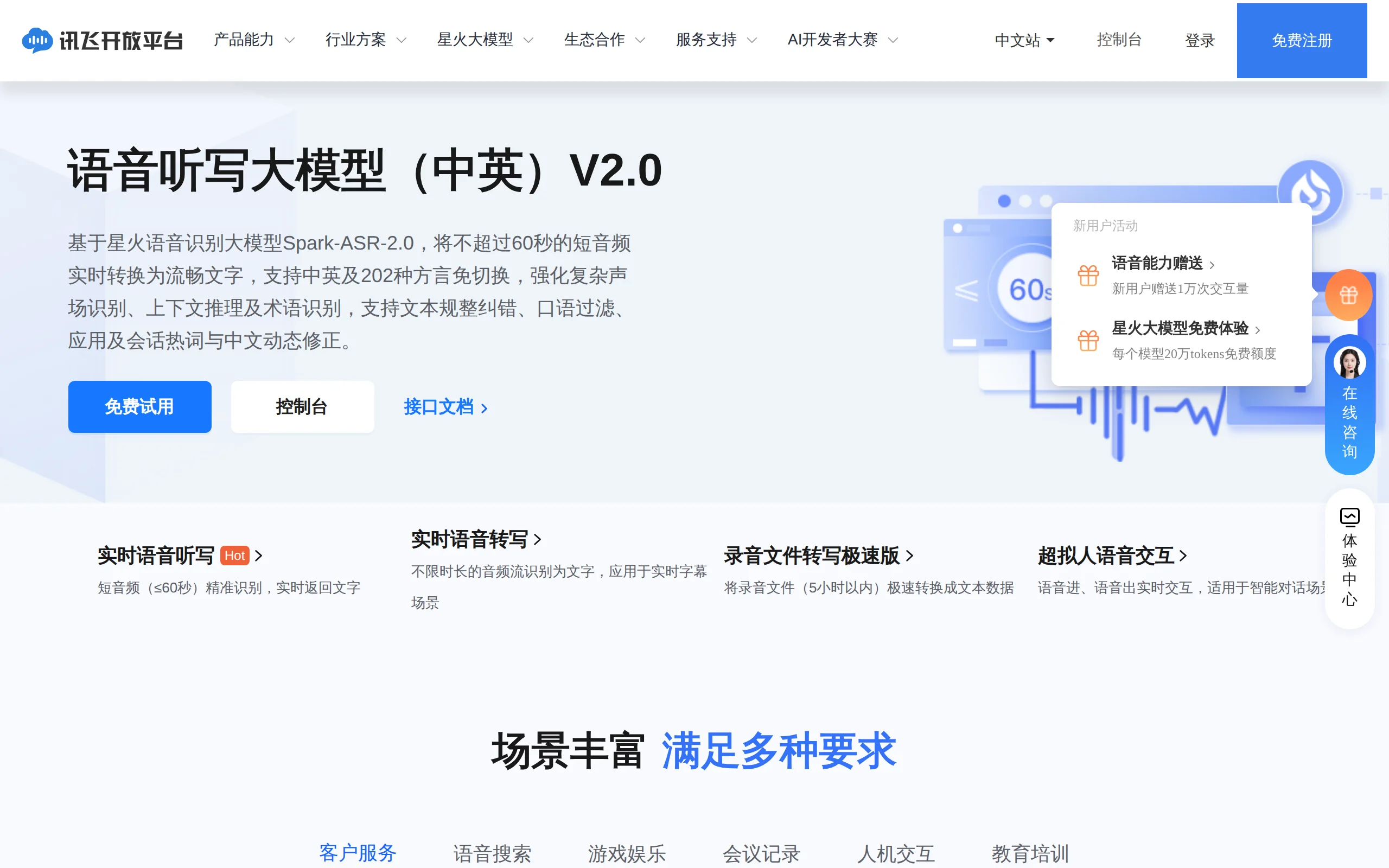
In-Depth Review of Spark-ASR-2.0: A New Paradigm in Speech Recognition with Non-Autoregressive Architecture
Spark-ASR-2.0 is the latest generation speech recognition large model launched by iFLYTEK based on its proprietary Spark-Audio speech foundation model. This model continues the non-autoregressive para...

Step Code – In-Depth Review of StepFun's Open-Source Terminal Programming Agent
Step Code is an open-source terminal programming agent launched by StepFun, licensed under the MIT License, which allows developers to complete the full workflow of code writing, debugging, execution,...
Xiaomi MiMo-V2.6 – Xiaomi's Open-Source Multimodal Model Series
Xiaomi MiMo-V2.6 is a series of fully multimodal models released and open-sourced by Xiaomi, comprising two native full-modal models: Pro and Flash. It is centered on large-scale Agentic reinforcement...
© All Rights Reserved. Some content on this site is partially generated by AI with human review.