
Mirage – strukto-ai's Unified Virtual Filesystem for AI Agents
Executive Summary:
Mirage from strukto-ai is a unified virtual filesystem for AI Agents. It mounts heterogeneous backends—S3, Slack, Gmail, GitHub, MongoDB, and more—as one virtual tree so Agents read, write, query, and...
1. What Is Mirage
Mirage from strukto-ai is a unified virtual filesystem for AI Agents. It mounts heterogeneous backends—S3, Slack, Gmail, GitHub, MongoDB, and more—as one virtual tree so Agents read, write, query, and copy across services using only Bash (cat, grep, wc, pipes, etc.) without learning new APIs. Core value: slash integration cost and complexity—"one filesystem, all backends."
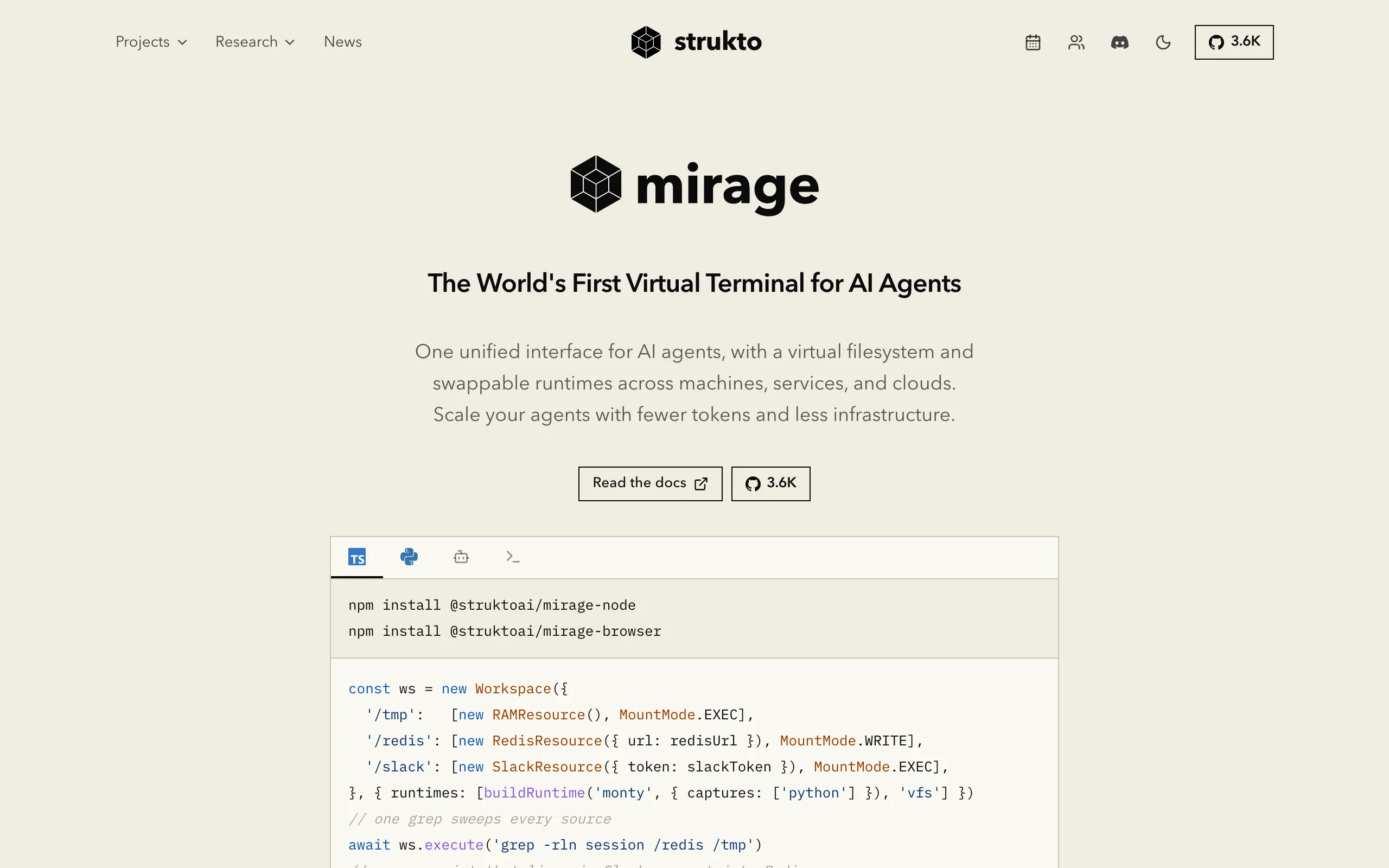
Image source: Official article
Technical positioning and domain: Agent infrastructure addressing fragmented external interfaces. Unlike API wrappers or MCP alone, Mirage maps backends to POSIX file semantics—system software meets AI engineering.
Research background: Born while building multi-Agent systems: Function Calling and MCP force per-backend API learning. Mirage rests on the insight that LLMs understand Unix file operations better than most SDKs—a unified abstraction layer.
Core value: Solves the "N APIs" pain—cost drops from mastering each SDK to Bash only. Cross-service pipes and environment snapshots let Agents finish complex data flows in one turn and migrate full execution context, improving dev efficiency and deployment flexibility.
Technical characteristics: Four layers (application, Bash/VFS, dispatcher/cache, resources). VFS maps Slack channels to directories and messages to JSON; MongoDB collections to directories and documents to JSON. Two-tier cache (index + file) with memory or Redis; adapters for OpenAI Agents SDK, Vercel AI SDK, LangChain, and more.
2. Key Features
Unified virtual mounts: S3/R2/GCS, Google (Gmail/Drive/Docs), Slack/Discord/Telegram, GitHub/Linear/Notion, MongoDB/Redis/PostgreSQL, SSH hosts appear as
/s3,/slack,/github, etc.—Agents ignore whether the backend is object storage or chat.Cross-service Bash operations: Use
cat,grep,head,find,cp,mv, pipes, and redirects on any mount—e.g.,grep alert /s3/log.jsonl | wc -lworks natively across backends.Portable workspaces: Snapshot, clone, and rollback—pack the full Agent environment as tar and restore on another machine without reconfiguration—state consistency for multi-machine and serverless setups.
Two-tier smart cache: Index cache (directories/metadata) and file cache (object bytes)—repeat reads avoid network; default 512 MB memory or Redis for multi-process/serverless.
Mainstream framework adapters: OpenAI Agents SDK, Vercel AI SDK, LangChain, Pydantic AI, CAMEL, OpenHands—as sandbox or tool layer without replacing your Agent stack.
FUSE adapter: Mount the virtual tree as a local disk for native OS file APIs on remote data—lower integration friction.
3. How to Use
Environment: Python ≥ 3.12 or Node.js ≥ 20 on macOS or Linux. Python 3.12+ recommended; Node 20+ for full async support.
Install: Python:
uv add mirage-ai; TypeScript:@struktoai/mirage-nodeor@struktoai/mirage-browser; CLI via one-liner, npm, uvx, or npx. Quick start:uvx mirage.Create and configure workspace: Instantiate
Workspaceand mount virtual paths to drivers—e.g.,ws = Workspace().mount("/s3", S3Resource(bucket="my-bucket")).Run Bash commands: Pass Unix commands to
ws.execute(); Mirage translates to backend APIs—e.g.,result = ws.execute("cat /slack/general/2024-01-01.json | grep 'error'").Snapshot and migrate:
ws.snapshot("demo.tar")thenmirage workspace load demo.taron a new host—includes mounts and cache.Connect Agent frameworks:
MirageSandboxClientfor OpenAI Agents SDK;mirageTools(ws)for Vercel AI SDK; official adapters for LangChain, Pydantic AI, CAMEL, OpenHands.
Notes: Each backend needs credentials (API keys, OAuth)—use env vars or config files. Tune cache size; switch to Redis if memory is tight.
4. Pros and Cons
| Pros |
|---|
| Zero new vocabulary: Reuse Bash and filesystem semantics from pretraining—minimal integration learning curve. |
| Native cross-service pipes: Data flows like local disks—more work per Agent turn. |
| Portable environments: Snapshot/clone/version Agent runtime for multi-machine and serverless consistency. |
| High-performance cache: Two tiers cut remote API calls; Redis suits multi-process/serverless throughput. |
| Framework-agnostic: Embed as sandbox/tools without replacing existing Agent stacks. |
5. Comparison with Similar Tools
| Dimension | Mirage | MCP |
|---|---|---|
| Positioning | Unified virtual FS for Agents | Open standard for AI–tool communication |
| Core idea | Map backends to POSIX FS; Bash everywhere | Server–client tool discovery and JSON calls |
| AI interaction | Bash, pipes, redirects | Structured JSON via schema/capabilities |
| Learning cost | Very low (Shell) | Medium (schema, protocol) |
| Cross-service compose | Native `\ | ` and redirects across mounts |
| Portability | Snapshot/clone/tar migration | No native env packaging; scattered server config |
| Caching | Index + file tiers; Redis sharing | Per-server implementation |
| License | Apache 2.0 | Apache 2.0 |
Selection advice: For lowest learning cost and native cross-backend pipes—especially log analysis and migration—Mirage excels. If deeply invested in MCP and protocol standardization, choose MCP. For many SaaS connectors and managed orchestration, Composio fits enterprise needs.
6. Editor's Take
Mirage's "filesystem as universal abstraction" turns LLM strength in Unix operations into one interface. Versus MCP and Composio, Agents need no new calling style—only Bash—cutting integration errors in theory. Cross-service pipes and snapshots address data flow and state—great for multi-source log analysis and automated reports where one Bash line replaces many API steps.
Best for AI engineers comfortable with Shell, multi-backend Agent builders, and teams reducing system complexity. Bash newcomers still face a curve, but lighter than many SDKs. Extension via custom VFS drivers should grow community value; docs and activity need time.
Deductions for docs and ecosystem maturity; strong differentiated design and daily UX.
7. Use Cases
Multi-source log analysis: Mount S3 logs, Slack alerts, GitHub issues—
grepandwcacross services in one command to find incident frequency and root cause.Automated reporting: Pull Google Sheets, Gmail attachments, Notion docs into one virtual tree and generate consolidated reports without caring about source APIs.
Remote ops: SSH-mount servers; batch diagnostics, config copy, and state changes with standard Bash.
Data migration: Move data between S3, R2, GCS, or MongoDB to local disk via
cpand pipes without custom migration scripts.Serverless Agents: Redis-backed shared cache gives stateful, recoverable virtual FS for multi-instance serverless AI—survive restarts cleanly.
8. FAQ
Q: Mirage vs. MCP?
A: Mirage maps backends to POSIX FS and Bash; MCP is JSON tool calls over a protocol. Mirage has lower learning cost and native cross-service pipes.
Q: Supported backends?
A: S3/R2/GCS, Google suite, Slack/Discord/Telegram, GitHub/Linear/Notion, MongoDB/Redis/PostgreSQL, SSH, and growing community drivers.
Q: Performance?
A: Two-tier cache—repeat reads avoid network; default 512 MB memory or Redis. Latency follows backend APIs; cache hits are very fast.
Q: Custom backends?
A: Yes—implement VFS interfaces (readdir, open, read, stat, etc.) to map any service.
Q: What's in a snapshot?
A: Mount config, cache, and workspace state in a tar—restore on another machine without remount setup (credentials still required separately unless bundled by your process).
Q: Cache configuration?
A: Env vars or config for size and backend—default 512 MB memory; Redis for multi-process sharing.
Q: Windows?
A: Officially macOS and Linux; WSL 2 for Windows. Native Windows may come later.
9. Project Links
- Website: https://www.strukto.ai/mirage
- GitHub: https://github.com/strukto-ai/mirage
Related AI Model Articles

OpenMuse – CopilotKit Open-Source Personal AI Assistant
OpenMuse is an open-source personal AI assistant project developed by the CopilotKit team. Its core design philosophy is "giving an Agent a computer" — by combining a persistent browser, optional Linu...

In-Depth Review of Longcat-2.5-preview: Meituan's Next-Generation Multimodal Long-Range Agent Model
LongCat-2.5-preview is Meituan's latest next-generation large model. Building upon the 1.6T total parameters, approximately 48B active parameters, and native 1M token context of LongCat-2.0, it marks ...

Review of DeepSeek Harness Desktop: How the Official GUI Client Lowers the Bar for Agent Usage
DeepSeek Harness Desktop is the official graphical client launched by DeepSeek, designed to provide a visual interface for the originally command-line-based DeepSeek Harness framework. After users log...

Step Code – In-Depth Review of StepFun's Open-Source Terminal Programming Agent
Step Code is an open-source terminal programming agent launched by StepFun, licensed under the MIT License, which allows developers to complete the full workflow of code writing, debugging, execution,...
© All Rights Reserved. Some content on this site is partially generated by AI with human review.