
LocateAnything – NVIDIA's Visual Language Grounding Model

Executive Summary:
LocateAnything is a visual language grounding model developed by NVIDIA, based on Parallel Box Decoding (PBD) technology. Users can input natural language to precisely select targets in images. With 3...
1. What is LocateAnything
LocateAnything is a visual language grounding model developed by NVIDIA, based on Parallel Box Decoding (PBD) technology. Users can input natural language to precisely select targets in images. With 3B parameters, this model achieves diverse tasks including multi-object detection, GUI element localization, OCR text detection, and point-level pointing. It reaches an inference speed of 12.7 BPS (bounding boxes per second) on a single H100 GPU, approximately 10x faster than Qwen3-VL, and achieves state-of-the-art (SOTA) performance on multiple benchmarks including LVIS, M6Doc, ScreenSpot-Pro, and DocLayNet. It is suitable for applications in robotics, document intelligence, and autonomous driving.
Image source: Official article
Image source: official article
Technical Positioning and Domain: LocateAnything belongs to the intersection of Visual Grounding and Open-Vocabulary Object Detection. Its uniqueness lies in completely restructuring traditional serialized coordinate generation (token-by-token decoding) into Parallel Box Decoding (PBD), where each bounding box or point is treated as an atomic unit, predicting all coordinates simultaneously in a single forward pass. This achieves an order-of-magnitude improvement in inference speed while maintaining high accuracy. The model is positioned as a universal visual grounding foundation, where a single weight can cover multiple tasks such as referring expression grounding, dense detection, OCR, layout analysis, and GUI interaction, eliminating the need to switch specialized models for different scenarios.
Research Background: The model was developed by NVIDIA Research, a team with deep expertise in vision-language models and efficient inference architectures. The development was motivated by pain points in existing visual grounding models: slow inference speed and narrow task coverage. Traditional methods like Rex-Omni and Qwen3-VL use serial or hybrid decoding, resulting in high latency in dense detection scenarios, making it difficult to meet the stringent low-latency requirements of real-time robot perception and autonomous driving. LocateAnything fundamentally breaks through this bottleneck with its parallel decoding architecture.
Core Value: LocateAnything resolves the long-standing trade-off between accuracy and speed in visual grounding. It achieves F1@Mean scores of 50.7 on LVIS, 54.7 on COCO, and 58.7 on Dense200, surpassing existing models. Meanwhile, its inference speed is 10x faster than Qwen3-VL and 2.5x faster than Rex-Omni. Additionally, a single model unifies tasks such as detection, grounding, OCR, GUI, and layout, significantly reducing deployment and maintenance costs. With the la_flash runtime optimization, peak memory usage can be reduced from 35GB to 11GB, enabling efficient operation on consumer-grade GPUs like the A100.
Technical Features: The core innovation is Parallel Box Decoding (PBD), which treats each bounding box as an atomic unit for parallel prediction, preserving the geometric coupling relationships within boxes and avoiding structural deformations caused by serial generation. The model uses a Moon-ViT visual encoder to extract native-resolution features, which are mapped through a two-layer MLP projector before being fed into a Qwen2.5 language decoder to output structured results. The hybrid inference mode defaults to a fast parallel mode (MTP), and automatically and seamlessly falls back to a stable serial mode (NTP) when encountering format anomalies or spatial ambiguities, with support for corrective re-decoding to ensure robustness.
2. Key Features
Referential Expression Localization: Users input natural language descriptions (e.g., "red car"), and the model precisely selects the corresponding target in the image with a bounding box. Based on parallel box decoding, the model can output multiple candidate boxes simultaneously in a single forward pass and filter the optimal result through semantic matching. This is suitable for scenarios such as human-computer interaction and visual question answering.
Multi-Target Dense Detection: Supports simultaneous detection of multiple object categories in an image, outputting a dense set of bounding boxes. On the Dense200 benchmark, it achieves an F1@Mean of 58.7, significantly outperforming similar models. This capability is crucial for autonomous driving (simultaneously detecting vehicles, pedestrians, and traffic signs) and retail scenarios (shelf product recognition).
GUI Element Localization: Can identify and locate interactive elements such as buttons, input fields, and icons in interfaces, supporting point-level output (by setting
output_type="point"). It achieves state-of-the-art results on the ScreenSpot-Pro benchmark and can be used for automated testing, RPA workflows, and UI intelligent agents, reducing manual annotation workload.Text Detection and OCR: Locates text regions in images, supporting document, scene text, and table structure recognition. It achieves an F1 of 43.3 on TotalText, 70.1 on M6Doc, and 76.8 on DocLayNet. This feature can be seamlessly integrated into document intelligence pipelines to automatically extract structured elements such as titles, paragraphs, and tables.
Point-Level Localization: Supports outputting precise single-point coordinates (x, y) for fine-grained pointing tasks, such as robot grasping point localization or interface element click coordinates. Called via the
point()method, the model directly outputs pixel-level coordinates based on language descriptions, with accuracy meeting industrial requirements.Hybrid Inference Mode: By default, uses a fast parallel mode to maximize throughput. When parallel decoding detects malformed box structures or coordinate conflicts, it automatically discards problematic blocks, falls back to verified prefixes, and regenerates corrections via serial mode. This mechanism ensures reliability in complex scenarios while maintaining speed, preventing coordinate errors.
3. How to Use
Environment Setup: Clone the Eagle repository from GitHub (link to be updated after official release) and run
install -e .to complete dependency installation. Python 3.10+, PyTorch 2.0+, and CUDA 11.8+ environments are recommended. For hardware, a GPU with at least 16GB VRAM (e.g., RTX 4090, A100, H100) is suggested; lower VRAM configurations can be optimized viala_flashruntime.Model Loading: Import the
LocateAnythingWorkerclass, instantiate it, and load the pretrained weightsnvidia/LocateAnything-3Bfrom Hugging Face. Example code:from LocateAnything import LocateAnythingWorker model = LocateAnythingWorker.from_pretrained("nvidia/LocateAnything-3B")The first load will automatically download approximately 6GB of model weights.
Object Detection: Call the
detect()method, passing an image (PIL or numpy array) and a list of category names (e.g.,["person", "car"]). The model returns bounding box coordinates for all matching targets (format:[x1, y1, x2, y2], range 0-1000). Suitable for standard open-vocabulary detection tasks.Phrase Grounding: Use the
ground_multi()method with an image and descriptive text (e.g.,"people wearing red shirts") to locate specific targets matching the semantic description. Multiple descriptions can be passed simultaneously, and the model processes them in parallel. Results return integer coordinates within<box>tags, which must be divided by 1000 to map to original image pixels.Text Detection: Call the
detect_text()method to automatically identify text regions in the image and output corresponding bounding boxes. No additional configuration is needed for processing documents, scene text, or table structures.GUI Grounding: Use the
ground_gui()method to locate UI elements. Settingoutput_type="point"outputs point coordinates instead of bounding boxes. Suitable for UI automation testing and element click operations in RPA workflows.Point-Level Pointing: Use the
point()method with an image and description to obtain precise single-point coordinates for a specified target, enabling fine-grained pointing tasks. The returned coordinates can be directly used for robotic grasping or interface interaction.Batch Inference: Configure the
la_flashruntime and addbatch_utils/toPYTHONPATH. Calldetect_batch()to process multiple image-query pairs simultaneously. After VRAM optimization, dozens of data pairs can be processed concurrently, further improving throughput.Result Parsing: Extract integer coordinates (range 0-1000) from
<box>tags in the output, then divide by 1000 to map to the original image's width and height pixel values. Note that coordinates follow the[x1, y1, x2, y2]format, with the origin at the top-left corner of the image.Fine-Tuning Adaptation: Prepare a JSONL data recipe (each line containing an image path, description, and annotation boxes). Use
torchrunto launch the full fine-tuning script, or run the LoRA script to freeze the backbone and train only the projector and low-rank adaptation layers. LoRA training can be completed on a single RTX 4090 GPU, requiring approximately 12GB of VRAM.
4. Pros and Cons Analysis
| Pros |
|---|
| Extremely Fast Inference: Up to 12.7 BPS on a single H100, approximately 10x faster than Qwen3-VL and 2.5x faster than Rex-Omni, meeting low-latency requirements for scenarios like robotic real-time perception. |
| Comprehensive SOTA Accuracy: Achieves top results on multiple benchmarks including LVIS (50.7 F1), COCO (54.7), Dense200 (58.7), and DocLayNet (76.8), covering tasks such as detection, document analysis, and OCR. |
| Single Model for Multiple Tasks: Unifies detection, localization, GUI, OCR, and layout analysis, eliminating the need to deploy multiple specialized models, reducing operational costs and inference latency. |
| Mature Memory Optimization Technology: Using la_flash at runtime reduces peak memory from 35GB to 11GB, enabling efficient operation on data center GPUs like A100 and supporting batch inference for higher throughput. |
5. Comparison of Similar Tools
| Dimension | LocateAnything-3B | Rex-Omni | Qwen3-VL |
|---|---|---|---|
| Organization | NVIDIA | Open Source Community | Alibaba Cloud |
| Core Architecture | Parallel Box Decoding (PBD) + Moon-ViT + Qwen2.5 Decoder | Serial/Hybrid Coordinate Token Generation | Serial Autoregressive Coordinate Generation |
| Inference Speed (H100) | 12.7 BPS | ~5.0 BPS (~2.5x slower) | ~1.3 BPS (~10x slower) |
| LVIS F1@Mean | 50.7 | 46.9 | Not disclosed (~45) |
| Task Coverage | Detection, Localization, GUI, OCR, Point-level, Layout | Detection, Localization, Understanding | Localization, OCR, VQA |
| Model Parameters | 3B | ~1.5B | 7B (Qwen3-VL-7B) |
| Open Source License | Open Source (Apache 2.0) | Open Source | Open Source (Qwen License) |
| Deployment Method | Local inference, supports la_flash memory optimization | Local inference | Local inference, requires larger memory |
| Community Ecosystem | Maintained by NVIDIA, comprehensive documentation, rich examples | Community-driven, documentation is brief | Alibaba Cloud ecosystem, good Chinese support |
Selection Recommendations: If you prioritize extreme inference speed and multi-task unification capabilities, and hardware conditions allow (A100/H100), LocateAnything is currently the best choice, especially suitable for robot real-time perception, autonomous driving, and document intelligence pipelines. If hardware resources are limited (e.g., RTX 4090) but you need to balance Chinese scenarios and VQA capabilities, Qwen3-VL offers advantages with its 7B parameters and Chinese optimization, though it is slower. If you only need open-vocabulary detection and speed is not a high priority, Grounding DINO remains a reliable choice thanks to its lightweight architecture and mature community. For GUI automation testing scenarios, LocateAnything's point-level output and ScreenSpot-Pro SOTA performance make it the preferred option.
6. Editor's Take
LocateAnything achieves an architectural breakthrough in the field of visual grounding. Its Parallel Box Decoding (PBD) fundamentally transforms the inefficient mode of traditional models generating coordinates token by token, treating each bounding box as an independent atom for parallel prediction. This not only significantly boosts inference speed (12.7 BPS) but also avoids the structural deformities common in serial generation by preserving the geometric coupling relationships within box coordinates. This design approach is akin to the paradigm shift from RNN to Transformer in NLP, marking a milestone for real-time application scenarios (robotics, autonomous driving).
From a practical value standpoint, a single model covering multiple tasks such as detection, grounding, GUI, OCR, and layout substantially reduces deployment complexity and operational costs. Comprehensive SOTA performance on benchmarks like LVIS and DocLayNet proves that accuracy has not been compromised in the pursuit of speed. The memory optimization technique (la_flash) enables efficient operation even on data center GPUs like the A100, further lowering the hardware barrier.
However, the model's heavy reliance on NVIDIA GPUs limits its cross-platform applicability, and its weakness in Chinese scenarios requires additional fine-tuning by users. The 3B parameter count still poses challenges for deployment on edge devices. Overall, LocateAnything represents the current best balance between speed and accuracy in the visual grounding domain, particularly suited for industrial-grade applications requiring high throughput and low latency.
Target Audience: Robotics engineers, autonomous driving perception teams, document intelligence developers, UI automation test engineers, AI researchers.
Development Potential: If future versions support more hardware platforms (AMD, Apple Silicon), expand Chinese language support, and introduce smaller distilled versions (under 1B), it has the potential to become a general-purpose foundation model in the visual grounding field.
7. Application Scenarios
Embodied Intelligence & Robotics: Robots locate operation targets via natural language commands (e.g., "pick up the blue cup"). LocateAnything outputs bounding boxes or grasp point coordinates in real time at an inference speed of 12.7 BPS, meeting low-latency requirements for robotic arm grasping and mobile robot navigation. Point-level localization can directly output precise grasp points, reducing post-processing steps.
Intelligent Document Processing: Automatically identifies and selects structured elements such as titles, tables, paragraphs, stamps, and signatures in documents. With an F1 accuracy of 76.8 on DocLayNet, it supports tasks like invoice recognition, contract analysis, and document digitization. Combined with OCR text detection, it enables a complete document understanding pipeline.
GUI Automation Testing: Locates buttons, input fields, and icons in interfaces, supporting point-level coordinate output for automated testing scripts and RPA workflows. For example, input "click the login button," and the model returns the button's coordinates, allowing the testing framework to execute the click operation directly without relying on traditional UI tree parsing.
Autonomous Driving Perception: Densely detects vehicles, pedestrians, and traffic signs in street-view images, outputting precise bounding boxes. Its multi-target dense detection capability (Dense200 F1 58.7) can handle dozens of targets simultaneously. Combined with an inference speed of 12.7 BPS, it meets the frame rate requirements of real-time perception systems.
Retail & Warehousing: Quickly locates specific products on shelves or target packages in warehouses using descriptions (e.g., "the red-packaged chips on the second shelf"). The model handles densely stacked scenarios, outputting bounding boxes for robotic arms or sorting systems, thereby improving automation efficiency.
8. FAQ
Q: How much VRAM does LocateAnything require to run?
A: Peak VRAM usage is approximately 35GB without optimization (single image + dense detection), which can be reduced to about 11GB using la_flash runtime optimization. A GPU with at least 16GB VRAM (e.g., RTX 4090, A100, H100) is recommended. If VRAM is insufficient, try lowering the input image resolution or reducing the number of categories detected simultaneously.
Q: Does the model support Chinese input?
A: The language decoder is based on Qwen2.5 and theoretically supports Chinese, but the training data is primarily in English, so the accuracy of Chinese phrase localization may be lower than English. Users are advised to perform LoRA fine-tuning on the projector and low-rank adaptation layers using Chinese data to improve performance in Chinese scenarios.
Q: How can I fine-tune the model for a specific domain?
A: Prepare a dataset in JSONL format (each line containing the image path, description text, and annotation box coordinates). Use torchrun to launch the full fine-tuning script, or run the LoRA script to freeze the vision encoder and language decoder backbone, training only the projector and low-rank adaptation layers. LoRA training can be completed on a single RTX 4090, with VRAM requirements around 12GB.
Q: What are the advantages of LocateAnything over Grounding DINO?
A: LocateAnything is approximately 6x faster in inference speed (12.7 BPS vs ~2.0 BPS), covers a wider range of tasks (supporting GUI localization, OCR, and point-level pointing in addition to detection), and achieves leading accuracy on multiple benchmarks. However, Grounding DINO is a lighter model (1.2B) with lower hardware requirements, making it suitable for resource-constrained scenarios.
Q: Can it run on non-NVIDIA GPUs?
A: Currently, only NVIDIA GPUs are supported (requires CUDA), and it relies on specific optimization libraries (e.g., la_flash). It cannot run directly on AMD GPUs or Apple Silicon. Official cross-platform support or conversion via ONNX (which may reduce accuracy and speed) is pending.
Q: How do I map the model's output coordinates to the original image?
A: The model outputs coordinates in the range of 0-1000, representing relative coordinates. Divide the coordinates by 1000 and multiply by the original image's width and height in pixels to obtain actual pixel coordinates. For example, if the output is [200, 300, 500, 600] and the image is 1920x1080, the actual box would be from (384, 324) to (960, 648).
Q: How do I configure VRAM optimization for batch inference?
A: Set the la_flash runtime environment variables and add the batch_utils/ directory to PYTHONPATH. When calling detect_batch(), pass a list of images and a list of queries; the model automatically manages VRAM allocation. A single batch size of no more than 8 is recommended (depending on GPU VRAM).
9. Project Address
- Project Website: https://research.nvidia.com/labs/lpr/locate-anything/
- GitHub Repository: https://github.com/NVlabs/Eagle/tree/main/Embodied
- HuggingFace Model Library: https://huggingface.co/nvidia/LocateAnything-3B
- Technical Paper: https://research.nvidia.com/labs/lpr/locate-anything/LocateAnything.pdf
Related AI Model Articles
Xiaomi MiMo-V2.6 – Xiaomi's Open-Source Multimodal Model Series
Xiaomi MiMo-V2.6 is a series of fully multimodal models released and open-sourced by Xiaomi, comprising two native full-modal models: Pro and Flash. It is centered on large-scale Agentic reinforcement...
In-Depth Review of Step 5 Preview: A 600B Sparse MoE Flagship with 1M Token Context and 1/8 Cost Advantage
Step 5 Preview is a new-generation flagship foundation model launched by StepFun, designed for real-world Agentic tasks. Based on a sparse MoE architecture, the model has a total of 600B parameters bu...
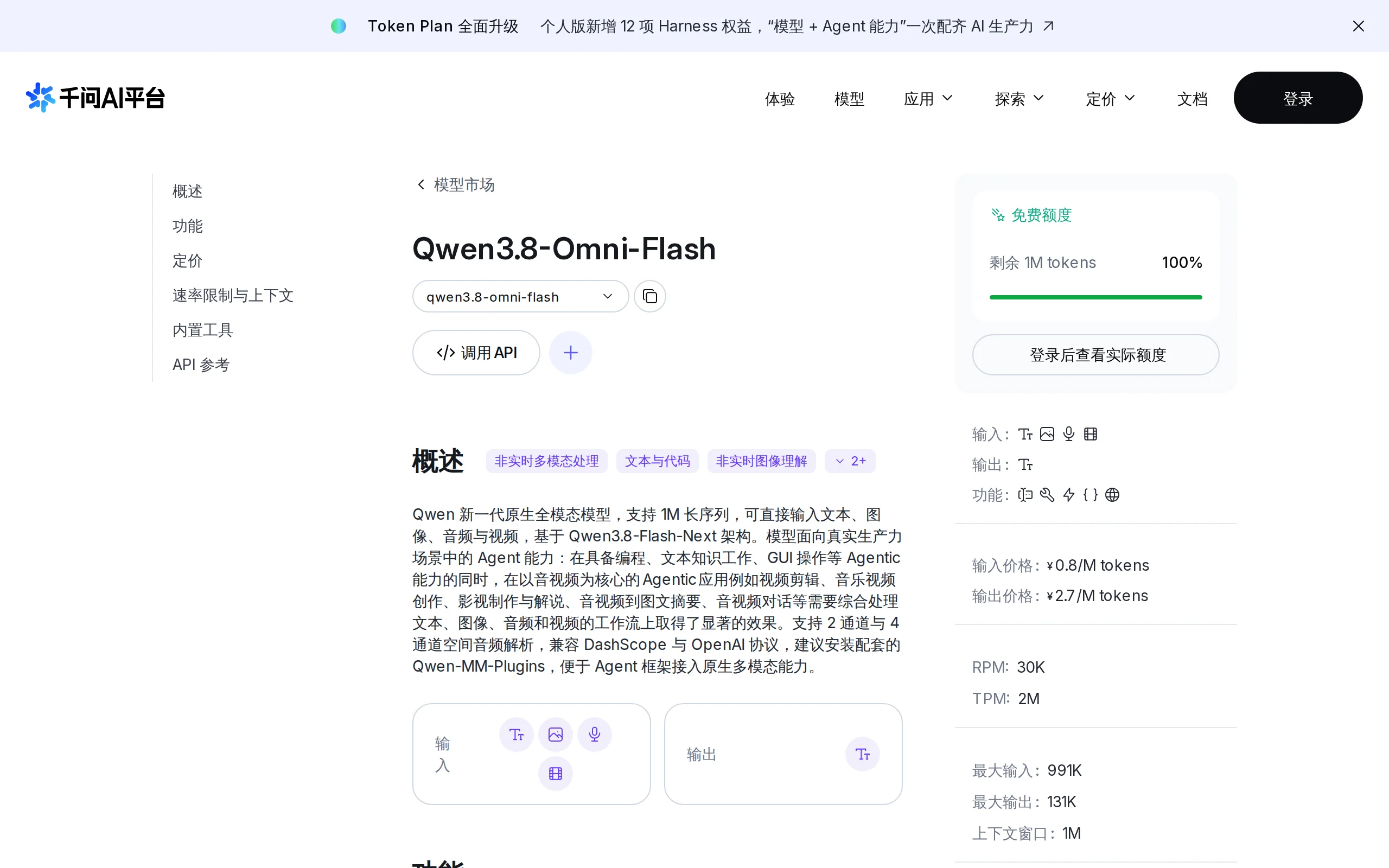
Qwen3.8-Omni-Flash – A Native Multimodal Model Launched by Alibaba Qwen
Qwen3.8-Omni-Flash is a native multimodal model launched by Alibaba Qwen. It jointly models four modalities—text, image, audio, and video—within a single architecture, supporting a context length of u...
Union Alpha – A Mysterious Multimodal Large Model with Unlimited Free Access for a Limited Time
Union Alpha is a multimodal large language model released in "stealth" mode, recently launched on mainstream AI service platforms such as OpenRouter, Cline, and OpenCode. The model supports dual-modal...
© All Rights Reserved. Some content on this site is partially generated by AI with human review.