
HiCAD – Open AI Parametric 3D CAD Modeling Platform
Executive Summary:
HiCAD is an open AI parametric 3D CAD platform built for makers and 3D printing enthusiasts. Natural language—in Chinese or English—generates editable JSCAD parametric code in seconds, with live 3D pr...
1. What Is HiCAD
HiCAD is an open AI parametric 3D CAD platform built for makers and 3D printing enthusiasts. Natural language—in Chinese or English—generates editable JSCAD parametric code in seconds, with live 3D preview, a Monaco editor, and slider panels for one-stop flow from idea to printable STL. Led by community developer MrXujiang under GPL v3, it supports Docker and PM2 self-hosting with high flexibility and extensibility.
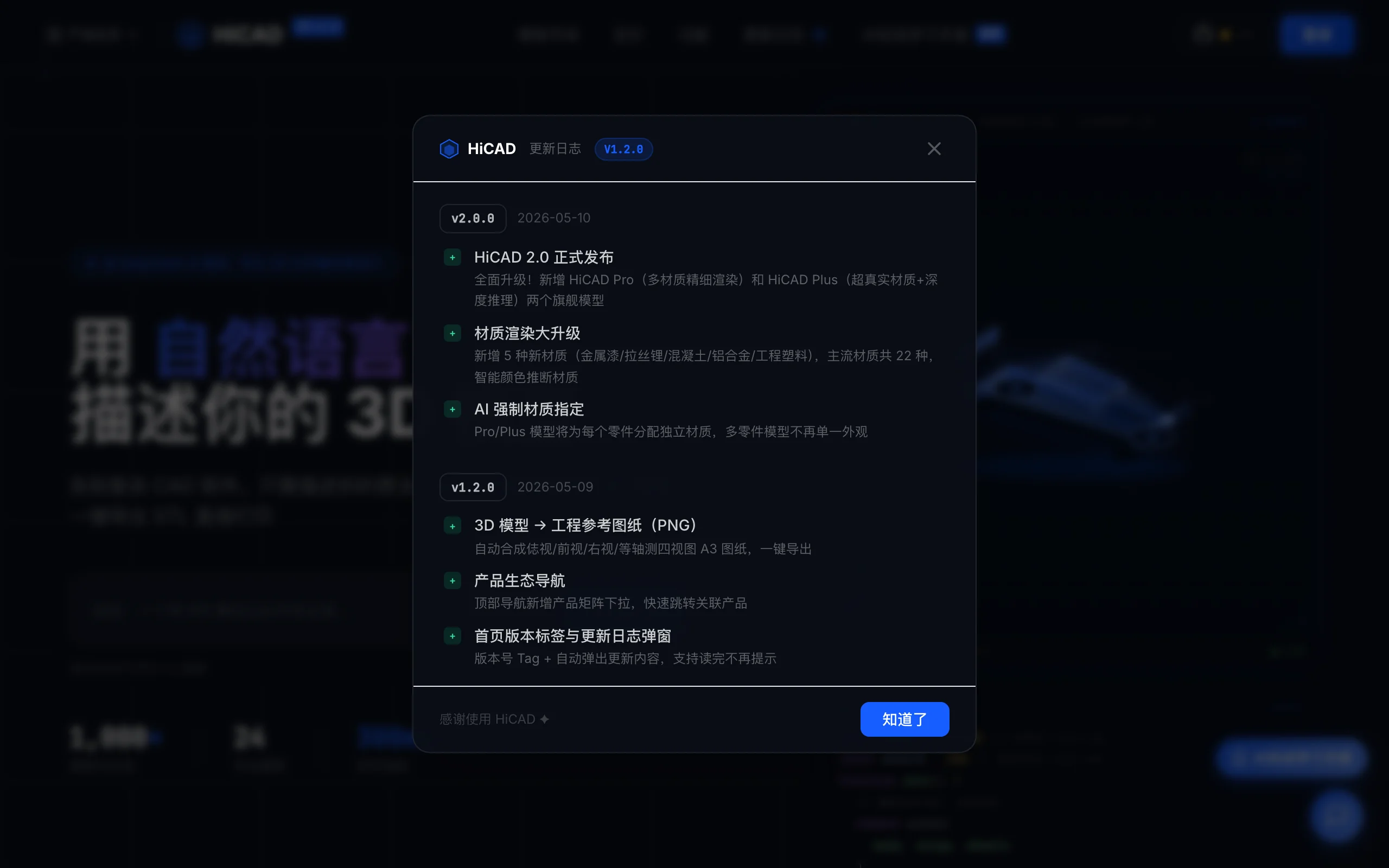
Image source: Official article
Technical positioning and domain: HiCAD targets AI-driven parametric 3D modeling—a "text-to-3D" niche that outputs editable JSCAD code, not frozen meshes or point clouds, so dimensions and structure remain tunable for printing.
Development background: MrXujiang launched the project to cut the steep learning curve of Fusion 360, SolidWorks, and Blender. LLM intent understanding plus deterministic parametric codegen aims for "zero barrier" modeling for non-experts.
Core value: HiCAD tackles two maker pain points—CAD learning cost and fragmented design-to-print workflows. One web UI combines NL understanding, codegen, live render, parametric controls, and export, shrinking idea-to-model from hours or days to minutes.
Technical characteristics: A two-stage engine analyzes intent then emits precise JSCAD via deterministic generators, reducing pure-LLM hallucination. Vue 3 + Three.js front end with WebWorker-isolated execution delivers ~300 ms preview updates; SSE streaming and multi-adapter backends support DeepSeek, OpenAI, Qwen, and more.
2. Key Features
AI smart modeling: Describe parts in natural language (e.g., "phone stand with M3 screw holes"); the two-stage pipeline outputs structurally accurate JSCAD, combining semantic understanding with deterministic geometry.
Real-time 3D preview: WebWorker runs JSCAD; Three.js WebGL renders updates within ~300 ms with orbit, zoom, and pan—near-native CAD responsiveness.
Monaco code editor: VS Code–grade highlighting, completion, and errors. Manual edits plus "AI continue" mode let the model patch specific regions while preserving structure.
Parametric control panel: Key variables (length, width, radius, hole spacing) become sliders—no code required; preview updates live.
STL/OBJ import and export: Import STL for preview; export ASCII/binary STL or OBJ in millimeters for Cura, PrusaSlicer, and similar slicers.
Template marketplace: 24+ free templates (phone stands, arms, jewelry, enclosures) for AI remix or community sharing.
Multi-AI adapters: Switch DeepSeek, OpenAI, or Qwen via one
.envline (AI_ADAPTER=deepseek) for cost, quality, or network fit.Model sharing: Share links for login-free parametric 3D preview—useful for reviews and community showcase.
3. How to Use
Requirements: Online use needs a modern browser (Chrome, Edge, Firefox). Self-host: Node.js ≥18, pnpm ≥9, Linux/macOS preferred; Windows may need Git Bash or WSL.
Online flow: Visit https://hicad.mvtable.com/, describe your part, adjust sliders, export STL to your slicer.
Local deploy:
git clone [email protected]:MrXujiang/HiCAD.git cd HiCAD cp .env.example .env # Set DEEPSEEK_API_KEY or other keys pnpm install && pnpm startConfig: Set
AI_ADAPTERtodeepseek,openai, orqwenand matching API keys; optionalOPENAI_BASE_URLfor proxies. DeepSeek is a practical default for Chinese users.Tips: Specify units and relationships for complex parts (e.g., "50 mm diameter cylinder"). With PM2, ensure env vars load. If WebWorker fails, check CORS settings.
4. Pros and Cons
| Pros |
|---|
| Zero-barrier NL modeling: No traditional CAD training; Chinese/English descriptions yield parametric models. |
| Open self-hosting: GPL v3 full stack; Docker/PM2 for teams. |
| Fast interaction: ~300 ms preview on param and code changes. |
| Multi-model switching: One-line adapter changes among DeepSeek, GPT-4o, Qwen-Max. |
5. Comparison with Similar Tools
| Dimension | HiCAD | Text-to-CAD (Zoo) | Meshy |
|---|---|---|---|
| Architecture | NL → JSCAD, two-stage deterministic | NL → CAD, STEP/GLB | Text/image → mesh diffusion |
| Output | STL/OBJ + editable code | STEP/GLB/OBJ, less editable | OBJ/FBX/GLB meshes |
| Live interaction | ~300 ms preview + sliders | Async, no param UI | Preview, no parametric sliders |
| Editability | Monaco + AI continue | Re-import elsewhere | Regenerate only |
| Deploy | Self-host Docker/PM2 | Partial open + paid API | SaaS |
| 3D printing | Native mm-accurate STL | STEP/GLB conversion needed | Mesh cleanup often required |
| Multi-AI | DeepSeek/OpenAI/Qwen | Zoo model only | Proprietary |
| Templates | 24+ marketplace | None | None |
Selection guidance: Makers and printers should pick HiCAD for shortest path to adjustable STL. Mechanical engineers needing STEP for analysis should prefer Zoo Text-to-CAD. Visual prototypes only: Meshy or Point-E, with extra mesh work for print.
6. Editor's Take
HiCAD's two-stage engine is thoughtfully aligned with real maker workflows—not one-shot meshes but editable JSCAD assets you can resize and remix. Pairing LLM intent with deterministic codegen is a pattern others should study.
It democratizes modeling: anyone who can type can prototype stands, joints, or jewelry in minutes— huge for STEM and hardware iteration. Industrial tolerance work still belongs in traditional CAD; HiCAD shines as ideation and fast print prep.
Best for: Makers, educators, hardware hackers, and small teams iterating physical prototypes.
Future: Better complex-part codegen and community-driven templates could make HiCAD the default personal modeling entry point.
- Innovation: ★★★★★ (two-stage design)
- Utility: ★★★★☆ (complex models still need edits)
- Ease: ★★★★★
- Ecosystem: ★★★☆☆ (early)
- Openness: ★★★★★ (GPL v3, self-host)
7. Use Cases
Personal 3D printing: Custom stands, organizers, brackets—describe, slider-tune, slice, print in minutes.
STEM education: Students see geometry parameters change live via sliders tied to NL prompts.
Hardware prototyping: Rapid mechanical iterations (arms, enclosures) in describe-print-test loops.
Jewelry and industrial customization: Remix marketplace templates with AI and parametric sizing.
Enterprise private libraries: Self-hosted shared model hub with link-based review without file chaos.
8. FAQ
Q: Are HiCAD models print-ready?
A: Exported STL uses millimeters and imports into Cura, PrusaSlicer, Bambu Studio, etc. Check watertightness in the slicer and use repair if needed.
Q: How do I switch AI models locally?
A: Edit .env: set AI_ADAPTER to deepseek, openai, or qwen with the matching API key, then restart. Example: AI_ADAPTER=deepseek and DEEPSEEK_API_KEY=....
Q: Supported import/export formats?
A: Export ASCII/binary STL and OBJ; import STL for preview. No native STEP/IGES/FBX—convert via Blender or Fusion if required.
Q: Engineering-grade precision?
A: Fine for typical print parts (~0.1 mm practical accuracy). High-tolerance mechanical mates still need traditional CAD or post-import refinement.
Q: Contributing templates?
A: Share via GitHub Issue/PR for official inclusion; community links are encouraged while full marketplace sharing matures.
Q: OpenAI behind the Great Firewall?
A: Set OPENAI_BASE_URL to a reachable proxy or prefer DeepSeek/Qwen for stability in mainland China.
Q: Multilingual input?
A: Chinese and English work best; Japanese and others are supported with potentially lower quality.
9. Project Links
- GitHub: https://github.com/MrXujiang/HiCAD
- Live demo: https://hicad.mvtable.com/
- JSCAD docs: https://openjscad.xyz/
Related AI Model Articles

In-Depth Review of Longcat-2.5-preview: Meituan's Next-Generation Multimodal Long-Range Agent Model
LongCat-2.5-preview is Meituan's latest next-generation large model. Building upon the 1.6T total parameters, approximately 48B active parameters, and native 1M token context of LongCat-2.0, it marks ...
In-Depth Review of Spark-ASR-2.0: A New Paradigm in Speech Recognition with Non-Autoregressive Architecture
Spark-ASR-2.0 is the latest generation speech recognition large model launched by iFLYTEK based on its proprietary Spark-Audio speech foundation model. This model continues the non-autoregressive para...

Step Code – In-Depth Review of StepFun's Open-Source Terminal Programming Agent
Step Code is an open-source terminal programming agent launched by StepFun, licensed under the MIT License, which allows developers to complete the full workflow of code writing, debugging, execution,...
Xiaomi MiMo-V2.6 – Xiaomi's Open-Source Multimodal Model Series
Xiaomi MiMo-V2.6 is a series of fully multimodal models released and open-sourced by Xiaomi, comprising two native full-modal models: Pro and Flash. It is centered on large-scale Agentic reinforcement...
© All Rights Reserved. Some content on this site is partially generated by AI with human review.