
Agents CLI – Google Cloud's Official Command-Line Tool for AI Agents
Executive Summary:
Agents CLI is Google Cloud's official command-line tool for simplifying the full AI Agent lifecycle. It packages more than a decade of Google Cloud engineering into seven structured skill modules cove...
1. What Is Agents CLI
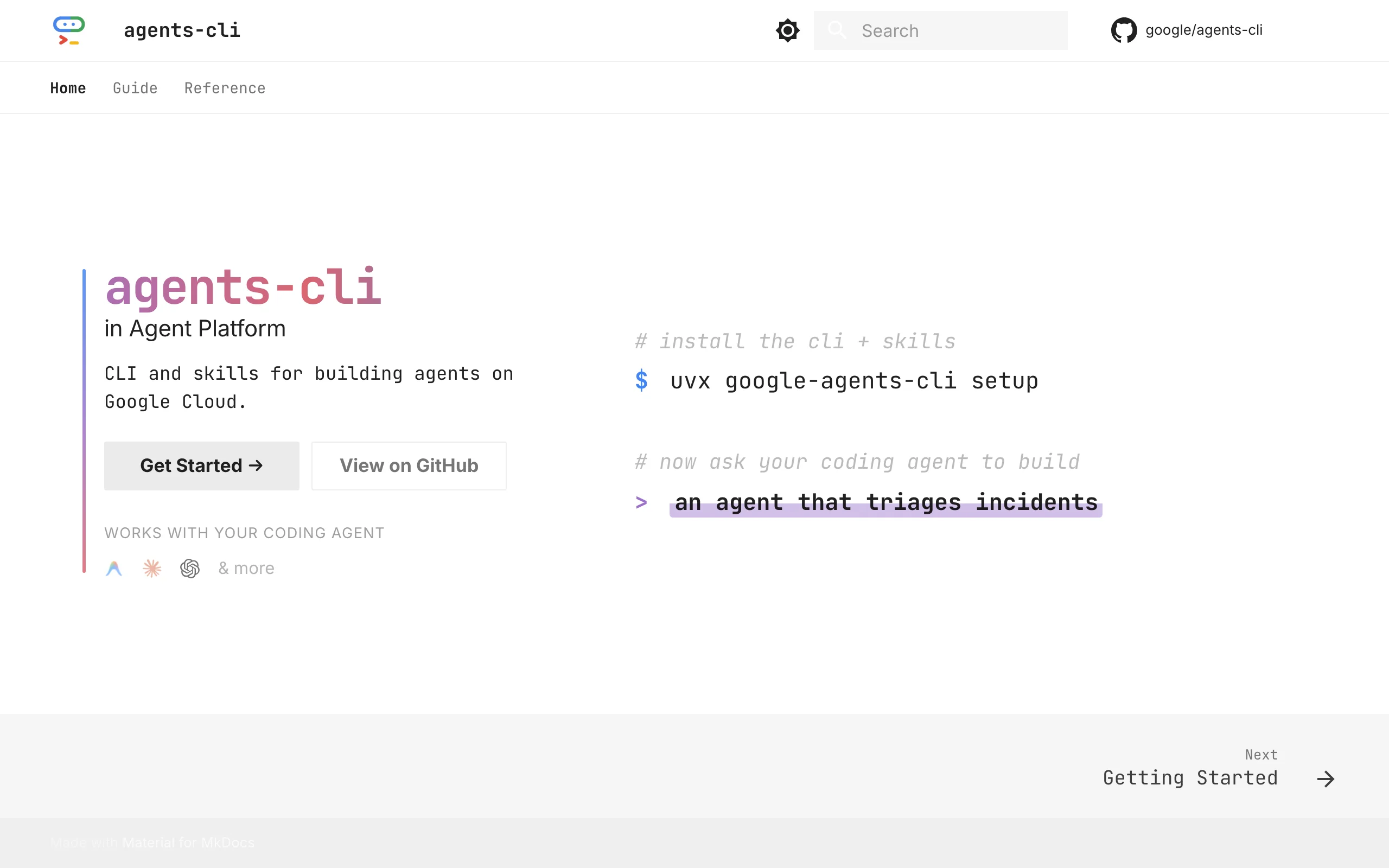
Agents CLI is Google Cloud's official command-line tool for simplifying the full AI Agent lifecycle. It packages more than a decade of Google Cloud engineering into seven structured skill modules covering scaffolding, ADK development, local evaluation, deployment to Cloud Run or GKE, and Gemini Enterprise publishing. Developers can let AI coding assistants run the full flow automatically or take over with manual CLI commands. Local development needs only an AI Studio API key—no GCP project required for prototyping—lowering the bar for production-grade agent work.
Image source: Official article
Technical positioning and domain: Agent engineering × DevOps—standardized flow from development to deployment by merging cloud infrastructure with the Agent Development Kit (ADK), not just model invocation or a bare framework.
Development background: Built by the Google Cloud Agent Platform team on Gemini, ADK, and A2A (Agent-to-Agent) expertise. Motivation: customers struggle turning prototypes into production—manual config, scattered docs, no standard toolchain.
Core value: Resolves "easy prototype, hard production." Prototypes take hours; production deploy, monitoring, eval pipelines, and CI/CD take days or weeks. Skill-pack injection embeds engineering knowledge in coding assistants so teams ship without deep cloud expertise—compressing days to hours.
Technical characteristics: ADK + A2A orchestration for interoperable agents; layered cloud-native design (orchestration, models, data, observability). Innovation: context compression—connection and deploy rules pre-encoded as structured commands so assistants don't re-infer infra each turn—lower tokens, higher determinism.
2. Key Features
Skill-pack injection: Seven modules—Workflow, ADK Code, Scaffold, Eval, Deploy, Publish, Observability—installed via
npx skills addinto Gemini CLI, Claude Code, Codex, etc., so assistants generate accurate agent code and configs without guessing cloud wiring.Project scaffolding:
scaffoldcreates standard agent projects (layout, ADK starter, deps, defaults) or adds deploy/CI/CD/RAG to existing repos and upgrades to new conventions.Local dev and debug:
runfor smoke tests;playgroundWeb UI at http://127.0.0.1:8000;installandlintfor deps and quality—local loop complete.Evaluation pipelines:
eval runon datasets with metrics;eval compareacross versions; LLM-as-Judge and trajectory scoring for output quality and behavioral consistency pre-deploy.Multi-target deploy:
deployto Agent Runtime (memory + orchestration), Cloud Run (serverless), or GKE (scale)—sensible defaults without deep container expertise.Enterprise publish:
publish gemini-enterpriseregisters agents for org-wide search and reuse—key for large enterprises.Infrastructure as code:
infragenerates Terraform, staging/prod CI/CD, vector stores, and RAG data pipelines—infra in the standard agent workflow.
3. How to Use
Environment: Python 3.11+, uv, Node.js (skills). Linux/macOS recommended; Windows via WSL2. Verify:
python --version && uv --version && node --version.Install CLI + skills:
uvx google-agents-cli setup—installs CLI and deploys all seven skill packs to your assistant.Skills only (optional):
npx skills add google/agents-cliif CLI is managed elsewhere.Auth:
agents-cli login --interactivefor GCP browser login. Local:export GEMINI_API_KEY="your-key"—no GCP project for prototyping.Create project:
agents-cli scaffold my-first-agent—standardagent/,tests/,config/, etc.Install deps:
agents-cli installfromrequirements.txtorpyproject.toml.Local debug:
agents-cli playgroundat http://127.0.0.1:8000—pick agent, chat, validate logic.
Best practices: Run agents-cli info first; commit scaffold output for team consistency.
4. Pros and Cons
| Pros |
|---|
| Lower engineering barrier: Google Cloud CLI knowledge as skill packs—assistants deploy without reading every doc—faster prototype→prod. |
| Multi-assistant support: Gemini CLI, Claude Code, Codex, Cursor, Antigravity—not tied to one IDE. |
| Free local start: AI Studio key only for local work—low trial cost. |
| Full lifecycle: Scaffold through observability—one toolchain, less context switching. |
| Manual fallback: Run native CLI anytime—transparency for critical steps. |
5. Comparison with Similar Tools
| Dimension | Google Agents CLI | MMX-CLI | Cursor CLI |
|---|---|---|---|
| Architecture | ADK + A2A; 7 skill packs; layered cloud design | MiniMax multimodal API as shell commands | VS Code fork CLI; .cursorrules |
| Lifecycle coverage | Scaffold→publish→observability | Media pipeline automation | Code edit, refactor, CI hooks |
| Deploy targets | Agent Runtime, Cloud Run, GKE + Enterprise | Local/CI shell only | Local; external CI via actions |
| Evaluation | Built-in eval; LLM judge + trajectory | None | None (generates tests only) |
| Manual mode | Native CLI anytime | Direct shell + JSON stdout | Direct CLI or IDE takeover |
| License | Apache 2.0 | Closed npm/API | Closed commercial |
| Community | New; backed by GCP | Single vendor | Active IDE ecosystem |
Selection advice: Google Cloud shops → Agents CLI first—deep integration with Cloud Run, GKE, Gemini Enterprise. Local-only coding → Cursor CLI or LangChain CLI. Non-GCP clouds → other platforms; deploy stays GCP-bound.
6. Editor's Take
The standout idea is skill-pack injection—not just commands, but encoded engineering knowledge in assistant context. "Knowledge as code" teaches when and why to run deploy/eval/infra steps—a pattern worth watching beyond Google.
Agents CLI hits the "last mile" after LangChain-style prototypes: standardized eval, deploy, observability. Trajectory scoring gives quantifiable pre-production quality—critical in prod.
Audience: GCP enterprise DevOps/AI engineers; individuals can prototype locally but deploy stays on Google Cloud.
Future: broader A2A tooling, maybe optional non-GCP targets; open custom skill packs could grow the ecosystem.
— innovation 4.8, utility 4.5, ease 4.3, community 3.8; GCP dependency is the main caveat.
7. Use Cases
Enterprise multi-agent systems: Scaffold + eval + deploy for customer service, workflow engines.
Rapid prototyping: AI Studio key + playground for hours-to-demo validation.
Assistant augmentation: Skill injection so Cursor/Claude Code write Terraform and CI/CD correctly.
DevOps IaC:
infrafor staging/prod Terraform, vector stores, RAG pipelines.Org agent catalog:
publish gemini-enterprisefor internal discovery and reuse—AI CoE teams.
8. FAQ
Q: Deploy outside Google Cloud?
A: Not currently—only Agent Runtime, Cloud Run, GKE. AWS/Azure → LangChain CLI or native cloud tools.
Q: Local dev without GCP project?
A: Yes—GEMINI_API_KEY from AI Studio suffices until production deploy.
Q: Do skill packs break other assistant features?
A: No—they add context; default behavior remains for non-agent tasks.
Q: vs. LangChain?
A: Complementary—Agents CLI uses ADK, not LangChain core, but can wrap LangChain tools via ADK Python APIs.
Q: Custom eval metrics?
A: Extend eval config or custom callbacks; docs thin—see GitHub examples.
Q: Windows?
A: Supported; WSL2 recommended for paths and Node skill install.
Q: Custom skill packs?
A: Official packs only for now; future openness possible—workaround via assistant config/rules.
9. Project Links
Related AI Model Articles

OpenMuse – CopilotKit Open-Source Personal AI Assistant
OpenMuse is an open-source personal AI assistant project developed by the CopilotKit team. Its core design philosophy is "giving an Agent a computer" — by combining a persistent browser, optional Linu...

In-Depth Review of Longcat-2.5-preview: Meituan's Next-Generation Multimodal Long-Range Agent Model
LongCat-2.5-preview is Meituan's latest next-generation large model. Building upon the 1.6T total parameters, approximately 48B active parameters, and native 1M token context of LongCat-2.0, it marks ...

Review of DeepSeek Harness Desktop: How the Official GUI Client Lowers the Bar for Agent Usage
DeepSeek Harness Desktop is the official graphical client launched by DeepSeek, designed to provide a visual interface for the originally command-line-based DeepSeek Harness framework. After users log...

Step Code – In-Depth Review of StepFun's Open-Source Terminal Programming Agent
Step Code is an open-source terminal programming agent launched by StepFun, licensed under the MIT License, which allows developers to complete the full workflow of code writing, debugging, execution,...
© All Rights Reserved. Some content on this site is partially generated by AI with human review.