
WorldCupVoice – Open-Source AI Real-Time Sports Commentary System
Executive Summary:
WorldCupVoice is an AI real-time sports commentary system built on open-source principles. By integrating with Agora RTC live streams, it uses vision models to analyze match footage in real time, gene...
1. What is WorldCupVoice
WorldCupVoice is an AI real-time sports commentary system built on open-source principles. By integrating with Agora RTC live streams, it uses vision models to analyze match footage in real time, generates voice commentary, and transmits it back to the live room for synchronized listening with the audience. The system supports multiple voice engines such as OpenAI TTS, ElevenLabs, and Fish Audio, and can be configured for commentary styles in English, French, Chinese, and other languages. Designed specifically for major sports events like the World Cup, it also addresses the accessibility needs of visually impaired users by providing spatial details of the field that traditional commentary often overlooks. The project is open-sourced under the MIT license, allowing free deployment and secondary development, aiming to lower the technical barrier for real-time AI commentary and promote intelligent and inclusive development in sports broadcasting.
Technical Positioning and Domain: WorldCupVoice belongs to the real-time multimodal AI application domain at the intersection of computer vision and natural language processing, specifically focusing on automated commentary generation for live sports scenarios. Its unique positioning lies in integrating three technology stacks—visual analysis, speech synthesis, and real-time streaming—into a complete open-source pipeline, filling the gap where small and medium-sized live streaming platforms and community events lack high-quality real-time commentary.
Development Background: The project is led by developer zicojiao and completed with the collaboration of the open-source community. The development motivation stems from the high labor costs and limited coverage of traditional human commentary, as well as the insufficient spatial information available to visually impaired users. Through open-source methods, the project aims to democratize AI commentary technology, enabling any group with live streaming needs to deploy it quickly.
Core Value: WorldCupVoice addresses three key issues: first, it provides real-time, multilingual automated commentary for events lacking professional commentary resources (e.g., lower-league matches, campus games); second, through explicit start/stop control, heartbeat detection, and hard timeout mechanisms, it keeps AI resource consumption within a reasonable range, reducing operational costs; third, it offers field-level spatial details (e.g., player positions, running routes) for visually impaired users, compensating for the lack of accessible information in human commentary.
Technical Features: The system adopts a pipeline architecture of "vision model analyzes footage → text generation → TTS synthesis," with commentary latency controlled relative to the audience's viewing of the same RTC stream. It supports flexible switching between multiple TTS engines and can synchronously display live video, AI commentary audio, real-time subtitles, and commentator status through a front-end Next.js interface, offering good observability.
2. Key Features
Real-time AI Commentary Generation: Samples video frames from Agora RTC live streams at configurable intervals. Visual models (e.g., GPT-4V or other multimodal models) analyze on-screen information such as player positions, ball possession, and tactical movements, generating natural language descriptions that are converted to speech and sent back to the live stream. Commentary latency depends on visual reasoning and TTS synthesis time, with measured output from frame to speech achievable in 2-4 seconds.
Multi-Engine Voice Support: Compatible with OpenAI TTS (high naturalness, suitable for professional commentary), ElevenLabs (supports cloning specific commentator voices, rich style variety), and Fish Audio (excellent Chinese voice performance, ideal for "meme commentary" style). Users can switch engines via configuration files without modifying code.
Multilingual & Commentary Style Configuration: Supports output in English, French, Chinese, and other languages. Commentary style can be set via prompt templates, such as "professional sports commentator style" (ElevenLabs), "Chinese meme commentary" (Fish Audio), or "tactical analysis style." The same match can simultaneously push different language/style commentary streams to different audiences.
Live Stream Ingestion & Push Management: Uses the RTMP push → Agora Media Gateway → RTC channel pipeline, compatible with OBS, local video files, cloud push, and other sources. The system provides REST APIs for generating push stream keys, facilitating automated integration.
Browser-Based Viewing Interface: A Next.js frontend application that synchronously plays live video, AI commentary audio, real-time subtitles, and commentator status (e.g., "Analyzing," "Commentating"). The interface includes Start/Stop AI controls, volume adjustment, language selection, and other interactive elements, requiring no additional client installation.
Cost Control Mechanisms: Explicit Start/Stop AI controls allow viewers to manually start/stop commentary; a viewer heartbeat detection mechanism automatically stops AI inference when users leave the live room; hard session timeouts (e.g., 30 minutes of inactivity) forcibly release resources. These three mechanisms effectively prevent unlimited AI resource consumption, making it suitable for pay-per-use cloud deployment scenarios.
Visually Impaired Assistance Mode: Automatically inserts spatial details of the court into commentary text, such as "Forward number 10 is cutting diagonally from the center circle toward the left wing, while defender number 3 is positioned in the arc area of the penalty box." This information is extracted from frames by the visual model, typically not described in such detail by human commentators, significantly enhancing the viewing experience for visually impaired users.
Open Source & Extensible: MIT license allows free modification and commercial use. Developers can inject custom match data into the AI context (e.g., real-time scores, player statistics) or replace the visual model with locally deployed lightweight models (e.g., YOLO + action recognition) for fully offline operation.
3. How to Use
Environment Setup: Register an Agora account and obtain an App ID and App Certificate (for generating RTC tokens); get an OpenAI API Key (or other TTS provider keys); generate a key for backend signature authentication (any random string). Node.js 18+ and Python 3.9+ are recommended.
Frontend Launch: After cloning the repository, run
pnpm installin the project root directory to install dependencies. Copy.env.exampleto.env.local, and fill in the Agora App ID, backend URL, and other configurations. Executepnpm devto start the Next.js development server, which listens onlocalhost:3000by default.Backend Launch: Navigate to the
server/directory, create and activate a Python virtual environment, then runpip install -r requirements.txt. Configure the TTS provider (e.g.,TTS_PROVIDER=openai) and corresponding API Key inserver/.env. Executeuvicorn app.main:app --reload --port 8000to start the backend service.Streaming Setup: Generate an RTMP streaming key via the Agora Media Gateway REST API (refer to Agora documentation). Use OBS to set the streaming address to the generated RTMP URL, or push a local video file using ffmpeg. Once streaming is successful, the live stream will automatically enter the Agora RTC channel.
Start Commentary: Open the frontend page in a browser and enter the live room ID (matching the channel name used for streaming). After loading, click the "Start AI" button. The system will automatically pull the RTC stream and initiate the process: visual analysis → commentary generation → audio return. Viewers can hear the AI commentary in real-time and view subtitles and the commentator's status.
Notes: Ensure the Agora Media Gateway is ready before streaming for the first time; if using a local vision model (not an API), ensure sufficient GPU memory (8GB+ recommended); a streaming resolution of 720p or higher is recommended for accurate visual model recognition. Best practice is to test with a recorded video locally first to confirm latency and performance before using it for live streaming.
4. Pros and Cons Analysis
| Pros |
|---|
| High Real-Time Performance: AI watches the same RTC stream as the audience, with commentary latency controllable within 2-4 seconds, close to human commentary latency, meeting live streaming synchronization needs. |
| Open Source & Free: The MIT license allows free use, modification, and commercial deployment, lowering the barrier to entry, suitable for communities and small platforms. |
| Accessibility Design: Provides spatial detail commentary specifically for visually impaired users, filling gaps in traditional commentary and demonstrating inclusivity. |
| Cost Controllable: A triple mechanism of explicit start/stop + heartbeat detection + hard timeout effectively prevents AI resource waste, suitable for budget-sensitive scenarios. |
| Flexible Multi-Engine Switching: Supports OpenAI TTS, ElevenLabs, and Fish Audio, allowing free combination based on language and style needs. |
| Active Community & Extensibility: The open-source project accepts PRs, with developers already contributing examples of local vision model integration. |
5. Comparison of Similar Tools
| Dimension | WorldCupVoice | WSC Sports | IBM Watson Media |
|---|---|---|---|
| Core Architecture | Open-source RTC stream + vision model + TTS pipeline | Closed-source cloud AI content platform, auto-detects highlights | Enterprise-level AI video analysis platform, supports auto-editing and metadata tagging |
| Real-time Performance | Real-time live commentary, 2-4 second latency | Real-time analysis but mainly used for post-game/in-game highlight generation | Real-time video analysis, but commentary requires additional customization |
| Key Features | Multi-engine TTS, multi-language, spatial details for accessibility, cost control | Auto highlight generation, social media distribution, brand customization | Video indexing, facial recognition, text-to-speech, multi-platform distribution |
| Deployment | Self-hosted (Frontend Vercel + Backend Railway/self-built server) | Cloud SaaS, enterprise subscription | Cloud SaaS + on-premise deployment optional |
| Open Source License | MIT open-source | Closed-source | Closed-source |
| Accessibility Design | Designed for visually impaired users, provides spatial details | Not specifically for visually impaired | Can assist via subtitles, but no spatial details |
| Voice Capabilities | Supports OpenAI TTS, ElevenLabs, Fish Audio multi-engine switching | Built-in AI voiceover, supports multi-language | Watson Text to Speech, supports multi-language |
Selection Recommendations: For small-to-medium live streaming platforms, community events, or individual developers, WorldCupVoice is the most cost-effective choice—fully open-source, flexible deployment, controllable costs, and includes accessibility features. If enterprise-level auto highlight generation and social media distribution are needed, WSC Sports is a more mature commercial solution, but with higher costs. IBM Watson Media is suitable for large TV stations and sports leagues, offering end-to-end video management and analysis, but commentary requires additional customization. AWS AI Sports is ideal for teams already in the AWS ecosystem, allowing quick setup using existing components, but requires strong engineering capabilities.
6. Editor's Take
WorldCupVoice demonstrates a clear vision in technological innovation: it integrates real-time streaming (Agora RTC), visual large models, and multi-engine TTS into a complete open-source solution—a first in the field of sports commentary. Its core innovation lies in the architecture design where "AI and viewers share the same RTC stream," avoiding the extra latency caused by traditional push-pull streaming. Additionally, the cost control mechanism (explicit start/stop + heartbeat + timeout) reflects a deep understanding of real-world operational scenarios, preventing waste of AI resources. From a practical value perspective, the project directly addresses two pain points: the lack of professional commentary for small and medium-sized events, and the poor viewing experience for visually impaired users. In particular, the accessibility space detail feature holds significant social value. The target audience primarily includes: live streaming platform tech teams (for rapid integration of multilingual commentary), sports community operators (to provide commentary for niche events), accessibility researchers (exploring how AI can improve the experience for the visually impaired), and AI developers (learning about real-time multimodal pipelines). In terms of future development potential, if the project can introduce specialized sports visual models (e.g., YOLO-based player tracking + action recognition) and support local GPU inference, it could significantly reduce cloud dependency and latency. Additionally, adding features such as user preference saving, historical replay, and real-time interaction could further enhance the user experience. Recommendation rating: ★★★★☆ (4.5/5 stars). Deductions are due to incomplete documentation, room for improvement in Chinese TTS experience, and reliance on general-purpose APIs for visual model accuracy. However, given its open-source and free nature, advanced architecture, and outstanding accessibility features, the overall rating remains high.
7. Application Scenarios
World Cup/Football Match Live Streaming: Add an AI commentary channel to live streaming platforms, capable of outputting commentary in multiple languages such as Chinese, English, and French simultaneously, allowing viewers to choose their preferred language. Supports professional commentary style (ElevenLabs) and a relaxed "meme commentary" style (Fish Audio) to cater to different audience preferences.
Sports Viewing for the Visually Impaired: Enable a dedicated AI commentary channel for visually impaired users during sports broadcasts. The commentary includes spatial details such as player positions, running routes, and tactical formations. Users can listen via voice assistants or independent audio streams, without relying on temporary supplements from traditional commentators.
Niche Event Live Streaming: Provide automated commentary for events lacking professional commentary resources, such as lower-tier football leagues, campus matches, and amateur tournaments. Only requires a streaming device and an AI backend to operate, at a cost far lower than hiring human commentators.
Multilingual International Events: For the same live match stream, WorldCupVoice simultaneously outputs AI commentary in multiple languages such as English, French, and Chinese, allowing viewers to switch freely on the front end. Suitable for cross-border live streaming scenarios like the Olympics or World Championships, eliminating the need to prepare separate commentary teams for each language.
Esports Commentary: Extend to esports competitions such as LOL and CS2. Use visual models to identify elements in the game screen, such as hero positions, kill events, and resource control, to generate real-time tactical commentary. Requires adjustments to visual prompts for game UI, but the overall architecture remains largely unchanged.
8. FAQ
Q: What hardware configuration does WorldCupVoice require?
A: The backend recommends using a GPU with at least 8GB of VRAM (e.g., NVIDIA RTX 3070 or higher). If using cloud-based vision APIs (e.g., GPT-4V), the backend only needs a standard CPU server. The frontend has no special requirements. For streaming, OBS or ffmpeg is recommended, and a regular computer is sufficient.
Q: What is the specific latency of AI commentary?
A: Measured latency is approximately 2-4 seconds, mainly depending on vision model inference time (1-2 seconds) + TTS synthesis time (0.5-1 second) + network transmission. Compared to human commentators, the latency is slightly higher but still acceptable. If using a local lightweight vision model, latency can be reduced to under 1 second.
Q: Does it support custom vision models?
A: Yes. The system is designed with a plugin architecture, allowing the vision analysis module to be replaced in server/. Developers can integrate specialized models like YOLO or OpenPose, or call custom models via REST API. The image analysis logic in app/main.py needs to be modified.
Q: How can API call costs be reduced?
A: The following methods can be used: 1) Use local vision models (e.g., YOLOv8) instead of GPT-4V; 2) Reduce the sampling frame rate (e.g., 1 frame per second); 3) Use Fish Audio's free TTS quota; 4) Enable hard timeout in the cost control mechanism to prevent continued consumption when no one is watching. Deploying on a self-hosted server can completely avoid API costs.
Q: How effective is Chinese commentary?
A: Chinese commentary relies on Fish Audio or OpenAI TTS (Chinese). Fish Audio performs well in naturalness for Chinese, but sports terminology (e.g., "offside," "corner kick") requires prompt tuning. OpenAI TTS offers higher quality for Chinese but at a higher cost. It is recommended to create dedicated commentary prompt templates for Chinese scenarios.
Q: Does the project plan to support more sports?
A: Currently optimized mainly for football matches, but the architecture is general. Developers can modify vision prompts and TTS templates to adapt to basketball, tennis, esports, etc. Community members have already started contributing configuration files for basketball and League of Legends, and expansion is expected gradually.
Q: How to ensure commentary content does not contain inappropriate remarks?
A: The text generated by the vision model is based on match footage by default and does not involve subjective commentary. If safety filtering is needed, content moderation middleware (e.g., OpenAI's moderation endpoint) can be added to the backend, or a local sensitive word library can be used for filtering.
9. Project Address
- GitHub Repository: https://github.com/zicojiao/worldcupvoice
Related AI Model Articles
Xiaomi MiMo-V2.6 – Xiaomi's Open-Source Multimodal Model Series
Xiaomi MiMo-V2.6 is a series of fully multimodal models released and open-sourced by Xiaomi, comprising two native full-modal models: Pro and Flash. It is centered on large-scale Agentic reinforcement...
In-Depth Review of Step 5 Preview: A 600B Sparse MoE Flagship with 1M Token Context and 1/8 Cost Advantage
Step 5 Preview is a new-generation flagship foundation model launched by StepFun, designed for real-world Agentic tasks. Based on a sparse MoE architecture, the model has a total of 600B parameters bu...
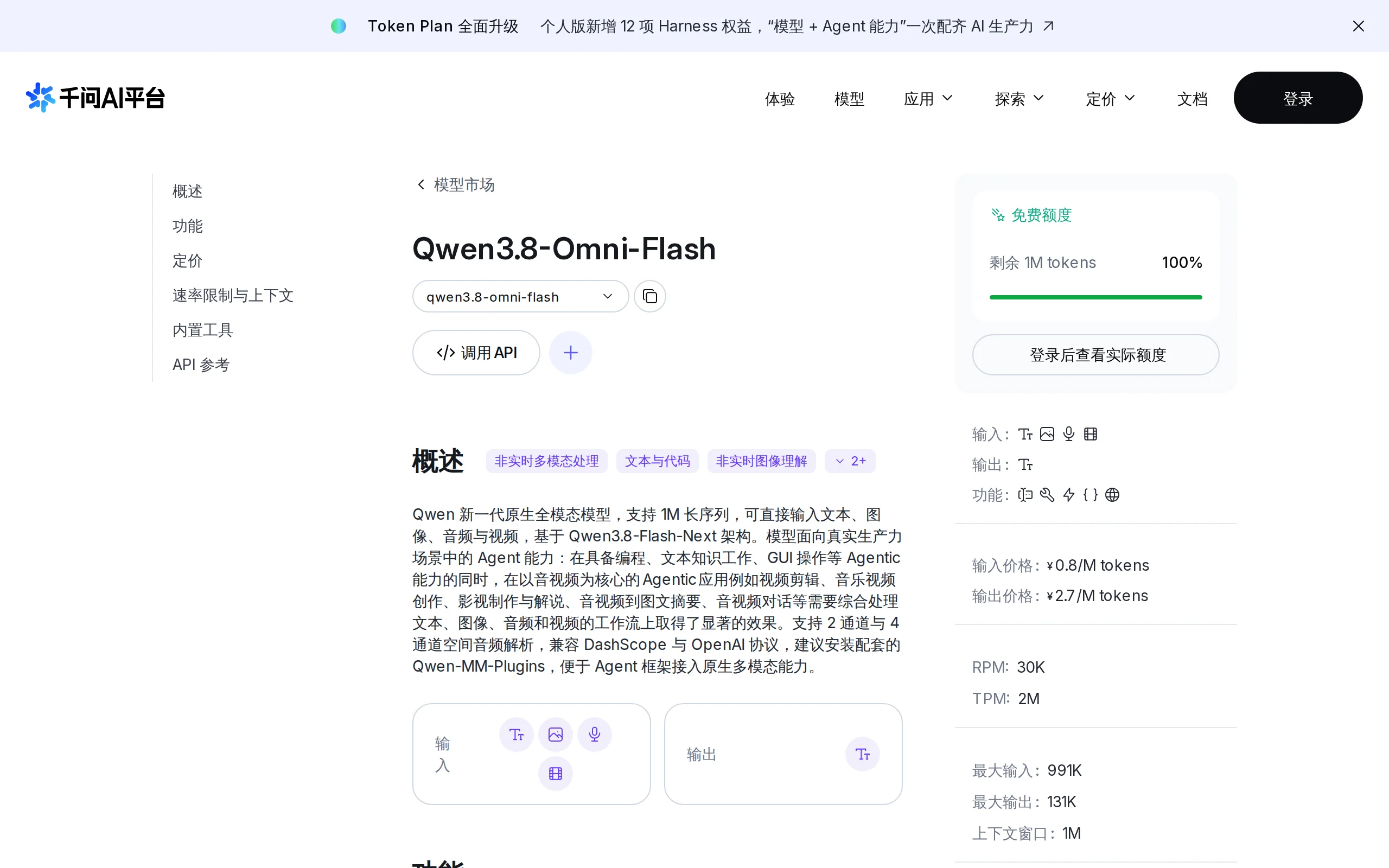
Qwen3.8-Omni-Flash – A Native Multimodal Model Launched by Alibaba Qwen
Qwen3.8-Omni-Flash is a native multimodal model launched by Alibaba Qwen. It jointly models four modalities—text, image, audio, and video—within a single architecture, supporting a context length of u...
Union Alpha – A Mysterious Multimodal Large Model with Unlimited Free Access for a Limited Time
Union Alpha is a multimodal large language model released in "stealth" mode, recently launched on mainstream AI service platforms such as OpenRouter, Cline, and OpenCode. The model supports dual-modal...
© All Rights Reserved. Some content on this site is partially generated by AI with human review.