
teamai-cli – Tencent's Open-Source AI Team Collaboration CLI Tool
Executive Summary:
TeamAI CLI is an open-source MIT-licensed command-line tool developed by Tencent, designed to uniformly manage a team's AI programming configuration system. This tool centralizes AI collaboration reso...
1. What is teamai-cli
TeamAI CLI is an open-source MIT-licensed command-line tool developed by Tencent, designed to uniformly manage a team's AI programming configuration system. This tool centralizes AI collaboration resources such as skills, rules, MCP, and hooks into a Git repository, and distributes the configurations to each team member's local AI tools through a standardized workflow of push → MR → merge → pull. TeamAI CLI supports knowledge accumulation driven by friction signals, team knowledge retrieval, and codebase graph spectrum capabilities, enabling standardized and governable AI collaboration at the team level, and addressing issues of configuration fragmentation and knowledge silos in multi-tool environments.
Technical Positioning and Domain: TeamAI CLI belongs to the AI engineering infrastructure domain, specifically focusing on team-level configuration management and knowledge collaboration for AI programming tools. It resides in the configuration orchestration and distribution layer of the AI programming toolchain, situated between team management needs and individual AI coding tools (such as Claude Code, Cursor, Codex, etc.), acting as a central hub and distribution channel for unified configurations. Its unique positioning lies in introducing the mature Git workflow from the software development domain into AI configuration management.
Development Background: This tool was open-sourced by Tencent, based on its extensive internal AI programming practices. As AI coding tools like Claude Code, Cursor, and Codex become widely adopted in enterprises, teams face management challenges such as scattered configurations, inconsistent standards, and the inability to reuse knowledge. Tencent abstracted an internally validated management solution into a general-purpose tool and open-sourced it, using the permissive MIT license to facilitate community adoption and further development. This reflects Tencent's exploration in the direction of AI engineering.
Core Value: TeamAI CLI addresses the core pain point of configuration fragmentation in multi-tool environments for team AI collaboration. It achieves versioned management and automated distribution of configurations through native Git workflows, ensuring that team coding standards, MCP tools, and security hooks are uniformly pushed to each member's local tools. Additionally, it employs a friction signal detection and knowledge retrieval mechanism to transform individual experience into shared team assets, closing the loop from experience generation to reuse.
Technical Features: The tool is built upon native Git workflows, achieving automatic configuration synchronization through the SessionStart hook, without requiring additional daemons or server-side infrastructure. Its multi-Agent adaptation layer can automatically convert and distribute a single YAML declaration to over 9 mainstream AI programming tools, significantly reducing maintenance costs. The knowledge retrieval mechanism integrates BM25 search with code graph-enhanced ranking, enabling automatic judgment of task relevance.
2. Key Features
Unified Configuration Management: Centralize the team's skills, rules, MCP, hooks, env, and other resources within a single Git repository, enabling version-controlled and review-based management of AI programming configurations. This feature consolidates configuration files that were previously scattered across individual developers' local environments into a centralized repository, ensuring that configuration changes are auditable, rollable back, and traceable.
Native Git Distribution Mechanism: Utilize a standardized workflow of push → MR → merge → pull to automatically synchronize team configurations to each member's local AI tools. This mechanism leverages developers' familiar Git operations and uses the SessionStart hook to automatically pull the latest configuration at the start of a session, reducing configuration update delays to within the session startup cycle.
Multi-Agent Unified Compatibility: Supports 9+ mainstream AI programming tools, including Claude Code, Cursor, Codex, CodeBuddy, WorkBuddy, and Qoder. Administrators maintain a single standard configuration in the TeamAI repository, and the system automatically converts it into native formats for each tool and distributes it to the corresponding directories, eliminating the burden of maintaining multiple configurations for the same team across different tools.
Team-Level Fine-Grained Control: Achieve precise subscription and filtering based on three dimensions: Roles (job roles), Tags (topic tags), and Sources (source repositories). Different roles can subscribe to different skill sets and rule sets, enabling on-demand configuration distribution rather than full pushes, thereby improving the accuracy of configuration delivery.
Unified Hosting for Team MCP and Hooks: Declare MCP service configurations in YAML once, and the tool automatically generates native MCP configuration files for different AI tools. The Hooks event system supports injecting custom scripts at event points such as SessionStart and PreToolUse, used for automated controls like security scanning and compliance interception.
Friction Signal-Driven Knowledge Accumulation: Automatically detect friction signals during session interactions, such as interruptions, refusals, and retries, triggering an experience summarization process. After confirmation by developers, the system automatically removes private information and pushes the lessons learned into the team repository, enabling automatic conversion of individual experiences into team knowledge.
Pre-Task Knowledge Recall: Automatically search the team knowledge base before initiating an AI task, using the BM25 algorithm combined with code graph-enhanced ranking to determine whether to recall based on relevance to the current task. Automatically skip irrelevant tasks to avoid interference from unrelated context, improving the accuracy and efficiency of AI task execution.
Codebase Knowledge Graph: Parse the codebase AST (Abstract Syntax Tree) and combine it with heuristic dependency analysis to build a structured dependency graph across repositories. This graph provides semantic association support for knowledge recall, enhancing the AI's understanding of the codebase structure and dependency relationships, thus improving the accuracy of recall results.
Image source: official article
3. How to Use
Install the CLI tool: Execute the global installation command
npm install -g teamai-cli. Before installation, ensure that your local Node.js environment meets the tool's requirements (recommended Node.js version 18 or higher). After installation, you can verify the success of the installation using the commandteamai --version.Create a team shared repository: Set up a team-specific repository on GitHub, GitLab, or a self-hosted Git service to store AI configuration resources. Team members must be granted write access to this repository (required for submitting branches and initiating MRs), and it is recommended to configure branch protection rules to allow merging into the main branch only via Merge Request.
Initialize team configuration: The team administrator runs
teamai init <repository address>and completes the initialization process by following the prompts, including OAuth login, repository association, and member registration. This step establishes trust between the team repository and the TeamAI CLI and generates the initial directory structure.Members join the project: After team members navigate to their respective project working directories, they run
teamai init <repository address>and select either project-level or user-level installation mode based on their needs. Project-level installation binds the configuration to the current project directory, while user-level installation applies the configuration to all projects for the current user.Write team resources: Create or modify configuration files such as skills, rules, docs, mcp, and hooks in the team repository. It is recommended to use the TeamAI CLI's local validation command (e.g.,
teamai validate) before submitting to check YAML formatting and the validity of configuration items, thereby reducing the cost of MR reviews.Push and review changes: Run
teamai pushto automatically create a feature branch and initiate a Merge Request for team review. Administrators or designated reviewers approve and merge the MR on the code hosting platform. All configuration changes undergo a review process to ensure configuration quality and traceability of changes.Automatic synchronization and manual updates: Every time a team member starts an AI session, the SessionStart hook automatically triggers
teamai pullto fetch the latest configuration into the local AI tool directories. Users can also manually runteamai pullat any time to force synchronization. If configuration synchronization issues occur, runteamai statusto check the difference status between local configurations and the repository.Enable knowledge retrieval and accumulation: Run
teamai recall enableto deploy a sub-agent for automatic knowledge retrieval before task execution. After experiencing high-friction conversations, run/teamai-share-learningsto automatically anonymize and push the lessons learned into the team repository. Runteamai dashboardto view the web dashboard, or useteamai digestto generate a weekly report for the team.
4. Pros and Cons Analysis
| Pros |
|---|
| Native Git Workflow Design: Reuse the most familiar push → MR → merge → pull process for developers to manage AI configurations. It requires no additional learning cost, enables version control of configurations without deploying a separate server, and supports multi-person collaboration. |
| Excellent multi-Agent compatibility: A single configuration automatically syncs to over 9 AI coding tools, including Claude Code, Cursor, and Codex, enabling unified management and conversion to native formats of each tool, significantly reducing maintenance costs for repeated configurations. |
| Robust knowledge沉淀 and recall mechanisms: The closed-loop system formed by friction signal-driven experience沉淀 and BM25 + graph-enhanced knowledge recall enables continuous accumulation of team wisdom, addressing the industry challenge of reusing individual experience. |
| Rich team control dimensions: Achieve fine-grained subscription and filtering through three dimensions—Roles, Tags, and Sources—enabling precise management based on positions, topics, and cross-team collaboration, meeting complex organizational-level configuration management needs in medium to large teams. |
| Friendly open-source license: Uses the MIT license with no usage restrictions, supporting commercialization and secondary development. The community can freely audit the code and contribute features, reducing compliance risks for enterprises. |
5. Comparative Analysis with Similar Tools
| Comparison Dimension | TeamAI CLI (Tencent) | Ruler | Gemini CLI Configuration Policy |
|---|---|---|---|
| Core Positioning | Team-level AI programming collaboration infrastructure, covering the full chain from configuration, knowledge, to analysis | A unified configuration tool for rules across multiple AI coding agents | Enterprise strategy configuration solution for a single tool (Gemini CLI) |
| Management Scope | Skills, Rules, Docs, MCP, Hooks, Env, Agents, Learnings, Codebase Graph | Rules (Markdown rule files) | System prompts, security policies, tool permission control |
| Distribution Mechanism | Native Git MR workflow + automatic synchronization via SessionStartHook | Manual distribution using ruler apply to each tool's configuration directory |
Synchronized via Gemini CLI configuration to enterprise-hosted environments |
| Multi-Agent Support | Supports 9+ tools (Claude Code, Cursor, Codex, CodeBuddy, WorkBuddy, Qoder, etc.) | Supports 10+ tools (Copilot, Claude, Cursor, Aider, Windsurf, etc.) | Only supports Gemini CLI |
| Knowledge Management Capability | Friction signal knowledge accumulation, pre-task BM25 + graph recall, knowledge graph construction | No built-in knowledge management capability | No built-in knowledge management capability |
| Team Control Dimensions | Fine-grained subscription and filtering across three dimensions: Roles, Tags, and Sources | Organization and categorization based on rule files | Enterprise-level policy templates and role mapping |
| Security and Compliance Mechanisms | Injection of security scanning and compliance interception scripts at event points like PreToolUse | No built-in security hook mechanism | Fine-grained tool operation permissions and approval workflows |
| Data Analysis Capability | Weekly digest reports, anonymized session summaries, real-time Web Dashboard | None | Limited usage logs and audit capabilities |
| Open Source License | MIT | MIT | Follows Google service terms (core tool is closed-source) |
| Community Ecosystem | Relies on Tencent's open source ecosystem, with continuously rising community activity | Maintained by individual developers, limited community scale | Maintained by Google, with comprehensive documentation but limited extensibility |
Selection Recommendations: For medium to large R&D teams that have deeply adopted Git collaboration standards, use multiple AI programming tools, and emphasize knowledge accumulation, TeamAI CLI is the more complete infrastructure choice. Its coverage extends from configuration management to knowledge accumulation and data analysis, and the MIT license facilitates internal customization, effectively integrating AI usage into the team's engineering management system. Ruler, with its support for 10+ tools and comprehensive rule coverage for multi-agent systems, is suitable as a lightweight alternative for teams that primarily seek rule unification and have already accumulated a large number of rule files across various tools.
For teams that have already decided to adopt Gemini CLI as their unified tool, or for enterprises with high requirements for data security and policy control, the built-in policy configuration capabilities of Gemini CLI can meet the needs for in-depth control ranging from system prompts to tool permissions. Crush, on the other hand, is more suitable for individual developers or small teams who need to manage prompts and session history but have not yet established a team-level collaboration system. Overall, TeamAI CLI demonstrates a more systematic comprehensive coverage across four dimensions—configuration, knowledge, control, and analysis—making it the ideal choice for long-term team AI collaboration infrastructure construction among similar open source tools.
6. Editor's Summary
From a technological innovation perspective, TeamAI CLI introduces Git's version control and collaboration mechanisms into the field of AI configuration management, offering a management paradigm that aligns with developers' existing workflows. Its friction signal-driven knowledge accumulation mechanism, combined with the BM25+ knowledge retrieval method enhanced by a graph, provides a design approach worth emulating for knowledge management in AI collaboration tools—automating the decoupling of the "experience generation" and "experience organization" processes. The tool's ability to unify MCP and Hooks management also reflects its deep understanding of the AI programming toolchain ecosystem.
From a practical value standpoint, TeamAI CLI directly addresses core pain points in team AI collaboration, such as fragmented configurations, difficulties in knowledge accumulation, and weak control mechanisms. By incorporating configuration changes into MR reviews, the tool brings AI integration behaviors under the team's governance framework. Its knowledge accumulation and retrieval mechanisms transform individual experience into team assets, continuously reducing the cost of repeated trial and error for team members. In terms of target users, this tool is most suitable for development teams with clear Git collaboration standards, who use multiple AI programming tools, and who prioritize knowledge accumulation and security management. It holds significant value for first-line internet companies and mid-to-large technical teams that have a high adoption rate of AI tools.
It should be noted that the effectiveness of TeamAI CLI is closely tied to the maturity of the team's collaboration standards: factors such as Git process standards, MR review systems, and the extent of code repository integration directly impact the tool's performance. As an open-source tool currently in the community growth phase, its ecosystem completeness and industry practice validation cases still require more time to mature. Additionally, the varying levels of compatibility among AI tools with MCP and Hooks will affect the full realization of unified configurations. In the long term, as the adoption of AI programming tools continues to rise in enterprises, team-level AI configuration management will become a necessary component of the R&D infrastructure. TeamAI CLI's exploration in this direction demonstrates a certain level of foresight and reference value.
7. Application Scenarios
Unified Configuration Management for Multi-Tool Teams: Some team members use Claude Code, others use Cursor, and still others use Codex. The administrator maintains a unified set of skills, rules, and MCP configurations in the TeamAI repository, which all members automatically synchronize with. This scenario ensures that "the same coding standards, the same MCP tools, and the same set of security hooks" are uniformly applied across the team, eliminating collaboration deviations caused by tool differences.
Rapid AI Onboarding for New Members: After joining the team, new members only need to run
teamai initonce to automatically receive the team's accumulated skills, rules, and best practices, without needing to manually configure each AI tool individually. This scenario reduces the new member's "AI tuning period" from days to minutes, enabling them to have the same level of AI-assisted capabilities as existing team members before even starting actual coding work.Unified Security and Compliance Control: The security team configures PreToolUse hooks in the team repository's
hooks/hooks.yaml, injecting security policies such as sensitive information detection and outgoing content scanning. After the configuration passes the MR review, it is automatically distributed to all team members, ensuring that all AI session behaviors are subject to the same unified security policies, preventing security incidents or compliance risks caused by missing personal configurations.Automatic Accumulation and Cross-Team Reuse of Troubleshooting Experience: When a team member resolves a complex port conflict issue, the interruptions and retries in the session are captured by friction signals and trigger a knowledge accumulation process. After de-identifying the data, this experience is pushed into the team repository. Thereafter, when other members encounter similar issues, the AI automatically recalls this experience and provides targeted recommendations, forming a closed-loop team knowledge cycle of "troubleshooting → knowledge accumulation → reuse."
Cross-Team Skill Sharing and Subscription: Team A publishes its tested and validated public skills to GitHub, and Team B subscribes to Team A's skill source using
teamai source add, enabling cross-team reuse of best practices within the organization. This scenario is suitable for skill sharing among multiple teams, such as frontend, backend, and operations, within large organizations, avoiding resource waste caused by redundant development of the same skills across teams.
8. FAQ
Q: Which AI coding tools does TeamAI CLI support? Is the level of compatibility consistent across all tools?
A: TeamAI CLI currently supports over 9 mainstream AI coding tools, including Claude Code, Cursor, Codex, CodeBuddy, WorkBuddy, and Qoder. The compatibility varies by tool: for tools that fully support the MCP protocol and the Hooks event mechanism (e.g., Claude Code), TeamAI CLI can activate all its features; for tools with limited native support, there may be a degradation in MCP or Hooks functionality. For specific compatibility status, please refer to the support matrix documentation in the official repository.
Q: What are the core advantages of TeamAI CLI compared to manually writing configuration files locally?
A: The core advantages lie in three areas: version management, collaborative distribution, and knowledge accumulation. Manually writing configuration files locally cannot achieve historical traceability of versions, change reviews, or collaborative editing by multiple people. TeamAI CLI integrates configuration into the Git workflow, automatically distributing all changes to the entire team after they are reviewed through MRs. Additionally, the knowledge accumulation and recall mechanism provided by TeamAI CLI is a capability that cannot be achieved with local configuration methods.
Q: How does the knowledge accumulation trigger mechanism for friction signals work? How is accuracy ensured?
A: The tool detects friction signals during session interactions, such as interruptions, refusals, and retries. When the accumulated friction signals reach a predefined threshold, the tool prompts the developer to summarize the current pain points. After confirmation from the developer, the content is automatically anonymized and pushed to the team repository. Accuracy is primarily ensured through two mechanisms: one is the multidimensional comprehensive judgment of friction signals to reduce false triggers, and the other is the manual confirmation step before pushing, which provides the final quality check.
Q: Does using TeamAI CLI require the team to follow specific Git collaboration standards?
A: The tool relies on standard Git operations (branches, MRs, merges), but to use TeamAI CLI efficiently, it is recommended that the team follow basic Git collaboration standards, including: using branches for development rather than pushing directly to the main branch, configuring branch protection rules that require MR reviews before merging, and maintaining a clear repository directory structure with documentation. These standards ensure the quality and traceability of configuration changes and reduce the probability of conflicts during collaborative work.
Q: Will the knowledge recall feature leak sensitive team information?
A: TeamAI CLI includes a built-in privacy removal mechanism during the knowledge accumulation process. The experience content pushed to the team repository strips sensitive information from the session (such as keys or personal account details in code snippets). Additionally, the MCP and Hooks mechanisms allow for configurable security scan hooks to intercept sensitive data from being transmitted externally. The knowledge base itself is stored in the team's own Git repository, with access controlled by the team's Git repository permission system.
Q: Our team already has multiple tools each configured with their own set of rules. Can these be migrated to be managed uniformly by TeamAI CLI?
A: Yes, migration is possible. Existing rule files from each tool should be organized according to TeamAI CLI's directory specifications and then integrated into the team repository. TeamAI CLI's conversion layer supports converting the unified configuration format into the native format of each tool. It is recommended to first validate the conversion results in a test repository before officially switching. For personal configurations that were not previously managed by the team, you can selectively extract the parts that are common to the team and deposit them into the shared repository, while retaining individual-specific configurations in user-level settings.
9. Project Links
- GitHub Repository: https://github.com/Tencent/teamai-cli
- Tencent Open Source Organization Homepage: https://github.com/Tencent
Related AI Model Articles
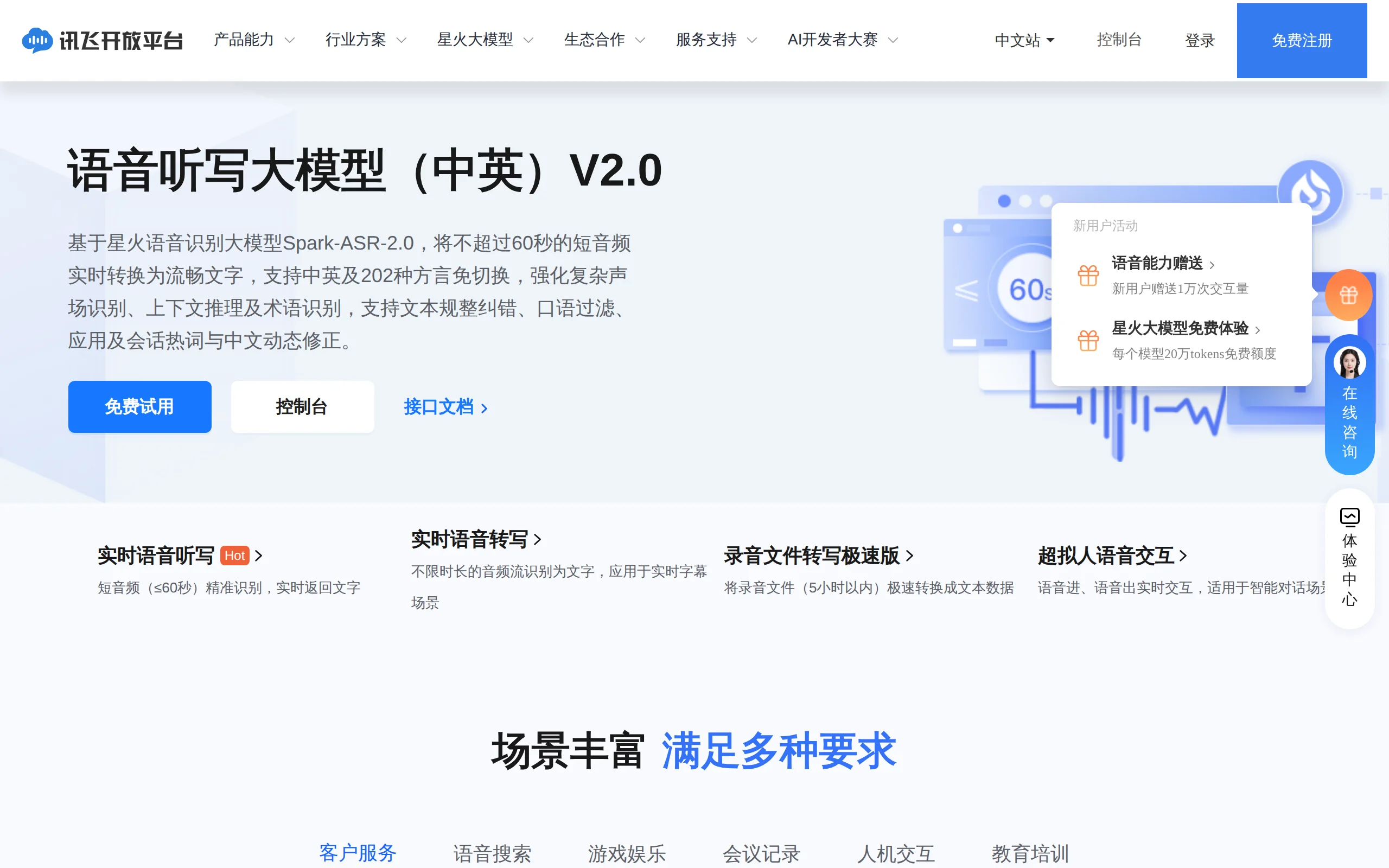
In-Depth Review of Spark-ASR-2.0: A New Paradigm in Speech Recognition with Non-Autoregressive Architecture
Spark-ASR-2.0 is the latest generation speech recognition large model launched by iFLYTEK based on its proprietary Spark-Audio speech foundation model. This model continues the non-autoregressive para...

Step Code – In-Depth Review of StepFun's Open-Source Terminal Programming Agent
Step Code is an open-source terminal programming agent launched by StepFun, licensed under the MIT License, which allows developers to complete the full workflow of code writing, debugging, execution,...
Xiaomi MiMo-V2.6 – Xiaomi's Open-Source Multimodal Model Series
Xiaomi MiMo-V2.6 is a series of fully multimodal models released and open-sourced by Xiaomi, comprising two native full-modal models: Pro and Flash. It is centered on large-scale Agentic reinforcement...
In-Depth Review of Grok 4.7: A Comprehensive Analysis of SpaceXAI's Flagship Coding and Knowledge-Intensive Model
Grok 4.7 is the latest flagship large language model launched by SpaceXAI in 2026, positioned as the most powerful model specifically designed for coding and knowledge-intensive tasks. It aims to addr...
© All Rights Reserved. Some content on this site is partially generated by AI with human review.