
Software Copyright Materials Skill – Open-Source Skill for Software Copyright Application Materials
Executive Summary:
Software Copyright Materials Skill is an open-source AI Skill designed to run in the Codex intelligent programming environment. It reads a developer's local project source code and automatically gener...
1. What Is Software Copyright Materials Skill
Software Copyright Materials Skill is an open-source AI Skill designed to run in the Codex intelligent programming environment. It reads a developer's local project source code and automatically generates a complete set of materials compliant with China's software copyright (软著) application requirements—including source code documentation, user manuals, and application form fields. What once took hours of manual preparation is compressed into a few minutes of interactive confirmation, entirely on-device, ensuring code and sensitive information never upload to third-party servers—addressing both efficiency and data security in copyright applications.
Technical positioning and domain: Crossover of AI-assisted development and IP management—not a generic doc generator but a vertical solution deeply bound to China's software copyright administrative process. LLM semantic understanding plus code analysis automates tedious compliance paperwork.
Development background: Created by open-source developer Fokkyp on GitHub. Motivation: developers, especially indie devs and small teams, face slow, error-prone manual prep or paid agencies (~500+ CNY) with code leak risk. The tool offers zero-cost, secure, automated alternative.
Core value: Unifies cost reduction and data security. Full-chain automation frees developers for core coding; local-only execution eliminates IP leak concerns—especially valuable when most AI tools rely on cloud.
Technical characteristics: Local Codex + LLM without extra cloud deploy. Python project parsing, LLM semantic understanding from comments/structure, strict "first 30 + last 30 pages" code extraction per regulations, and interactive gate checkpoints for human confirmation.
2. Key Features
Deep project source analysis: Recursive scan identifies languages, frameworks, and dependencies—structured input for LLM business understanding and compliant code extraction.
Compliant source code extraction: Follows China's rule of "first and last 30 consecutive pages" of source. Auto-calculates total lines; truncates head/tail if >60 pages, full output if ≤60—real source only, no AI fabrication.
Semantic user manual generation: LLM analyzes structure and comments for real workflows—not template fluff—producing logical manuals for copyright reviewers.
Application form field aggregation: Extracts software name, version, dev environment, LOC, main functions from
package.json,README.md, comments into TXT for copy-paste on the official portal.Interactive gate checkpoints: Pauses at business understanding, form fields, file selection, manual draft for human confirm/correct before proceeding—human-in-the-loop accuracy.
Standard format output: Manual and source docs as DOCX plus auxiliary TXT under project folders via OpenXML templates or fallback—ready for submission.
3. How to Use
Requirements:
- Core: Codex environment configured.
- Optional: .NET SDK for highest-quality DOCX; without it, simplified fallback DOCX.
- Project: Clear structure with real local code.
Install Skill:
- Clone or download from https://github.com/Fokkyp/SoftwareCopyright-Skill.
- Copy
software-copyright-materialsto Codex skills path, typically~/.codex/skills/.
Activate:
- Restart Codex or open new session.
- Open target project in Codex.
- Prompt e.g., "Generate software copyright application materials for this project."
Interactive flow (key steps):
- Business confirm: Review LLM project summary; correct if wrong.
- Field completion: Fill copyright holder, dev tools, runtime env, etc.
- Code confirm: Review selected files and extraction rationale.
- Manual review: Review DOCX draft; optional screenshots via Chrome DevTools MCP or manual/skip.
- Final output: Confirm Markdown draft; generate formal DOCX and TXT in project folder.
4. Pros and Cons
| Pros |
|---|
| Full automation + data security: End-to-end local in Codex—no third-party upload of source or materials. |
| Strict compliance + real source: "First 30 + last 30 pages" from local code only—no AI fabrication—legally sound. |
| Professional manuals: Semantic LLM understanding—clear logic for reviewers, not boilerplate. |
| Free agency alternative: Open source replaces 500+ CNY services for indie/small teams. |
5. Comparison with Similar Tools
| Dimension | Software Copyright Materials Skill | chinese-copyright-application-skill |
|---|---|---|
| Architecture | Codex Skill + local Python + LLM | Python script / Trae IDE Skill |
| Source handling | Real local source; first 30 + last 30 pages | Extract from code/config by importance |
| Output | DOCX + TXT ready to submit | Markdown—convert yourself |
| Manual quality | Semantic business-aware for reviewers | Template + AI sample screenshots |
| Human confirm | Multi gate checkpoints | CLI/form, less intervention |
| Privacy | Codex local only | Local; Trae mode may use third parties |
| Design doc | Not generated | Auto-generated with diagrams |
Selection advice:
Codex power users wanting automation, security, compliance: Software Copyright Materials Skill—best full-chain quality despite multi-step gates.
Non-Codex users needing design docs: chinese-copyright-application-skill—multi-IDE, Markdown flexible; watch Trae privacy and manual screenshot replacement.
Highly non-standard or distrustful of AI: manual/agency still the fallback—slow and costly but fully controlled.
6. Editor's Review
Precise, solid, high-value vertical tool in AI dev—software copyright application. Innovation: deep merge of automation and compliance—rule engine (30+30 pages) plus human gates avoids hallucination/fabrication risks. "AI assists, human verifies" is a strong current-stage pattern.
Hits indie devs and small teams on time vs money—zero-cost secure alternative to agencies. Essential for frequent filers.
Audience: Codex developers, indie/small teams, open-source maintainers seeking official protection. Enterprise IT can batch internal systems.
Future: More IDEs, design docs/test reports, smarter screenshots; standalone CLI/Web would broaden reach.
Basis: Half star off for Codex lock-in, gate friction, .NET DOCX dependency; core function, security, and compliance excel—star tool for copyright applicants.
7. Use Cases
Indie quick rights protection: Minutes to full compliant package after shipping an app or tool.
Startup batch filing: Multiple products during rapid iteration—hours vs weeks, zero agency fees—supports fundraising and grants.
Open-source official protection: Maintainers register repos—defend against copying, support commercial licensing.
Enterprise asset compliance: IT generates standardized filings for internal systems—audit, app store, client delivery proof.
8. FAQ
Q: Free? Code uploaded to AI servers?
A: Free and open source. All runs locally in Codex—source and outputs never upload to third parties including OpenAI if using local models in Codex.
Q: Large codebase—how handle 30+30 pages?
A: Counts total lines; if >60 pages, head and tail 30 each; if ≤60, full source. Review file list at code confirmation step.
Q: Imperfect DOCX?
A: Install .NET SDK before run for best format; fallback DOCX is simpler but content-compliant. See project docs for .NET setup.
Q: No README or sparse comments—accurate manual?
A: Relies on comments, filenames, structure, metadata. Sparse projects need more fixes at business/manual gates—add key comments first.
Q: VS Code or JetBrains instead of Codex?
A: Codex-only today—open project folder in Codex to use. Broader IDE support may come later.
9. Project Links
Related AI Model Articles

In-Depth Review of Longcat-2.5-preview: Meituan's Next-Generation Multimodal Long-Range Agent Model
LongCat-2.5-preview is Meituan's latest next-generation large model. Building upon the 1.6T total parameters, approximately 48B active parameters, and native 1M token context of LongCat-2.0, it marks ...
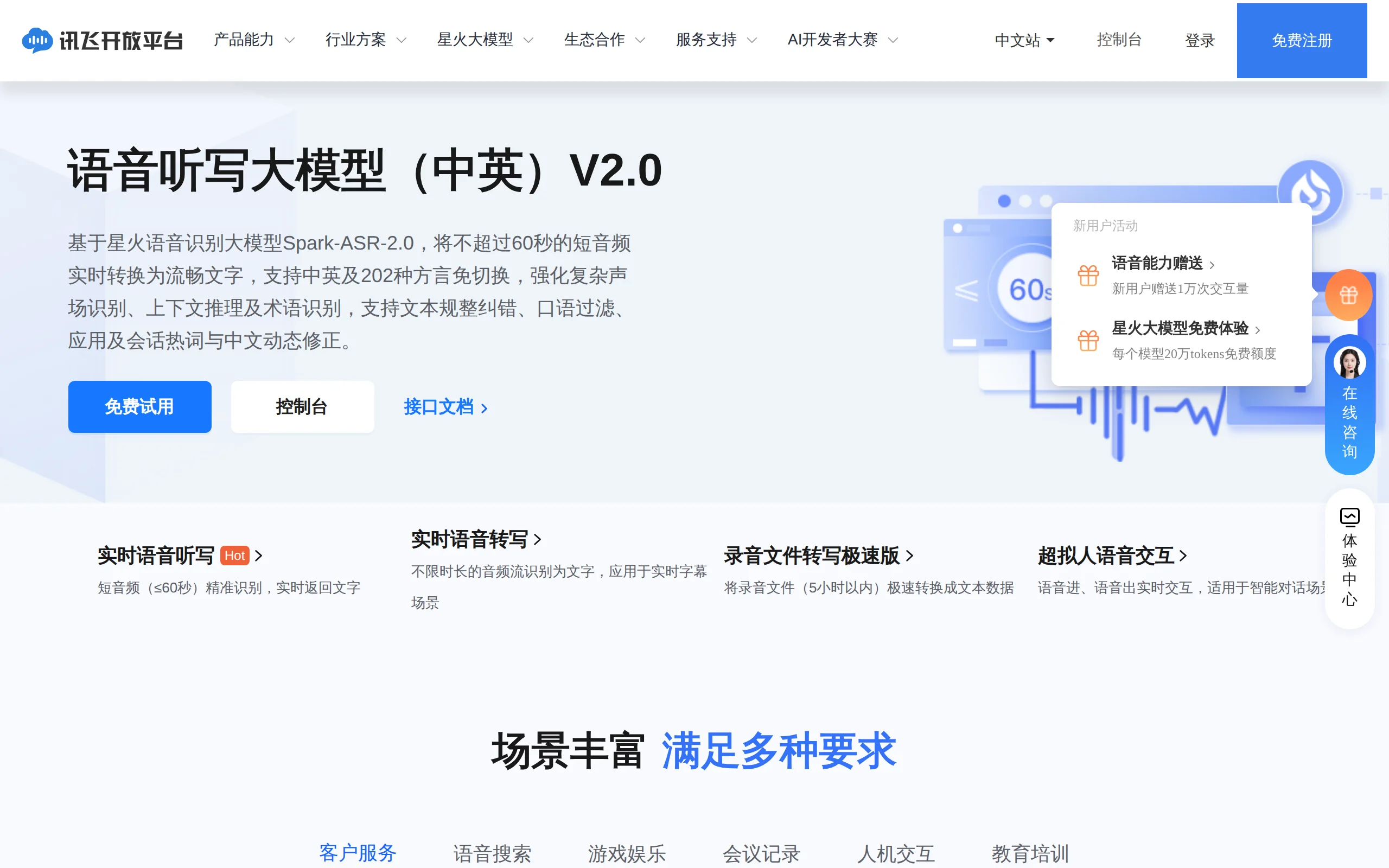
In-Depth Review of Spark-ASR-2.0: A New Paradigm in Speech Recognition with Non-Autoregressive Architecture
Spark-ASR-2.0 is the latest generation speech recognition large model launched by iFLYTEK based on its proprietary Spark-Audio speech foundation model. This model continues the non-autoregressive para...

Step Code – In-Depth Review of StepFun's Open-Source Terminal Programming Agent
Step Code is an open-source terminal programming agent launched by StepFun, licensed under the MIT License, which allows developers to complete the full workflow of code writing, debugging, execution,...
Xiaomi MiMo-V2.6 – Xiaomi's Open-Source Multimodal Model Series
Xiaomi MiMo-V2.6 is a series of fully multimodal models released and open-sourced by Xiaomi, comprising two native full-modal models: Pro and Flash. It is centered on large-scale Agentic reinforcement...
© All Rights Reserved. Some content on this site is partially generated by AI with human review.