
SmartSub – Open-Source All-in-One Desktop Tool for Audio and Video Subtitling

Executive Summary:
SmartSub (MiaoMu) is an open-source all-in-one desktop tool for audio and video subtitling, developed by independent developer Buxuku. This tool integrates end-to-end functionalities such as speech tr...
1. What is SmartSub
SmartSub (MiaoMu) is an open-source all-in-one desktop tool for audio and video subtitling, developed by independent developer Buxuku. This tool integrates end-to-end functionalities such as speech transcription, subtitle translation, AI proofreading, TTS voiceover, subtitle burning, and online video downloading. It utilizes local models like Whisper, FunASR, and Qwen3-ASR for offline speech recognition, supports over 20 translation services, and offers multi-character AI voiceover options. SmartSub is compatible with hardware acceleration technologies such as NVIDIA CUDA and Apple Core ML. It aims to provide users with a one-stop localized solution for video downloading, subtitle generation, translation, voiceover, and synthesis, significantly reducing the technical barriers and time costs involved in subtitle creation.
Image source: Official article
Image source: official article
Technical positioning and domain: SmartSub is a desktop application tool that lies at the intersection of audio/video processing and natural language processing. It is positioned as an all-in-one subtitle workflow platform, covering multiple technologies including speech recognition (ASR), machine translation, text proofreading, text-to-speech (TTS), and video encoding, filling the gap in the market for open-source, full-chain subtitle processing tools.
Development background: SmartSub was initiated and maintained by independent developer Buxuku, driven by dissatisfaction with the fragmented nature of existing subtitle tools, their reliance on online services, and the disjointed workflow they present. The developer integrated open-source community projects such as whisper.cpp, FunASR, and Kokoro to build a local subtitle production pipeline that can operate offline and be modularly combined.
Core value: The core value of SmartSub lies in achieving a "complete local closed-loop" for subtitle creation. Users can perform all processes—from video downloading, speech transcription, translation, proofreading, voiceover, to subtitle burning—on their personal computers without relying on any online APIs (except for optional translation services). This not only protects content privacy but also avoids the cost pressure of pay-per-use models, making it particularly suitable for batch processing, handling sensitive content, and offline scenarios.
Technical features: In terms of technical architecture, SmartSub employs a pluggable engine design, supporting six ASR engines, over 20 translation services, and five categories of TTS solutions. Users can flexibly combine these based on language, accuracy, and hardware conditions. Additionally, it fully supports hardware acceleration solutions such as NVIDIA CUDA, AMD/Intel Vulkan, and Apple Core ML/Metal, delivering real-time transcription performance on consumer-grade GPUs.
2. Key Features
- Speech Transcription: Based on six major local engines, including whisper.cpp, FunASR, and Qwen3-ASR, supports automatic multi-language detection and batch processing. Users can perform high-precision speech recognition in offline environments, with flexible engine switching to accommodate different languages and hardware configurations.
- Subtitle Translation: Integrates with over 20 translation services, including DeepSeek, Ollama, and Tongyi Qianwen, supporting output of either pure translated subtitles or bilingual subtitles with original text and translation. With the local Ollama model, the translation process can be fully offline, meeting the needs of privacy-sensitive scenarios.
- AI Proofreading: Features a built-in visual proofreading panel that automatically synchronizes subtitle positioning while playing videos. Supports sentence-by-sentence editing, AI one-click polishing, and alignment with reference scripts. This function significantly improves the efficiency of post-production subtitle editing, especially suitable for professional productions with high accuracy requirements.
- TTS Dubbing: Locally integrated Kokoro/VITS offline synthesis engines, supporting ZipVoice zero-shot voice cloning, multi-character voice allocation, and speaker recognition. Users can assign independent voice styles to different characters, achieving natural-sounding multi-speaker dialogue dubbing effects.
- Subtitle Burning: Supports two methods: hard subtitles directly rendered into the video and soft subtitles losslessly encapsulated into MKV files. Provides real-time preview of font, color, and position styles. This allows precise control over subtitle appearance, meeting specific format requirements of publishing platforms.
- Online Download: Built-in yt-dlp/lux dual engines, supporting batch download of videos and official subtitles by pasting links from platforms such as Bilibili and YouTube. This feature integrates material acquisition into the workflow, avoiding the hassle of using additional download tools.
- Custom Workflow: Users can freely combine steps such as transcription, translation, proofreading, dubbing, and synthesis, saving them as recipes for one-click reuse. This modular design enhances consistency in batch processing, making it ideal for teams with fixed production workflows.
3. How to Use
Environment Requirements and Installation: SmartSub supports Windows, macOS, and Linux platforms. Users can download the installation package for their respective system version from GitHub Releases. macOS users can also install it using the command
brew install --cask smartsub. Before the first launch, ensure that the system has the necessary GPU drivers installed (such as NVIDIA CUDA, Apple Core ML, etc.). The application provides a one-click installation feature for acceleration packages.Model and Translation Service Configuration: After the first launch, go to the "Engine and Model" page to select and download the speech recognition model (such as Whisper, FunASR, etc.). Then, navigate to "Settings → Translation Service" to choose the target translation engine (such as DeepSeek, Ollama), and enter the corresponding API Key (no key is required for local Ollama). For offline translation, it is recommended to use the local Ollama model.
Task Creation and File Import: On the dashboard, select a preset task card (such as "Video → Dubbed Output") or create a custom workflow. Drag and drop local video/audio files directly into the task card, or paste a Bilibili/YouTube video link. The application will automatically use its built-in downloader to retrieve the materials.
Parameter Adjustment and Execution: Within the task card, adjust parameters such as the transcription engine, target language, bilingual subtitle toggle, dubbing voice style, and subtitle formatting. After confirming all settings are correct, click "Start Task," and the application will automatically execute the pipeline: transcription → translation → proofreading → dubbing → synthesis. You can monitor the progress in real time during processing.
Proofreading and Export: After processing is complete, review the subtitle content sentence by sentence in the proofreading panel. Use the AI polishing feature to refine the expression and align it with the reference script. Once everything is confirmed to be correct, export the finished video with subtitles or dubbing, supporting common container formats.
4. Pros and Cons Analysis
| Pros |
|---|
| End-to-end local closed-loop: Transcription, translation (Ollama), dubbing, and burning can all be completed offline, ensuring privacy and eliminating API costs, making it ideal for batch processing of sensitive content. |
| Flexible engine switching: Supports 6 transcription engines, over 20 translation services, and 5 categories of dubbing solutions. Users can flexibly combine these based on language, accuracy, and hardware, offering strong adaptability. |
| Full hardware acceleration support: Compatible with NVIDIA CUDA, AMD/Intel Vulkan, and Apple Core ML/Metal. Acceleration packages can be installed with one click within the application, enabling real-time performance with consumer-grade GPUs. |
| Zero-cost basic workflow: The local model, built-in free translation, and local TTS allow the entire pipeline to run without any paid APIs, significantly lowering the entry barrier. |
5. Comparative Analysis with Similar Tools
| Dimension | SmartSub (Miaomu) | Whisper Desktop | Subtitle Edit |
|---|---|---|---|
| Positioning | All-in-one platform for subtitle generation, translation, dubbing, and burning | Focuses on local speech-to-text with Whisper | Open-source subtitle editor, emphasizing text adjustment and timeline |
| Transcription Engine | 6 types (Whisper, FunASR, Qwen3-ASR, etc.) | Only Whisper | No built-in ASR, requires external import |
| Translation Capability | Over 20 services, supports bilingual subtitles and AI polishing | No built-in translation | Can be supported via plugins, but not built-in |
| Dubbing/TTS | Local + cloud-based multi-engine support, with voice cloning | None | None |
| Subtitle Burning | Hard subtitle / soft subtitle, real-time style preview | None | None |
| Online Download | Built-in yt-dlp/lux, supports Bilibili / YouTube | None | None |
| Proofreading Tools | Visual proofreading panel, AI one-click polishing | Basic text editing | Professional timeline editing, but no AI polishing |
For users who need a complete workflow from video downloading to subtitle generation, translation, and dubbing, SmartSub is the most comprehensive open-source option, especially suitable for self-media creators and content localization teams. Its built-in downloader and multi-engine support significantly reduce the cost of switching between tools. In comparison, Whisper Desktop offers a lightweight experience for transcription but lacks translation, dubbing, and burning capabilities; Subtitle Edit and Aegisub are more suitable for professional subtitle groups that already have transcribed text and need fine-tuning of timelines and subtitle styles.
If users only need to transcribe speech into text and have no further processing requirements, Whisper Desktop provides a more streamlined experience. Subtitle Edit and Aegisub excel in subtitle editing flexibility, but they require integration with other tools to complete the full workflow. SmartSub achieves a good balance between usability and functional completeness by integrating full-chain capabilities, making it ideal for non-professional users and small to medium-sized teams seeking efficiency.
6. Editor's Summary
SmartSub demonstrates a high level of integrated innovation in its technical architecture. It consolidates multiple technologies, including speech recognition, machine translation, speech synthesis, and video encoding, into a unified desktop application, while maintaining flexibility through a plugin-based engine design. This "end-to-end native audio modeling architecture" concept offers significant advantages in terms of privacy protection and offline availability, making it particularly suitable for handling sensitive content or in environments with limited network access. In terms of practical value, SmartSub greatly reduces the professional barriers to subtitle creation, enabling individual creators and small-to-medium-sized enterprises to access professional-level subtitle processing capabilities without incurring high costs. Its hardware acceleration support covers mainstream GPUs, delivering a smooth experience on consumer-grade hardware. The application is suitable for a wide range of users, including video content creators, educators, podcast producers, and film and television translation teams. In the future, as the quality of ASR and TTS models continues to improve and the community plugin ecosystem becomes more robust, SmartSub has the potential to become a key tool in the open-source subtitle processing domain. However, it should be noted that the project is currently primarily maintained by individual developers, and its long-term stability and pace of feature updates depend on the level of community contribution.
7. Application Scenarios
- Foreign Language Video Localization: Transcribe and translate foreign language videos such as lectures and documentaries into bilingual subtitles, or generate Chinese audio tracks through voice-over. SmartSub's one-stop workflow significantly improves localization efficiency, making it ideal for educational institutions, translation companies, and overseas content creators.
- Podcast and Meeting Transcription: Batch transcribe long audio recordings into SRT text for content retrieval, editing materials, or textual archiving. Combined with AI proofreading features, it can quickly generate meeting minutes or podcast transcripts, enhancing knowledge management efficiency.
- Self-Media Subtitle Creation: Rapidly generate and burn-in professionally edited subtitles for videos on platforms like Bilibili and YouTube, with support for multi-platform style presets. SmartSub's online download and subtitle burning features allow self-media creators to complete the entire process—from sourcing materials to preparing for publication—without leaving the app.
- Online Education Course Materials: Add multilingual voiceovers and bilingual subtitles to teaching videos, maintaining the instructor's voice consistency through voice cloning. This helps expand the course's audience reach and improve the learning experience, especially suitable for MOOC platforms and remote education institutions.
- Film Remixing and Dubbing: Automatically pair official subtitles with downloaded online videos, then translate and refine them before hard-burning or soft-packaging for release. SmartSub's multi-voice dubbing feature can assign different voice tones to various characters, making dubbed works more expressive.
8. FAQ
Q: Can SmartSub be used entirely offline?
A: Basic transcription, local TTS dubbing, and subtitle burning can all be completed offline. Translation services can be implemented offline using the local Ollama model, but if you use a cloud-based translation service (such as DeepSeek or Tongyi Qianwen), an internet connection is required.
Q: What video and audio formats are supported?
A: SmartSub processes multimedia files using FFmpeg, supporting almost all common formats, including MP4, MKV, AVI, MOV, FLV, MP3, WAV, FLAC, etc. The online downloader supports mainstream platforms such as Bilibili and YouTube.
Q: How to obtain an API Key for the translation service?
A: In the "Settings → Translation Service" section, select the corresponding service provider (such as DeepSeek or Tongyi Qianwen), click the "Get Key" link to be redirected to the official website to register and create an API Key, then enter it into the application. No Key is required for the local Ollama model.
Q: How to set up multi-character dubbing?
A: In the dubbing settings, first distinguish different character segments using speaker recognition (or manual labeling), then assign a unique voice style to each character (such as Kokoro's preset voice styles or ZipVoice's cloned voices). It supports independent coverage per sentence, allowing for precise control.
Q: What should I do if model downloading fails or is slow?
A: The model files are large (the Whisper model is approximately 1–3 GB), so it is recommended to use a stable network environment. If the download fails, try switching networks or manually download the model files from sources such as Hugging Face and place them in the designated directory. The application also supports resuming downloads from the breakpoint.
Q: Does SmartSub support batch processing of multiple videos?
A: Yes, it does. Users can create multiple task cards or use a custom workflow recipe to batch add files, and the application will process them sequentially. However, when performing batch processing, be mindful of hardware resource usage. It is recommended to set the concurrency level reasonably based on GPU memory.
9. Project Links
- Product Website: https://smartsub.linxiaodong.com/
- GitHub Repository: https://github.com/buxuku/SmartSub
Related AI Model Articles

Review of DeepSeek Harness Desktop: How the Official GUI Client Lowers the Bar for Agent Usage
DeepSeek Harness Desktop is the official graphical client launched by DeepSeek, designed to provide a visual interface for the originally command-line-based DeepSeek Harness framework. After users log...
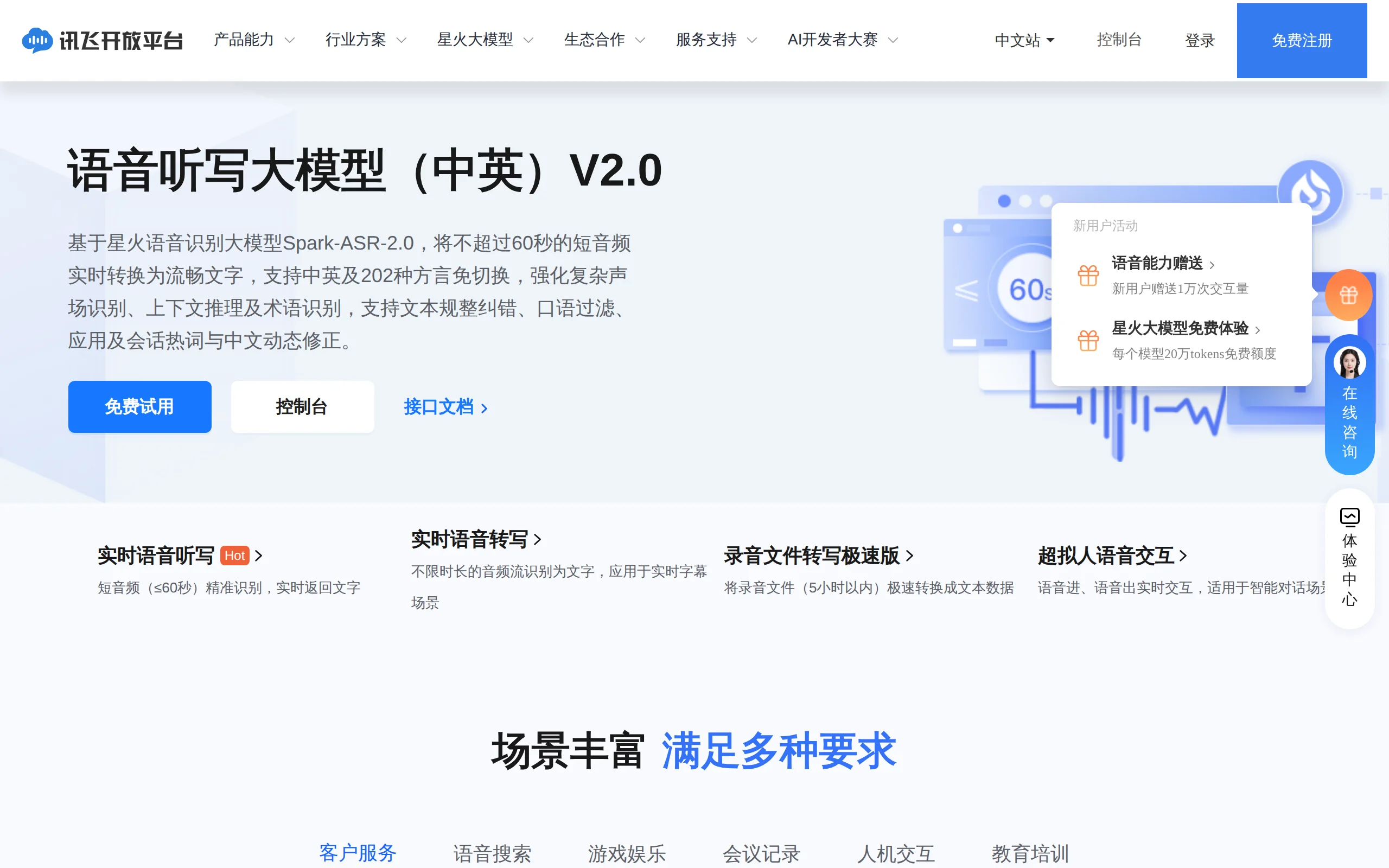
In-Depth Review of Spark-ASR-2.0: A New Paradigm in Speech Recognition with Non-Autoregressive Architecture
Spark-ASR-2.0 is the latest generation speech recognition large model launched by iFLYTEK based on its proprietary Spark-Audio speech foundation model. This model continues the non-autoregressive para...
Qwen-Audio-3.1: A Full-Stack Evaluation of the Qwen Audio Large Model Series
Qwen-Audio-3.1 is a series of large audio models launched by Alibaba's Qwen. It consists of five models: ASR speech recognition, ASR-Next audio understanding, TTS speech synthesis, TTS-Next audio crea...
Qwen3.8-LiveTranslate – A Real-Time Simultaneous Interpretation Model Launched by Alibaba Tongyi
Qwen3.8-LiveTranslate is a real-time simultaneous interpretation large model launched by the Tongyi Qianwen team at Alibaba. Based on the Interleave single-stream architecture, it processes audio and ...
© All Rights Reserved. Some content on this site is partially generated by AI with human review.