
PPT Master – Open-Source Standardized AI PPT Generation Workflow
Executive Summary:
PPT Master is an open-source AI-driven standardized PPT generation workflow (Skill) designed for Agent-capable AI IDEs. It converts PDF, DOCX, XLSX, web links, Markdown, PPTX, and more into native edi...
1. What Is PPT Master
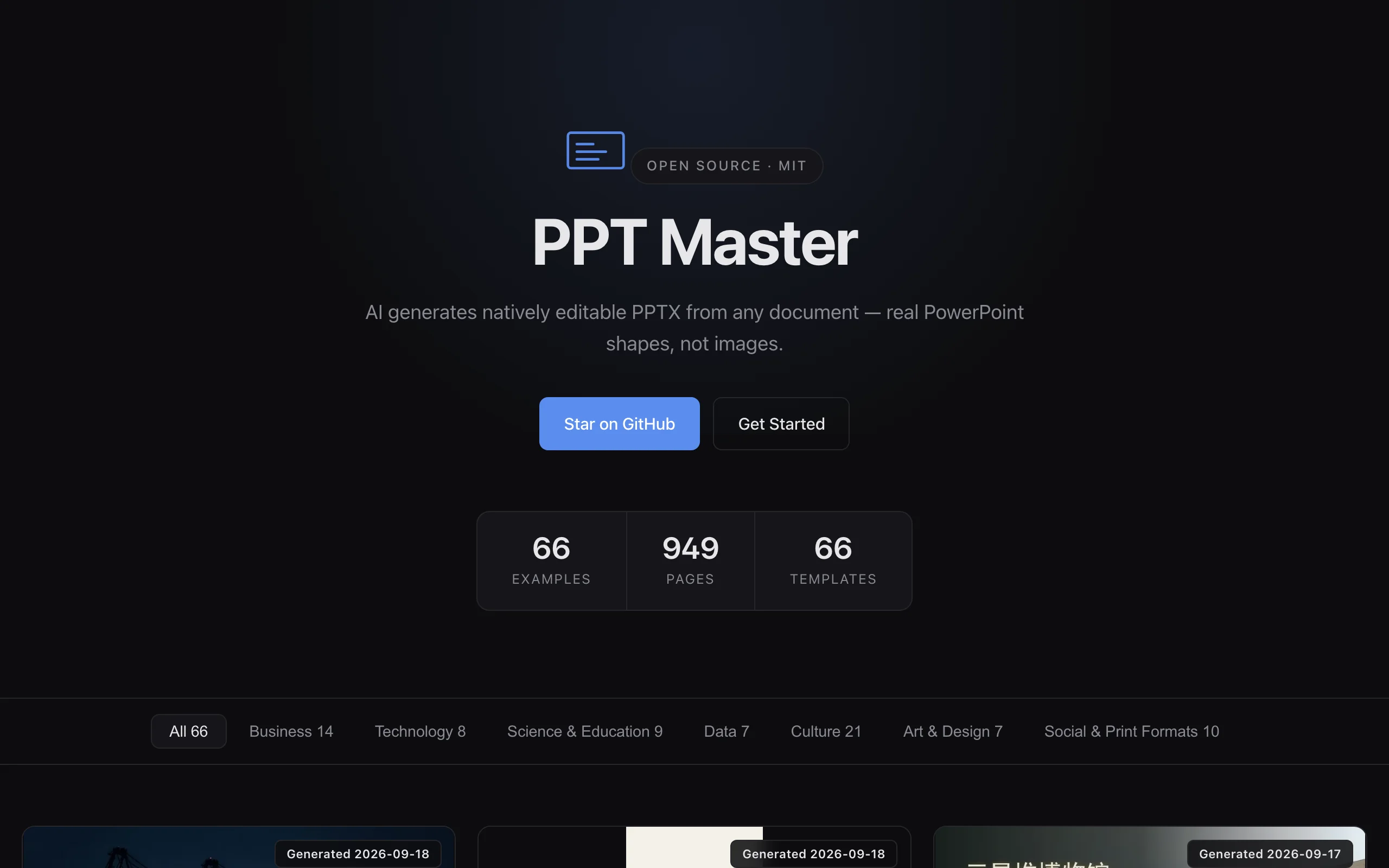
PPT Master is an open-source AI-driven standardized PPT generation workflow (Skill) designed for Agent-capable AI IDEs. It converts PDF, DOCX, XLSX, web links, Markdown, PPTX, and more into native editable PPTX end-to-end. Built on Python 3.10+ under MIT, its core value is that every element is a real PowerPoint object (shapes, text boxes, charts)—not image collages or web screenshots—so users can edit item by item in Office or WPS. That design directly addresses the industry "fake PPT" problem from image-based AI slides.
Image source: Official article
Technical positioning and domain: AI document generation and office automation as a standardized workflow (Skill)—instructions an AI IDE executes—not a standalone app. It runs in Claude Code, Cursor, VS Code Copilot, etc., combining LLM understanding with structured PPTX rendering. It sits in the LLM application layer via prompt engineering and pipelines that turn language into slide actions.
Research background: Created open-source by hugohe3 to fix "fake PPT" outputs—most tools emit images or non-editable web formats. PPT Master writes real native PPTX via Office Open XML (PPTX as ZIP+XML), using python-pptx for rendering while staying transparent and user-controlled.
Core value: Solves three pains: editability (native objects), cost (tool free forever; only model API fees—~$0.08/deck possible), and security (local processing except LLM chat—source, SVG, and PPTX never hit third-party servers).
Technical characteristics: Lightweight "AI IDE + workflow rules" pattern—no platform lock-in; works with Claude, GPT, Gemini, Kimi, etc., and Cursor, Claude Code, and peers. Precise DrawingML shapes, text boxes, and vectors; 20+ templates and 10+ canvas formats.
2. Key Features
Universal document parsing: PDF, DOCX, XLSX/XLSM, EPUB, HTML, LaTeX, RST, web links (including WeChat articles), Markdown, pasted text—10+ formats. Parsers (PyMuPDF, python-docx, openpyxl, etc.) extract structure, tables, and metadata for AI outlining while preserving headings, lists, and key data.
AI outline extraction: LLMs split content into sections, bullet points, and key metrics into presentation-ready drafts via prompts aligned to classic structures (problem–analysis–solution, background–method–results–conclusion). Tune detail from full reports to tight bullets.
Native PPTX rendering: Core highlight—all elements are Office Open XML objects editable in PowerPoint/WPS (fonts, colors, size, position, chart data). python-pptx writes ISO 29500-compliant XML for broad compatibility.
Multi-style templates: 20+ templates—MBB consulting, academic, tech, brand, government, creative—with masters, palettes, fonts, and placeholders auto-matched to content. Templates are standard PPTX files parsed for layout then filled.
Multi canvas formats: 16:9, 4:3, Xiaohongshu vertical, Douyin vertical, and 10+ sizes—slide dimensions adjusted per target platform; vertical layouts optimize density and balance.
AI image integration: Optional gpt-image-2 etc.—generate slide-matched visuals from content themes, embedded with size/crop control.
Custom brand templates: Import corporate PPTX (logo, colors, fonts) and design rules for 100% brand-aligned output.
Local-safe processing: Parse, SVG, and export locally; only LLM chat needs network— suited to finance, healthcare, and government sensitive docs.
Multi IDE compatibility: SKILL.md workflow loads in Claude Code, Cursor, Copilot, Trae, Windsurf, Aider, etc.—no single-vendor lock-in.
Multi-model drivers: Claude, GPT, Gemini, Kimi, MiniMax via unified API abstraction—swap models without rewriting workflow rules.
3. How to Use
Setup and clone: Python 3.10+ (3.11 recommended). Clone:
git clone https://atomgit.com/hugohe3/ppt-master.git(AtomGit mirror for China) or GitHub Release ZIP. ~5 MB repo with SKILL.md, templates, samples.Dependencies: Create venv,
pip install -r requirements.txt(python-pptx, PyMuPDF, python-docx, openpyxl, etc.). Runpython -m ppt_master checkto verify. Windows may need Visual C++ Redistributable.Load workflow in AI IDE: Open project root in Cursor or Claude Code; ask AI to load
SKILL.mdas workflow rules. First run: request a "workflow confirmation report" to validate loading.Prepare assets and prompt: Put sources in
input/(PDF, Word, Excel, Markdown, or public URL). Prompt example: "Generate a 16:9 consulting-style PPT from input/report.pdf using MBB template, output to output/." Pipeline: parse → create project → template → strategist → executor slides → post-process → export.Export and edit: Open
output/output_YYYYMMDD_HHMMSS.pptxin PowerPoint/WPS; edit native elements. Human review recommended for chart accuracy, alignment, and fonts.
Best practices:
- Prefer Claude Sonnet or GPT-4 for quality
- For 50+ page docs, confirm outline before full generation
- Brand templates: avoid macros/ActiveX
- AI images need stable network or disable the feature
- Keep IDE session open during generation
4. Pros and Cons
| Pros |
|---|
| Native editable output: Real PowerPoint objects—fixes image-based "fake PPT" pain. |
| Fully open and free: MIT; pay only model API (~$0.08/deck possible). |
| Local data safety: Source/SVG/PPTX stay local; only LLM chat online—good for confidential docs. |
| Multi IDE and model: No platform lock-in. |
| Fully customizable: Brand templates and workflow rules for standardized enterprise decks. |
5. Comparison with Similar Tools
| Dimension | PPT Master | Gamma | WPS AI |
|---|---|---|---|
| Architecture | Open workflow + AI IDE, local PPTX render | Closed SaaS, web-first export | Closed, inside WPS |
| Output | Native editable PPTX | Web/image-heavy PPT | Native but constrained templates |
| Data security | Local files; LLM chat only online | Upload to cloud | WPS cloud processing |
| Cost | Free tool + ~$0.08/deck API | $8–20/mo subscription | Membership tiers |
| Customization | Full template and workflow control | Fixed templates, basic theming | Limited styling |
| License | MIT open commercial use | Closed | Closed |
| Community | GitHub-driven | Official limited community | Official plugins |
| Learning curve | Medium (Python + IDE) | Low web UI | Low WPS native |
Selection advice: Technical teams and enterprises wanting customization, MIT freedom, and local security should choose PPT Master—especially batch standardized decks (internal reports, product docs). Initial setup cost pays off in zero subscription and full control—pair with Claude Sonnet or GPT-4. Non-technical quick drafts: Gamma or WPS AI trade editability and security for ease. Copilot fits M365 subscribers at higher cost and format limits. If editability and security are mandatory, PPT Master is the standout match.
6. Editor's Take
PPT Master redefines AI slide editability. Gamma/WPS often web-render or embed images; PPT Master writes real Open XML—harder to build, but slides enter normal office workflows. The Skill+IDE architecture avoids rebuilding another app and rides the Agent trend.
Value: near-zero subscription, ~$0.08/decks, local privacy, brand rules—strong for regulated industries and automation pipelines from docs to decks.
Audience: Developers, IT, marketing/product teams batch-producing standard decks. Non-technical users need guided setup.
Future: Richer charts, analytics hooks, collaboration—as AI IDE and multimodal models mature. Open MIT base invites templates and plugins; docs/community still early.
- Innovation: ★★★★★ (native PPTX)
- Value: ★★★★☆ (cost/security/custom; learning curve)
- Ease: ★★★☆☆
- Ecosystem: ★★★☆☆
- Potential: ★★★★★
7. Use Cases
Corporate reporting automation: Turn quarterly reviews, project postmortems, and financial analyses into structured decks from Word/PDF with consulting templates—hours to minutes.
Academic defense and classroom slides: Thesis and literature reviews auto-structured (abstract, methods, results, discussion) with appropriate charts/tables.
Consulting and research roadshows: MBB-style dense visuals from industry reports and business plans—MECE, SWOT, Porter frames where relevant.
Social content ops: Vertical canvases for Xiaohongshu/Douyin from long articles—mobile-readable card-style slides.
Brand-standard output: Corporate VI templates in
templates/with rules in SKILL.md for consistent external pitches and launches.Internal automation: CI hooks when docs update; wrap API for Feishu/WeCom "one-click report PPT" services.
8. FAQ
Q: Editable in WPS?
A: Yes—ISO 29500 native objects; PowerPoint 2007+ and WPS 2019+. Unsupported fonts may substitute in WPS.
Q: Cost per deck?
A: Tool is free. Claude Sonnet ~$0.05–0.08 for ~20-slide consulting deck (50–80万 tokens input+output). GPT-4 ~$0.15–0.25. Free tiers (Kimi, MiniMax) can be $0.
Q: Overlapping text or messy layout?
A: Use stronger models; verify template placeholders; add layout rules in SKILL.md; segment long sources; regenerate problem slides manually if needed.
Q: Fully offline?
A: Local parse/render/export works offline; LLM needs network unless you point SKILL.md to Ollama/llama.cpp—quality usually lower.
Q: Import brand templates?
A: Place corporate PPTX in templates/, set template: "brand.pptx" in SKILL.md; avoid macros/ActiveX; add explicit title/body rules for precision.
Q: Supported IDEs and models?
A: Cursor, Claude Code, Copilot, Trae, Windsurf, Aider, Continue.dev, etc. Models: Claude Sonnet/Opus, GPT-4/4o, Gemini, Kimi, MiniMax—configure in SKILL.md without changing workflow logic.
9. Project Links
- GitHub: https://github.com/hugohe3/ppt-master
- Live preview: https://hugohe3.github.io/ppt-master/
- AtomGit mirror (China): https://atomgit.com/hugohe3/ppt-master
Related AI Model Articles

OpenMuse – CopilotKit Open-Source Personal AI Assistant
OpenMuse is an open-source personal AI assistant project developed by the CopilotKit team. Its core design philosophy is "giving an Agent a computer" — by combining a persistent browser, optional Linu...

In-Depth Review of Longcat-2.5-preview: Meituan's Next-Generation Multimodal Long-Range Agent Model
LongCat-2.5-preview is Meituan's latest next-generation large model. Building upon the 1.6T total parameters, approximately 48B active parameters, and native 1M token context of LongCat-2.0, it marks ...

Review of DeepSeek Harness Desktop: How the Official GUI Client Lowers the Bar for Agent Usage
DeepSeek Harness Desktop is the official graphical client launched by DeepSeek, designed to provide a visual interface for the originally command-line-based DeepSeek Harness framework. After users log...

Step Code – In-Depth Review of StepFun's Open-Source Terminal Programming Agent
Step Code is an open-source terminal programming agent launched by StepFun, licensed under the MIT License, which allows developers to complete the full workflow of code writing, debugging, execution,...
© All Rights Reserved. Some content on this site is partially generated by AI with human review.