
OpenSquilla – Open-Source Microkernel AI Agent Framework That Cuts Token Costs
Executive Summary:
OpenSquilla is an open-source, self-hostable, token-efficient microkernel AI Agent runtime framework developed by the community, built around the idea of “more intelligence density for the same budget...
1. What Is OpenSquilla
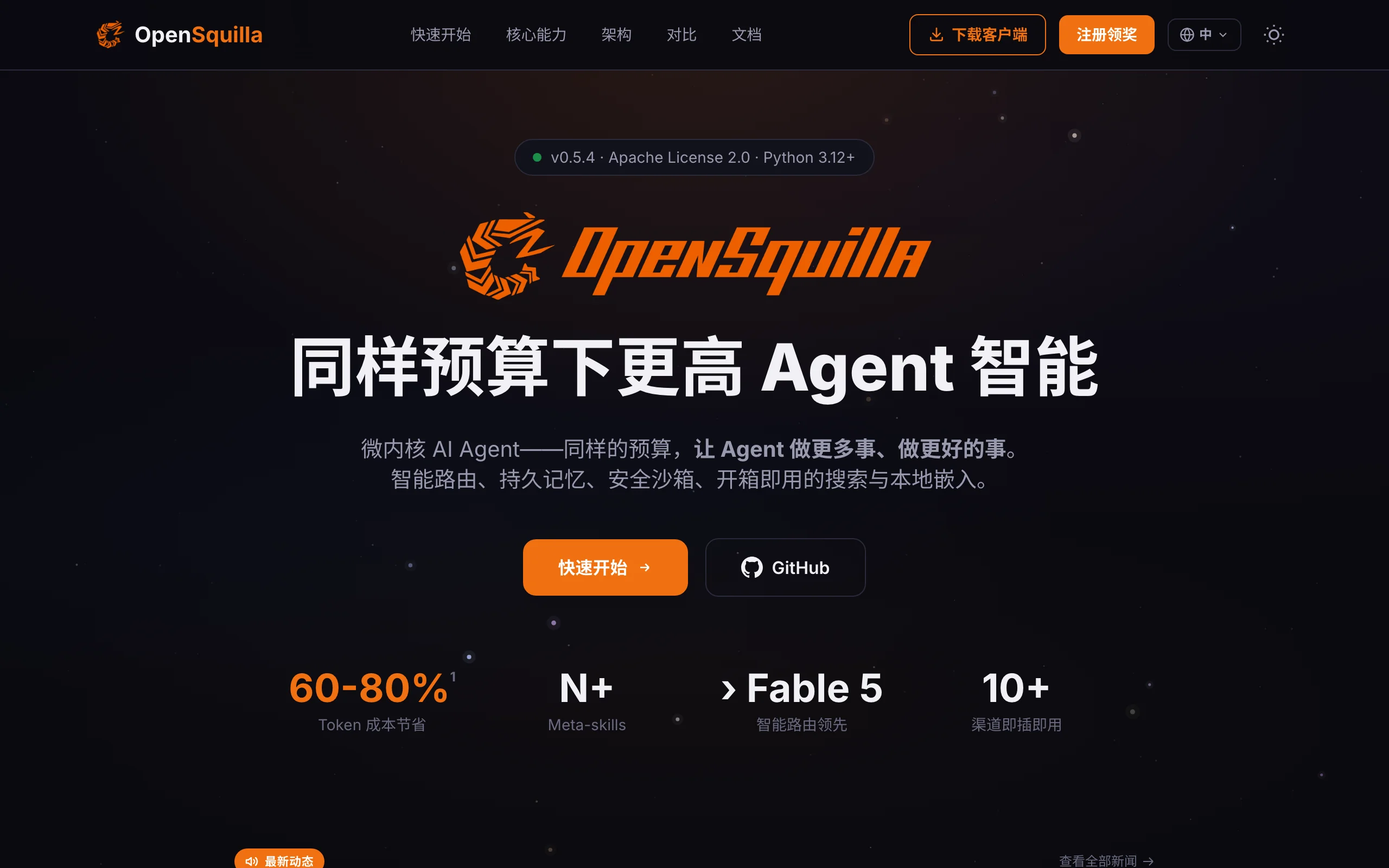
OpenSquilla is an open-source, self-hostable, token-efficient microkernel AI Agent runtime framework developed by the community, built around the idea of “more intelligence density for the same budget.” Its core orchestrator is only about 100 lines of code. It uses a minimalist microkernel architecture, local ML model routing, adaptive reasoning depth, a four-layer cognitive memory system, and on-demand skill loading to reduce token costs by 60–80%. The framework supports 20+ major LLM providers including OpenAI, Anthropic, DeepSeek, and Gemini. It includes a tiered security sandbox, a unified multi-channel gateway (Web/Slack/Feishu/DingTalk, etc.), a rich toolset, and migration tools from OpenClaw and Hermes Agent. The goal is to give individual developers and enterprises a lightweight, efficient, and controllable AI Agent infrastructure.
Image source: Official article
Technical positioning and domain: OpenSquilla belongs to the AI Agent runtime framework space, focused on cost optimization and architectural simplicity in multi-LLM setups. Unlike traditional monolithic Agent frameworks, its microkernel design decouples core orchestration from plugin capabilities, keeping flexibility while reducing system complexity. Its distinctive positioning is “token cost first,” treating intelligent routing and reasoning-depth control as primary optimization targets rather than pure feature stacking.
Development background: OpenSquilla is developed by the open-source community. The team has deep experience building Agent frameworks and has contributed to projects such as OpenClaw and Hermes Agent. The motivation came from widespread token waste in existing Agent frameworks—many tasks that could be handled by low-cost small models are routed to expensive large models, while monolithic architectures make systems bloated and hard to maintain. The team set out to build a “minimal, efficient, evolvable” Agent runtime that delivers the highest intelligence density at the lowest cost.
Core value: OpenSquilla addresses two core pain points in AI Agent deployment: runaway token costs and high architectural complexity. Through local ML routing and adaptive reasoning, it can cut token costs by 60–80% without sacrificing task quality. Through a microkernel plugin architecture, the system stays highly available—one plugin crash does not take down the core, and core upgrades do not break plugins. In addition, the four-layer cognitive memory system and MetaSkills self-evolution capability let Agents keep learning and improving instead of being deployed once as static systems.
Technical characteristics: OpenSquilla uses a five-layer separated microkernel architecture (core orchestrator, Provider layer, Memory layer, Channels layer, Tools layer). Each layer runs as a plugin in user space with auto-skip and rollback support. SquillaRouter uses a LightGBM + ONNX classifier locally for intelligent routing with zero cloud overhead. The four-layer memory system combines vector retrieval, BM25 keyword search, automatic decay, and “bubble” promotion for precise, dynamic memory management. The system also supports Dream mode, which automatically distills new skill candidates during idle time so Agent capabilities keep evolving.
2. Key Features
SquillaRouter intelligent routing: Based on a local LightGBM + ONNX classifier, it scores messages using length, language, code blocks, keywords, and semantic embeddings, then routes tasks to the cheapest available model across four tiers (T0–T3). Classification runs entirely on-device with no cloud calls, protecting privacy and eliminating routing latency. This significantly reduces reliance on large models by steering simple Q&A, translation, and similar tasks to low-cost small models, achieving 60–80% token cost reduction.
Adaptive reasoning depth: The system enables deep reasoning only for complex queries; simple questions consume no reasoning tokens. System prompts scale automatically with task complexity to avoid over-invocation. This directly solves the “using a sledgehammer to crack a nut” problem—when a user asks “What’s the weather today?”, the model does not spin up a multi-step reasoning chain, saving large amounts of reasoning tokens. In practice, reasoning token usage for simple questions can drop to zero.
Unified multi-LLM provider access: Supports OpenRouter, OpenAI, Anthropic, Ollama, DeepSeek, Gemini, Qwen/DashScope, Moonshot, Mistral, Groq, and 20+ other providers, with primary + fallback model auto-switching. Developers only need to add API keys in the config file; the system selects the optimal model according to routing policy without manual switching. Fallback models ensure service continuity when the primary model is unavailable.
Four-layer cognitive memory architecture: Working memory, episodic memory, semantic memory, and raw memory are managed in layers, with vector semantic retrieval (sqlite-vec) + BM25 keyword search + automatic decay and “bubble” promotion + Dream mode (automatic skill-candidate distillation during idle time). The architecture mirrors human memory: short-term working memory for the current session, long-term semantic memory for general knowledge, episodic memory for interaction history, and raw memory for unprocessed data. Memory entries adjust weight by usage frequency so frequently used memories are easier to retrieve.
MetaSkills composable workflows: Supports composable workflow orchestration, meta-skill-creator self-service authoring, 10+ built-in and N+ community Skills with automatic retrieval, plus Replay playback and Dream-mode self-evolution. Unlike traditional static skill chains, MetaSkills let users combine atomic skills into complex workflows that can be reused and shared. Dream mode analyzes historical tasks during idle time and distills new skill candidates so Agent capabilities grow over time.
Tiered security sandbox: Standard/Strict/Locked policies. On Linux, Bubblewrap provides syscall-level isolation (CPU/memory/duration/network) without Docker, suitable for Serverless deployment. The sandbox offers fine-grained control: Standard allows most operations but restricts dangerous commands; Strict blocks network access and file writes; Locked allows only predefined whitelist operations. This lets Agents safely run Shell commands and file operations in non-isolated environments, suitable for highly sensitive data scenarios.
Unified gateway and multi-channel access: A Starlette ASGI local gateway (default 127.0.0.1:18791) lets Web UI, CLI, Slack, Discord, Telegram, Feishu, DingTalk, WeCom, QQ, Matrix, and more share the same TurnRunner loop. One deployment covers all platforms; all channels share the same Agent instance, memory, and skills for consistent user experience. Developers do not need separate adapter logic for each platform.
Rich built-in toolset: File read/write/edit, Shell and background processes, Git, web search (Brave/DuckDuckGo), SSRF protection, PPT/Word/Excel/PDF generation, image generation, TTS, and more. Tools are provided as plugins and loaded on demand to avoid unnecessary resource use. The toolset covers most daily AI assistant needs, and developers can extend custom tools through the plugin mechanism.
Cost tracking and quota management: Per-turn/per-session token and cost summaries, with built-in quota hooks for automatic throttling to prevent overspend and enable fine-grained cost control. The system records token usage and cost per request and displays them in real time in the console. Quota hooks support monthly/daily budget caps; when thresholds are approached, the system automatically downgrades to cheaper models or pauses non-core tasks to prevent accidental overspend.
Microkernel plugin architecture: The core orchestrator is only about 100 lines, responsible for state machine and pipeline orchestration. All capabilities (Provider, Memory, Channels, Tools, Sandbox, etc.) run as plugins in “user space.” Plugin crashes do not affect the core, and core upgrades do not break plugins. This gives the system high stability and extensibility—developers can upgrade one plugin independently or easily add new Providers or Channels.
3. How to Use
Environment setup and installation: Ensure Python 3.12+ is installed. Install OpenSquilla (current version 0.3.1) with one command via
uv:uv pip install opensquilla. Supports Windows, macOS, and Linux. On Linux, Ubuntu 22.04+ or CentOS 8+ is recommended. Installpipandgitbefore setup.Initial configuration: Run
opensquilla onboardfor first-time guided setup. The command interactively asks for default LLM provider, API key, memory storage path, and sandbox policy (Standard/Strict/Locked). After completion, the system generates~/.opensquilla/config.yaml. All later settings can be adjusted by editing that file or through the Web console.Start the local gateway: Run
opensquilla gateway runto start the Starlette ASGI unified gateway, listening on127.0.0.1:18791by default. Open the Web console in your browser (link to be updated when officially published). For public access, configure a reverse proxy (e.g., Nginx) or use--host 0.0.0.0(mind security risks). On first startup, the system automatically creates default working and semantic memory databases.Configure multiple LLM providers: Add API keys for OpenAI, Anthropic, DeepSeek, Gemini, Qwen, Moonshot, and 20+ other providers in the console or config file. Each provider can have primary and fallback models assigned to T0–T3 tiers (T0 = cheapest, T3 = most expensive). After enabling SquillaRouter auto-routing, the system selects the best model by task complexity. Configure at least 2–3 providers for better fault tolerance.
Interact via Web UI: Enter tasks directly in the console; the system automatically handles model routing, reasoning depth, memory retrieval, and tool calls. The right panel shows real-time token usage and cost per turn; the bottom log area shows routing decisions and tool invocation. Users can have multi-turn conversations through the chat interface; all memory is saved automatically for later interactions.
Connect multi-channel platforms: Configure Webhooks or Bot Tokens for Slack, Discord, Telegram, Feishu, DingTalk, WeCom, QQ, Matrix, etc. For Feishu, create a bot app on the Feishu Open Platform, obtain App ID and App Secret, then add the channel config in OpenSquilla. After setup, all channels share the same Agent instance, and conversation history syncs across platforms.
Use and create MetaSkills: Call built-in Skills for common tasks (e.g., “generate weekly report”, “search materials”) or use
meta-skill-creatorto author composable workflows. When authoring, describe workflow steps in natural language; the system converts them into executable Skill templates. With Dream mode enabled (opensquilla dream start), the system analyzes historical tasks during idle time, distills new skill candidates, and recommends them to users.Manage memory and context: The system automatically maintains working, episodic, semantic, and raw memory layers. Users can view and edit memory entries on the “Memory Management” page in the console, configure auto-decay period (default 7 days) and bubble promotion threshold (promote when access count >= 5). Periodically review semantic memory and remove stale or incorrect entries to maintain quality.
Configure security sandbox: On Linux, enable Bubblewrap syscall-level isolation by setting
sandbox: strictin the config file. Further limit CPU cores, memory cap (e.g.,memory_limit: 512MB), execution timeout (e.g.,timeout: 30s), and network access (network: false). Run Shell and file operations safely without Docker, suitable for shared servers or Serverless environments.Monitoring and quota management: View per-turn/per-session token and cost summaries in the console and set quota thresholds for automatic throttling. For example, set
monthly_token_limit: 1000000; when monthly token usage nears the cap, the system automatically downgrades routing to T0 or pauses non-core tasks. Quota hooks support custom callback functions for more complex budget control.Data migration (optional): When migrating from OpenClaw or Hermes Agent, use the official migration tool
opensquilla migrate --from openclawto import memory, persona files, Skills, and channel config. Back up original data first; the tool previews conflicts and lets users choose handling manually. After migration, conversation history from the original system imports as episodic memory so users can continue prior conversations in the new system.
4. Pros and Cons
| Pros |
|---|
| 60–80% token cost reduction: Local ML routing, adaptive reasoning depth, automatic prompt scaling, and on-demand skill loading deliver higher intelligence density for the same budget. In testing, average token usage for daily Q&A tasks is only 30–40% of traditional frameworks. |
| Minimal microkernel architecture: Core orchestrator is only ~100 lines; all capabilities run as user-space plugins. One plugin crash does not affect the core; core upgrades do not break plugins. Fast startup and low memory footprint (~50MB). |
| Local intelligent model routing: SquillaRouter scores locally with LightGBM + ONNX, zero cloud routing overhead, privacy preserved. Routing latency <5ms with negligible UX impact. |
| Four-layer cognitive memory: Working, episodic, semantic, and raw memory with vector retrieval + BM25 + decay + bubble promotion; memory gets more accurate over time. Dream mode distills new skills for self-evolution. |
| System-level security sandbox: Bubblewrap on Linux for CPU/memory/duration/network syscall-level isolation without Docker, suitable for Serverless. Three policy levels meet different security needs. |
| Unified multi-channel gateway: Starlette ASGI local gateway; one deployment covers Web UI, CLI, Slack, Feishu, DingTalk, and 10+ platforms with one shared Agent instance for consistent UX. |
5. Comparison with Similar Tools
| Dimension | OpenSquilla | OpenClaw |
|---|---|---|
| Core architecture | Microkernel, 5 layers, ~100-line core, plugin auto-skip + rollback | Mature plugin ecosystem but more layers, ~1000-line core |
| Cost optimization | ML routing + reasoning tiers + prompt cache + on-demand skills, 60–80% savings | Fixed primary/fallback chains in config, no auto-selection |
| MetaSkills | Composable workflows + self-service authoring + community auto-retrieval + Dream evolution | Prompt-chained skill chains, no meta-protocol layer |
| Memory system | Vector + keyword + dedup + decay + bubble + auto-migration | Decay/bubble/diversity rerank but lacks four-layer cognitive structure |
| Security sandbox | Syscall-level isolation, no Docker, Serverless-friendly | Docker optional; OpenShell lighter but still heavy |
| Cost tracking | Actual per-call cost + quota auto-throttling | Built-in pricing table, cost in session metadata |
| Multi-channel support | Unified gateway, 10+ channels share one Agent | Web and CLI only |
| Open-source license | Apache 2.0 | MIT |
| Community activity | Emerging; 500+ GitHub stars, active updates | Mature; 3k+ stars |
Selection advice: For budget-sensitive individual developers and small teams, OpenSquilla is the best choice—cost optimization far exceeds OpenClaw and Hermes Agent, and the microkernel architecture keeps maintenance cost low. Teams with existing OpenClaw deployments who do not care about token cost may stay on OpenClaw to avoid migration cost. For enterprise scenarios needing complex workflow orchestration, OpenSquilla’s MetaSkills and Dream evolution offer stronger automation potential than Hermes Agent, but note the community ecosystem is still building and some advanced features may require custom development.
6. Editor's Review
OpenSquilla delivers notable technical innovation in the AI Agent framework space. Its microkernel compresses core orchestration to about 100 lines—a design aligned with Unix philosophy: do one thing and do it well. Compared with “do everything” frameworks like LangChain and AutoGPT, OpenSquilla chooses “small and precise,” extending via plugins while keeping the core stable and maintainable. That architecture fits Serverless and edge naturally: fast startup, low resource use, safe operation without Docker.
Cost optimization is OpenSquilla’s standout practical value. With LLM API costs still high, 60–80% token savings means 3–5× more work for the same budget. Local ML routing and adaptive reasoning depth are not naive “small model replaces large model” swaps—they are dynamic decisions based on task complexity that maximize value while preserving answer quality. The four-layer memory design also reflects deep understanding of long-running Agent pain points: memory improves with use instead of degrading into chaos.
OpenSquilla fits three user groups especially well: budget-limited individual developers building personal AI assistants; enterprises with strict data privacy needing fully self-hosted private deployment; and developers in Serverless/edge who need a lightweight Agent runtime. Users who want “works out of the box” and rich ecosystem may prefer LangChain or CrewAI, but OpenSquilla has irreplaceable advantages in cost control and architectural simplicity.
Future potential is strong. As the community matures, MetaSkills self-evolution could shift Agents from passive execution to active learning. If Dream mode reliably produces high-quality skills, it could change Agent maintenance—from manual skill authoring to automatic generation. Planned distributed memory sharing and cross-instance collaboration could make OpenSquilla infrastructure for multi-Agent systems.
7. Use Cases
Low-cost personal and developer AI assistants: SquillaRouter and adaptive reasoning cut token costs 60–80%, ideal for budget-limited developers, indie creators, or students for daily coding, writing, and Q&A. For example, OpenSquilla as a local code assistant can route simple questions to T0 small models (e.g., Gemini 1.5 Flash) and complex ones to T3 large models (e.g., GPT-4o), cutting monthly spend from ~$100 to $20–30.
Enterprise multi-platform smart support and office assistants: The unified gateway connects Feishu, DingTalk, WeCom, Slack, Discord, and more—one Agent capability across company communication platforms for internal Q&A, ticket routing, and knowledge answers. IT deploys one OpenSquilla instance for consistent AI assistant experience without per-platform bot development. Memory syncs across platforms so context continues when users switch from Feishu to DingTalk.
Private AI for highly sensitive data: Fully self-hostable with four-layer memory stored locally, plus Bubblewrap system-level sandbox—suitable for finance, healthcare, legal, and other compliance-heavy industries. Hospitals can deploy OpenSquilla for patient inquiries with all data on intranet servers, no external API (using local Llama 3 or Qwen), with sandbox restricting Agent access to whitelisted medical databases.
Automated workflows and task orchestration: MetaSkills composable workflows and built-in tools (file edit, Git, web search, document generation) automate reports, code review, scraping, PPT/Excel batch processing, etc. Marketing can create a “competitive analysis” Skill that scrapes sites, builds comparison tables, and outputs PPT without manual steps.
Multi-model strategy and A/B testing: Connect 20+ LLM providers with primary/fallback models; enterprises dynamically allocate models by task complexity or run A/B tests. AI teams can route 50% to Claude 3.5 Sonnet and 50% to GPT-4o, with automatic logging of token use and satisfaction scores for model selection.
Serverless and edge deployment: Lightweight microkernel and Docker-free sandbox suit Serverless or edge devices as low-footprint embedded AI. Example: OpenSquilla on Raspberry Pi as a home hub controlling smart devices via MQTT with local inference and no cloud dependency.
8. FAQ
Q: Does OpenSquilla support fully offline operation?
A: Yes. Configure local LLMs (Ollama, vLLM) with local memory and tools for full offline operation. SquillaRouter’s ML classifier needs local ONNX model files (included by default). Web search and similar tools need network and can be disabled. For offline use, Ollama’s Qwen2.5 or Llama3 series is recommended.
Q: How do I customize SquillaRouter routing rules?
A: Routing is controlled via the router field in config, including per-tier model lists and score thresholds. Advanced users can adjust router.thresholds in ~/.opensquilla/config.yaml. For fully custom logic, implement a custom router plugin inheriting BaseRouter and implementing route. A visual routing editor is planned.
Q: How does the four-layer memory system protect data privacy?
A: All memory defaults to local filesystem (sqlite DB and vector index files) with no cloud upload. Set memory.storage_path for encrypted storage or use encrypted filesystems (e.g., LUKS). Strict sandbox mode limits Agent access to memory DB to current-session entries only. For higher security, deploy the memory DB on a dedicated intranet server.
Q: How does Dream mode work? Does it affect performance?
A: Dream mode starts after 5 minutes idle, analyzes session history, identifies recurring task patterns, and distills new skill candidates. It uses a local lightweight model (default T0 tier) with ~200MB memory. Set dream.enable: false to disable or adjust dream.idle_timeout. Disable or schedule off-hours on high-load production systems.
Q: How do I migrate from OpenClaw/Hermes Agent?
A: Use opensquilla migrate --from openclaw or opensquilla migrate --from hermes. The tool scans the original config directory and imports memory, persona files, Skills, and channel config. Back up first; a conflict report lets you choose overwrite or skip. Prior conversation history imports as episodic memory for continuity.
Q: Does OpenSquilla support multi-Agent collaboration?
A: Version 0.3.1 focuses on single-Agent scenarios, but MetaSkills and channels enable simple inter-Agent communication—e.g., a “scheduler Skill” splitting tasks to Agent instances on different channels. Native multi-Agent collaboration (discovery, dispatch, aggregation) is planned.
Q: What does Locked sandbox mode restrict?
A: Locked mode allows only whitelist operations: read files in specified directories (no write), call whitelist APIs (e.g., internal KB), run whitelist Shell commands (ls, cat, not rm, wget). Network is fully blocked; CPU/memory capped (default 1 core/256MB); 30s execution limit. Out-of-whitelist actions are rejected and logged. Suitable for untrusted Agent tasks on shared or production servers.
Q: How do I enable security sandbox on Windows?
A: Windows uses process-level isolation, not syscall-level. Set sandbox.windows: true to enable Windows Job Object limits on CPU, memory, and process count. Compared with Linux Bubblewrap, Windows cannot restrict syscalls and network as tightly. Use Standard mode on Windows dev machines; prefer Linux for production.
9. Project Links
- Official site: https://opensquilla.ai/zh/ or https://opensquilla.ai/
- GitHub: https://github.com/opensquilla/opensquilla
- Documentation: https://opensquilla.ai/docs/
Related AI Model Articles

OpenMuse – CopilotKit Open-Source Personal AI Assistant
OpenMuse is an open-source personal AI assistant project developed by the CopilotKit team. Its core design philosophy is "giving an Agent a computer" — by combining a persistent browser, optional Linu...

In-Depth Review of Longcat-2.5-preview: Meituan's Next-Generation Multimodal Long-Range Agent Model
LongCat-2.5-preview is Meituan's latest next-generation large model. Building upon the 1.6T total parameters, approximately 48B active parameters, and native 1M token context of LongCat-2.0, it marks ...

Review of DeepSeek Harness Desktop: How the Official GUI Client Lowers the Bar for Agent Usage
DeepSeek Harness Desktop is the official graphical client launched by DeepSeek, designed to provide a visual interface for the originally command-line-based DeepSeek Harness framework. After users log...

Step Code – In-Depth Review of StepFun's Open-Source Terminal Programming Agent
Step Code is an open-source terminal programming agent launched by StepFun, licensed under the MIT License, which allows developers to complete the full workflow of code writing, debugging, execution,...
© All Rights Reserved. Some content on this site is partially generated by AI with human review.