
Kage: A Single-File-Driven Immersive 3D Narrative Experience, A Minimalist Practice of AI-Generated Content and WebGL Integration
Executive Summary:
Kage is an open-source immersive 3D interactive experience project developed by designer Meng To. It employs an extreme minimalist approach to condense a full multi-chapter narrative into a single HTM...
1. What is Kage
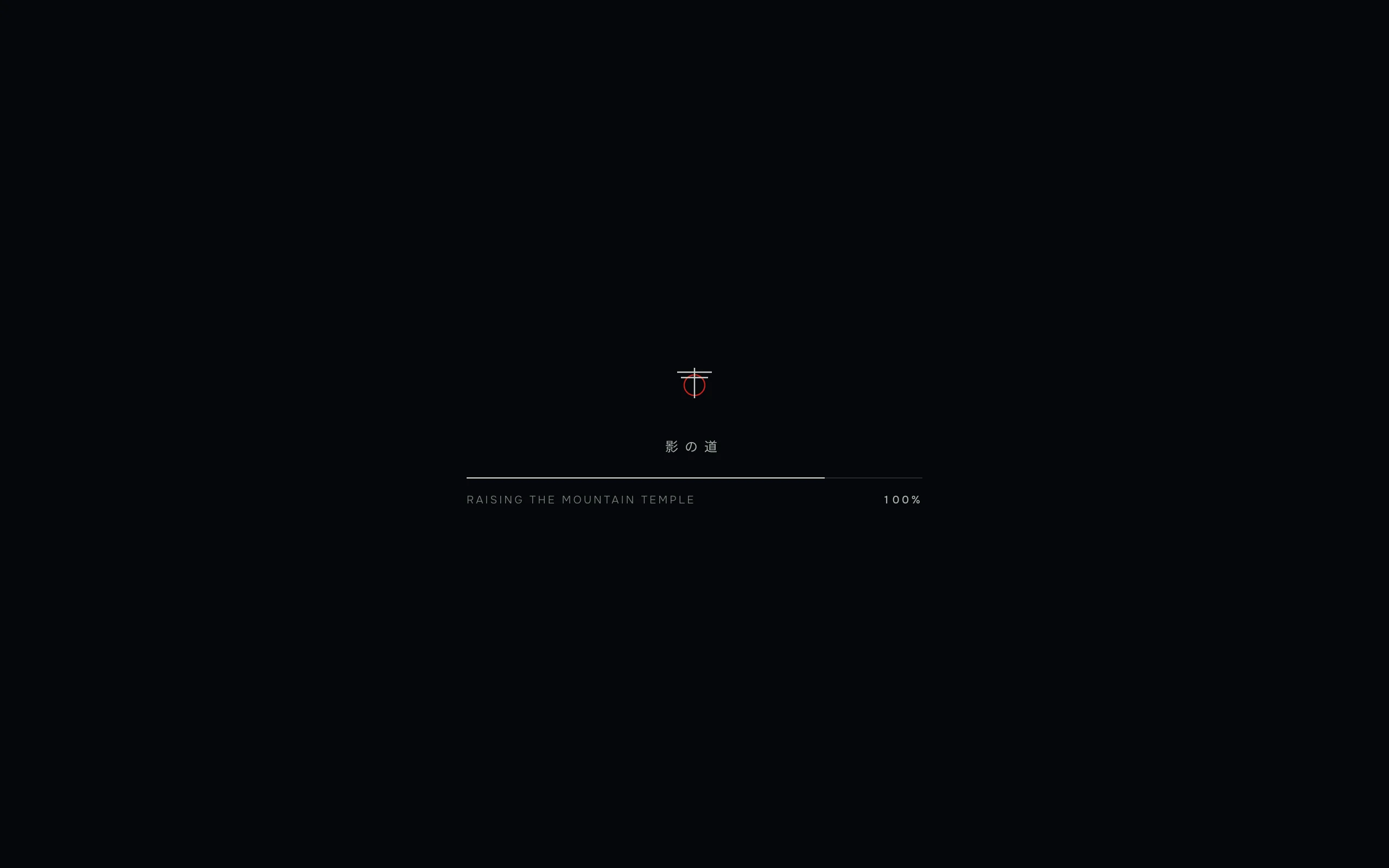
Kage is an open-source immersive 3D interactive experience project developed by designer Meng To. It employs an extreme minimalist approach to condense a full multi-chapter narrative into a single HTML file. The project uses Three.js for real-time WebGL rendering and cleverly integrates 2D scene assets generated by GPT Image 2, creating a fictional nighttime stroll through a Kyoto mountain temple. Users can control the camera along a pre-defined path simply by scrolling the mouse wheel, sequentially passing through five chapters: the mountain gate, the quiet courtyard, craftsmanship, twilight, and the declaration. Within an atmosphere interwoven with rain mist, falling leaves, and crimson full moons, Kage delivers a cinematic visual narrative experience. Kage requires no build tools or dependencies; it can be run directly in the browser, serving as a prime example of the deep integration of AI-generated content (AIGC) with real-time front-end rendering.
Image source: Official article
Technical Positioning and Domain: Kage belongs to the domain of front-end interactive experiences and creative coding, specifically focusing on real-time WebGL 3D rendering, scroll-driven storytelling, and the practical application of AI-generated visual assets. It leverages web-native standards in its technology stack, using Three.js as the core rendering engine, demonstrating the capability of modern browsers to deliver cinematic visual experiences without plugins.
Development Background: This project was independently developed by designer Meng To, who is not a traditional programmer but rather led the entire project's creation with design thinking and prompt engineering. This development background distinguishes Kage from typical engineering-driven open-source projects, emphasizing the unification of creative efficiency, visual expressiveness, and narrative structure. The emergence of Kage reflects a paradigm shift in the era of AI—designers can now directly generate high-quality visual assets using natural language and transform them into interactive immersive experiences with lightweight code.
Core Value: Kage addresses the long-standing pain point in front-end development: the difficulty of achieving high visual quality while maintaining low engineering complexity. Traditionally, creating similar immersive 3D experiences required complex build toolchains, professional 3D modeling assets, and in-depth knowledge of 3D mathematics. Kage, however, reduces the technical barrier to a "open-and-use" level through its single-file architecture and AI asset integration strategy, enabling individual designers and even non-technical users to create interactive narrative works of professional quality. Additionally, it establishes a reusable methodology combining "AI assets + real-time rendering + scroll-driven storytelling," offering new implementation paths for brand marketing, digital cultural tourism, and creative presentations.
2. Key Features
Scroll-as-Navigation Interaction Paradigm: Precisely control the camera's movement along a predefined path using mouse wheel events, completely eliminating traditional UI elements such as buttons and menus. This interaction model directly converts the user's browsing behavior into a narrative driver, achieving an immersive experience with "zero learning cost." Native browser support for wheel events ensures smooth interaction and cross-platform consistency.
Real-time 3D Rendering with Three.js: Dynamically construct scene elements such as temple architecture, gatehouse structures, rain and mist particle systems, falling leaves, and crimson full moons in real-time using Three.js r149 on the browser side. Leveraging WebGL's hardware acceleration, complex natural motion patterns are simulated through particle systems and dynamic lighting, while maintaining a smooth 60fps frame rate and bringing life to static visuals.
Deep Integration of AI-Generated Assets: Use static scene boards generated by GPT Image 2 as the background zones, and overlay them with transparent WebP foreground elements (such as rain layer and falling leaves layer) that include an Alpha channel. This hybrid strategy of "AI-generated background + code-driven foreground" capitalizes on AI's strengths in texture representation while using real-time rendering to enhance dynamic lighting and parallax effects, creating a unique visual hierarchy.
Five-Chapter Narrative Structure: Content is arranged in a dramatic rhythm following the sequence "Gatehouse → Quiet Courtyard → Craftsmanship → Dusk → Declaration," with each chapter corresponding to a unique camera composition and atmospheric tone. A nonlinear mapping relationship is established between scroll progress and chapter transitions, allowing for a well-paced narrative that gradually builds and guides the user's emotional journey.
Single-File Zero-Construction Architecture: All HTML, CSS, and JavaScript code, along with 3D resources, are consolidated into a single HTML file, without relying on any build tools such as npm, React, or Vite. This enables the project to be opened directly via the browser's file:// protocol or deployed on any static file server (e.g., GitHub Pages, Nginx), achieving instant deployment and distribution.
Cinematic Visual Post-Processing Pipeline: Employ a restrained low-saturation color scheme with five tones: near-black, navy blue, warm amber, bone white, and crimson red. Combined with UnrealBloomPass bloom effects, film grain simulations, and vignette corner darkening, this creates a strong cinematic atmosphere. The post-processing system is built using Three.js's EffectComposer, with each effect configurable independently.
Accessibility and Responsive Adaptation: Built-in detection for the prefers-reduced-motion system preference, automatically reducing animation intensity when the user enables "Reduce Motion" to prevent dizziness. Additionally, it supports responsive layouts on mobile devices, ensuring basic usability across phones and tablets through touch scrolling and viewport adaptation.
3. How to Use
Online Quick Experience: Access the official experience page directly through a modern browser at https://mengto.github.io/kage/, and you can immediately enter a virtual night tour of Kyoto's mountain temple. No registration or plugin installation is required. Once the page is fully loaded, you can start the experience by scrolling the mouse wheel.
Local Deployment and Operation: If you wish to run the project locally, first clone the GitHub repository (
git clone https://github.com/MengTo/kage.git), then navigate to the project directory and execute any static server command. For example, using Python's built-in module:python3 -m http.server 8000, and then visithttp://localhost:8000in your browser. Since the project has no backend dependencies or runtime network requests, it also supports opening the HTML file directly by double-clicking it on your local machine.Interactive Operation Instructions: After the page loads, users only need to scroll the mouse wheel up and down. The camera will automatically travel along a predefined path through five sections. There is a speed mapping relationship between the scrolling speed and the camera movement; fast scrolling will accelerate scene transitions, while slow scrolling allows for a closer appreciation of visual details. Mobile users can achieve the same effect using swipe gestures.
Secondary Creation and Asset Replacement: If you wish to use the narrative and rendering concepts of this project for secondary creation, you must strictly adhere to the project's open-source constraints. Based on the prompt guidelines in the
PROMPT.mdfile within the repository, create scene assets using AI image generation tools. You cannot directly reuse theartworkresources from the original project. After replacing the assets, update the references in the HTML according to the original image path conventions.Browser Environment Requirements: The project is based on WebGL technology and requires a browser that supports the WebGL 1.0/2.0 standard. It is recommended to use the latest stable versions of Chrome, Edge, Firefox, or Safari. If accessed in an IE browser or in an environment where hardware acceleration is disabled, the visuals will not render properly.
Accessibility Settings: If the user has enabled "Reduce Motion" settings at the operating system level (such as "Reduce Motion" on macOS), Kage will automatically detect this and reduce the intensity of scene animations, including decreasing the number of particles and the amplitude of camera movement, to avoid discomfort caused by strong visual stimuli.
4. Pros and Cons Analysis
| Pros |
|---|
| Ultimate single-file architecture: All code and resources are consolidated into a single HTML file, achieving zero build process, zero dependencies, and ready-to-use functionality. It can be deployed on any static server and even used offline, offering superior portability and ease of distribution compared to similar 3D web projects. |
| Innovative fusion of AI assets and real-time rendering: By overlaying 2D images generated by GPT Image 2 onto Three.js real-time 3D scenes, it achieves a visual depth and lighting effect close to full 3D modeling with relatively low technical cost, providing a high-cost-performance solution for AIGC content deployment in interactive scenarios. |
| Immersive visual storytelling: Through a five-chapter narrative structure, restrained color schemes, and the combination of post-processing effects such as bloom, film grain, and vignette, it successfully creates a highly stylized cinematic atmosphere, demonstrating the collaborative potential of code and design in emotional expression. The visual completeness is relatively outstanding among similar open-source projects. |
| Design-driven development approach: The author, who is not a programmer by background, leads the project using prompts and design intuition, showcasing a new possibility for development in the AI era: "design-first, lightweight code." The project's source code has strong readability and educational value, making it suitable as an introductory case for front-end 3D and creative programming. |
| Performance-friendly and lightweight portability: No backend services, no third-party analytics scripts, and no runtime network requests. The page size is well-controlled, resulting in fast loading speeds. It has extremely low requirements for hosting environments and can be directly deployed on any platform that supports static files. |
5. Comparative Analysis with Similar Tools
| Comparison Dimension | Kage | World Labs (Marble) | Luma AI (Genie) |
|---|---|---|---|
| Core Architecture | Single HTML file, real-time rendering using Three.js r149, zero build and zero dependencies | Neural network based on large world model (LWM), using 3D native representations (NeRF/Gaussian Splatting), cloud-based inference | 3D asset generation architecture based on diffusion models, generating glb and other format models from text/image prompts |
| 3D Generation Method | No AI 3D generation capability, uses GPT Image 2 to generate 2D materials, manually layered into 3D space | Generates complete, persistent, and geometrically consistent 3D worlds from a single image or text prompt | Generates textured 3D mesh models directly from text prompts or multi-view reference images, with interactive preview and prompt adjustment during generation phase |
| Interaction Freedom | Linear narrative, only supports scrolling along a predefined path, no free camera control | Open world, supports free camera movement, depth of field adjustment, zoom, and real-time interactive exploration | Interactive during generation phase, allows multi-angle preview and prompt adjustment, generated assets are static |
| Deployment Threshold | Extremely low, can be run on any static server or locally | Extremely high, requires application for beta access, cloud computing support, and professional workflow integration | Moderate, requires use through a web platform, third-party applications need to call APIs |
| Output Format | Closed experience page within the browser, cannot export 3D assets | Can export standard 3D formats such as Mesh and Gaussian Splatting, compatible with Unreal/Unity | Can export glTF/GLB format models, which can be imported into other 3D tools or game engines |
| Application Scenarios | Personal portfolios, brand teaser pages, frontend teaching examples | Game development, film previsualization, VR/AR content, digital twins, robot simulation training | Game asset production, e-commerce 3D displays, interior design previews |
| Core Differences | Simulates 3D immersion at low cost using "pre-generated materials + minimal code," emphasizing the integration of design and narrative | Generates realistic 3D worlds directly from 2D using "spatial intelligence models," focusing on physical consistency and geometric accuracy | Focuses on the intrinsic value of AI-generated 3D assets, which can be used independently of the platform |
Selection Recommendations: For designers, frontend developers, or brand marketers aiming to quickly build cinematic single-page narrative experiences, Kage's single-file architecture and scrolling narrative templates offer a highly valuable implementation approach, especially suitable for lightweight scenarios such as portfolio displays and brand teaser pages, without the need to focus on backend or build chains. If the project requires professional scenarios such as game development or film previsualization that demand real 3D geometry and physical consistency, it is advisable to turn to spatial intelligence models like World Labs, which generate worlds with geometric persistence and free exploration capabilities, although they are currently in beta and require high computational power. If the main requirement is to mass-produce reusable 3D assets (such as game items or product models), Luma AI's text/image-to-3D generation pipeline is highly efficient and can directly integrate with mainstream 3D toolchains. A-Frame is suitable for Web 3D projects that require building complete interactive logic and potentially integrating with VR devices, as its declarative syntax lowers the entry barrier, but some knowledge of 3D graphics is required.
6. Editor's Summary
Kage's core contribution to technological innovation does not lie in inventing a new rendering algorithm or interaction paradigm, but rather in providing a replicable methodology for "how designers in the AI era can create immersive experiences at a low cost." It eliminates systematic friction in front-end engineering through a single-file architecture, refocusing the creative emphasis back on visual storytelling and emotional communication. The project's hybrid use of GPT Image 2 for generating assets and Three.js for real-time rendering is a reasonable utilization of current AIGC capabilities—it avoids the immaturity of end-to-end AI 3D generation in terms of geometric precision and physical consistency, while fully leveraging the strengths of AI-generated images in texture and atmosphere creation. This pragmatic integration strategy is more realistically feasible in the short term than waiting for spatial intelligence models to mature.
From a practical value perspective, Kage provides a high-quality, ready-to-use reference implementation for fields such as personal brand showcases, cultural tourism digital guides, and brand pre-launch campaigns. Its extremely low deployment threshold and zero dependency characteristics mean that almost any team or individual with static hosting capabilities can quickly implement an interactive page with strong visual impact. Additionally, as an open-source educational resource, it clearly demonstrates lightweight implementations of scroll-based storytelling, camera animations, particle systems, and post-processing effects within Three.js, offering significant reference value for front-end learners.
Kage is primarily aimed at three groups: first, designers who wish to expand their portfolio presentation formats, who can use this approach to quickly build a distinctive portfolio with a clear personal style; second, brand owners or cultural tourism organizations seeking a high-cost-performance digital presentation solution, who can obtain customized immersive pages without significant investment; and third, front-end developers learning Three.js and creative programming, who can directly study the source code to understand 3D scene construction and interactive logic. Overall, Kage establishes a lightweight yet inspirational benchmark in the field of 3D web storytelling through its unique design-driven perspective and minimalist implementation path. Its integration approach of "AI-generated assets + minimal code" is worth further exploration and adaptation by future developers in a wider range of scenarios.
7. Application Scenarios
Personal Portfolio and Creative Homepages: Designers or developers can use Kage's single-file mode to replace traditional static portfolio layouts with scroll-driven 3D immersive narrative pages. These pages present personal introductions, representative projects, design philosophies, technology stacks, and contact information in five distinct sections. This format significantly outperforms conventional web pages in terms of visual memorability and user engagement time, helping to create a differentiated image in job hunting or project acquisition scenarios.
Cultural Tourism Digital Guided Tours: Cultural tourism management authorities can adopt Kage's "Night Tour of the Mountain Temple" mode, combined with AI-generated content, to create online virtual tours of real ancient architectural complexes, natural landscapes, or historical districts. Users can sequentially explore major attractions through scrolling, with atmospheric elements such as rain and fog enhancing immersion. This approach effectively reduces operational costs associated with on-site site visits and hand-drawn maps.
Brand New Product Launch and Pre-Launch Pages: Industries such as automotive, watches, and luxury goods can use section-based scrolling pages to gradually reveal product aesthetics, craftsmanship highlights, and brand narratives before a new product launch. Each scrolling section corresponds to a 3D composition shot, with restrained color palettes and post-processing effects creating a strong sense of anticipation and quality. This transforms the product launch itself into a mini visual performance.
Digital Exhibitions for Museums and Historical Education: Educational institutions or museums can reconstruct ancient cities, historical sites, and other scenarios using AI-generated content within web pages, allowing students or online audiences to "step into" historical environments through scrolling gestures. Compared to traditional text-image panels and video introductions, this format enables viewers to control their own pace of exploration and significantly reduces the costs of static reconstruction, making it ideal for creating lightweight online thematic exhibitions.
Front-End Education and Three.js Getting Started Examples: Kage's single-file structure makes it a natural teaching resource. Instructors don't need to have students configure npm environments or build tools, as they can directly open the source code to dissect the complete code logic of Three.js scene initialization, camera path animation, particle system implementation, and the EffectComposer post-processing pipeline. This greatly shortens the path from theory to practice.
8. FAQ
Q: Can Kage be used directly for commercial purposes?
A: Kage's source code is released under an open-source license, and the code itself can be studied and reused. However, it is important to note that the artwork materials generated by GPT Image 2 within the project are original content created by the author. According to the project's statement, these materials cannot be directly reused. If you plan to perform secondary development for commercial use, you should generate the materials yourself using the prompts listed in PROMPT.md, and ensure that all visual resources after replacement are free of copyright issues.
Q: Why is the page blank or not rendering after opening?
A: This issue is typically caused by the browser not supporting WebGL or hardware acceleration not being enabled. Kage operates on a WebGL rendering pipeline based on Three.js, and requires a newer version of modern browsers such as Chrome, Edge, Firefox, or Safari. You can enable the "hardware acceleration" option in your browser settings or check the WebGL status on the about:gpu page. Some older integrated graphics devices may fail to render properly due to driver compatibility issues.
Q: Does Kage support use on mobile devices?
A: Yes. The project includes a responsive layout, and the page will adjust the canvas ratio according to the viewport size. On mobile devices, you can use touch scrolling to replace the mouse wheel for advancing through sections. However, due to the limited precision of touch scrolling events, users may encounter certain limitations when performing slow, fine-grained camera control on mobile devices, resulting in a less smooth experience compared to desktop.
Q: How can I modify Kage's scene materials to create my own version?
A: First, check the PROMPT.md file in the repository, which records the prompts used to generate each scene's background and foreground elements. Replace these prompts with your own narrative content, then use an AI image tool to generate new background images and WebP transparent materials. Next, locate the corresponding image path references in the HTML file (usually in the texture loading and sprite batching sections), and replace them with the new material paths. Adjust the color variables and post-processing parameters as needed to complete the basic customization.
Q: Is Kage's source code structure complex, and can beginners understand it?
A: Kage's complete code is concentrated in a single HTML file, and the code is organized using sequential comments, listing scene initialization, camera setup, material loading, particle effects, and post-processing effects in order. The structure is clear and does not use abstract encapsulation. With basic knowledge of JavaScript and HTML, one can gradually understand the code. For developers new to Three.js, this is a suitable starting material for study, but it is recommended to have a basic understanding of 3D scene concepts (such as cameras, scenes, and renderers).
9. Project Links
- Project Website: https://mengto.github.io/kage/
- GitHub Repository: https://github.com/MengTo/kage
Related AI Model Articles

OpenMuse – CopilotKit Open-Source Personal AI Assistant
OpenMuse is an open-source personal AI assistant project developed by the CopilotKit team. Its core design philosophy is "giving an Agent a computer" — by combining a persistent browser, optional Linu...
Ming-Image-0.1-Design: Ant Group Open-Sources 6B Parameter Image Generation Model, End-to-End Reimagining the Design Workflow
Ming-Image-0.1-Design is a 6B parameter image generation model open-sourced by Ant Group's InclusionAI team, specifically tailored for design scenarios. It supports 8K long, structured prompts and can...

Jev Chat Assistant – Open-Source AI Chat Companion for Generating the Most Appropriate Responses
Jev Chat Assistant is an open-source, non-intrusive AI chat assistance application that provides real-time reply suggestions in popular messaging scenarios such as WeChat, QQ, X, and Feishu. The tool ...
GPT-6 Luna: OpenAI's Cost Revolution and Capability Democratization in Lightweight Models
GPT-6 Luna is a lightweight AI model introduced by OpenAI, and it is a derivative version of GPT-6 Astra, alongside GPT-6 Sol. It is positioned for high-frequency, large-scale task scenarios. The mode...
© All Rights Reserved. Some content on this site is partially generated by AI with human review.