
HTML Anything – An Open-Source HTML Editor from the nexu-io Team

Executive Summary:
HTML Anything is an Agent-era HTML editor open-sourced by the nexu-io team. It comes with 75 built-in Skill templates covering 9 delivery formats including magazines, presentations, posters, and Xiaoh...
1. What is HTML Anything
HTML Anything is an Agent-era HTML editor open-sourced by the nexu-io team. It comes with 75 built-in Skill templates covering 9 delivery formats including magazines, presentations, posters, and Xiaohongshu cards. It can automatically detect 18 local Code Agent CLIs and reuse logged-in sessions, allowing users to convert any content into professional-grade HTML without an API Key, and publish it with one click to mainstream platforms such as WeChat, X, and Zhihu. Built on a "local-first + Agent reuse" core architecture, this tool fundamentally transforms the traditional HTML editor model that requires manual coding or reliance on cloud services, elevating content production and layout efficiency to new heights.
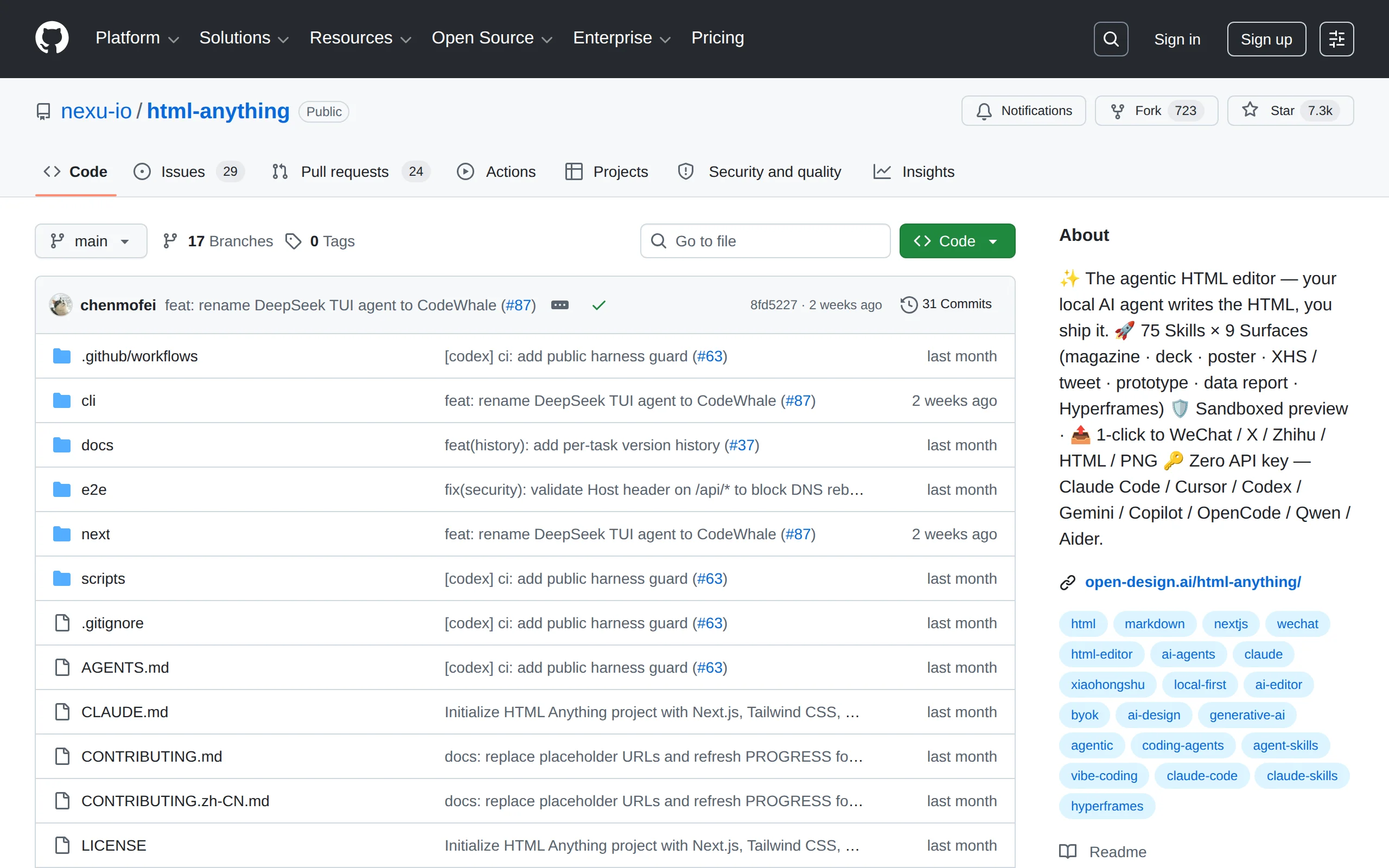
Image source: Official article
Image source: official article
Technical Positioning & Domain: HTML Anything belongs to the frontend content generation and layout automation tool category, focusing on the "Agent-driven content delivery" niche. It is not a traditional WYSIWYG editor, but an intelligent orchestration system that automatically converts user input (Markdown, CSV, JSON, etc.) into HTML output compliant with professional publishing standards through local AI Agent calls. Its unique positioning lies in "zero API cost" and "one-click multi-platform adaptation," filling the tool gap between individual creators and professional designers.
Development Background: The nexu-io team has long focused on efficiency improvements through the combination of frontend toolchains and AI. Team members come from the open-source community and have participated in the maintenance of multiple frontend frameworks and CLI tools. The motivation for developing HTML Anything stems from pain points observed in existing layout tools: Markdown-to-HTML tools (such as Marp, reveal.js) lack AI capabilities and require manual coding; cloud-based editors rely on API Keys and pose high privacy risks. The team aimed to create a fully local, zero marginal cost "universal HTML factory" that can reuse existing Agent ecosystems.
Core Value: HTML Anything addresses three core issues: First, eliminating API costs—by reusing locally logged-in Code Agent sessions, users can enjoy AI-driven layout capabilities without purchasing additional API Keys or cloud services; Second, lowering the layout barrier—75 design-system-constrained templates ensure output reaches professional publishing quality, enabling non-designers to produce high-quality content; Third, cross-platform publishing efficiency—one-click adaptation to the format requirements of WeChat, X, Xiaohongshu, Zhihu, and other platforms, eliminating the tedious manual adjustments.
Technical Features: Uses SSE (Server-Sent Events) streaming protocol to deliver a real-time preview-as-you-generate experience; built-in iframe sandbox isolation mechanism ensures preview security; automatically detects 18 Code Agent CLIs (Claude Code, Cursor, Codex, Gemini, etc.) by scanning the system PATH, requiring no manual configuration; each Skill template includes strict layout constraints such as CJK-priority font stacks, 8px baseline grids, and contrast ratios ≥4.5 to ensure visual consistency.
2. Key Features
75 Skill Templates Covering 9 Delivery Formats: Built-in 75 combinable Skill templates, covering 9 professional delivery formats including magazine articles, Keynote presentations, resumes, posters, Xiaohongshu cards, tweet cards, web prototypes, data reports, and Hyperframes videos. Each template comes with a complete design system constraints (such as CJK-priority font stack, 8px baseline grid, contrast ratio ≥4.5), ensuring output achieves professional publication-level visual quality, allowing users to generate beautifully typeset content without any design background.
Automatic Recognition of 18 Local Code Agents: The system automatically scans the local PATH environment variable to identify 18 installed Code Agent CLI tools (including Claude Code, Cursor, Codex, Gemini CLI, etc.) and directly reuses the user's already logged-in terminal sessions. This means users do not need to purchase separate API Keys or configure cloud services for HTML Anything, achieving true zero marginal cost invocation and significantly lowering the barrier to entry.
Support for Uploading 11 Mainstream File Formats: Supports uploading 11 file formats as content input sources, including Markdown, TXT, CSV, Excel, JSON, SQL, YAML, HTML, PNG, and JPG. Users can directly drag raw materials such as data reports (CSV/Excel), technical documents (Markdown), and database structures (SQL) into the editor, where the Agent automatically parses and generates corresponding layouts, eliminating the need for manual format conversion.
SSE Streaming Real-Time Rendering: Uses the Server-Sent Events (SSE) protocol to establish a persistent unidirectional connection between the browser and the local Agent. HTML code generated by the Agent is pushed to the preview area in real-time, providing a "generate while previewing" streaming experience. Compared to the traditional method of waiting for complete generation before rendering, SSE streaming rendering significantly improves interactive feedback speed, allowing users to instantly identify issues and adjust instructions during the generation process.
iframe Sandbox Secure Preview: User-generated HTML runs in an independent iframe sandbox, completely isolated from the main application process. The sandbox environment disables potentially dangerous operations such as script execution and network requests. Even if the HTML generated by the Agent contains malicious code, it cannot affect the local system's security. This mechanism allows users to confidently preview generated content from untrusted sources.
One-Click Multi-Platform Export and Publishing: Provides dedicated export options for different platforms: WeChat Official Account CSS inline paste (automatically handles WeChat rich text compatibility), X/Weibo/Xiaohongshu 2× DPI PNG image export (adapted for high-definition social images), Zhihu LaTeX formula processing (automatically converts mathematical formats), and single-file HTML download (suitable for independent deployment or archiving). Users can complete cross-platform publishing with a single click, completely eliminating the labor of repetitive layout work.
3. How to Use
Environment Setup: Ensure Node.js (v18 or later recommended) and pnpm (install via
npm install -g pnpm) are installed locally. Also install at least one supported Code Agent CLI (e.g., Claude Code, Cursor CLI, or Gemini CLI) and complete login authentication in the terminal (e.g.,claude loginorcursor auth). The system will automatically detect these tools by scanning the PATH.Clone the Project: Open the terminal and run the following command to download the project source code locally:
git clone (link to be updated after official release) If network access is restricted, use the GitCode mirror repository (confirm the mirror address yourself). After cloning, enter the project directory:cd html-anything`.Install Dependencies: Run
pnpm installto install all dependency packages. Since the project uses pnpm as the package manager, do not use npm or yarn as substitutes, as this may cause dependency conflicts. The installation process may take 1-3 minutes, depending on network speed.Start the Service: Run
pnpm devto start the local development server. The default listening port is 3000. After successful startup, the browser will automatically open(link to be updated after official release)to enter the editor's main interface. If the port is occupied, modify thePORTvariable in the.envfile.Select Agent: From the dropdown menu at the top of the interface, select the locally detected Code Agent tool (e.g., Claude Code). If no agent is detected, check whether the executable path for the corresponding CLI is included in the PATH and ensure you are logged in.
Create a Task: Click the "New task" button, upload files (drag-and-drop supported) or paste text content directly into the input box. Then select the corresponding Skill template type from the right panel (e.g., magazine article, Xiaohongshu card, etc.). The template determines the layout style and structure of the output HTML.
Generate Preview: After clicking the generate button, the Agent begins processing the input content and streaming the HTML output. The sandbox preview area on the right updates the layout effect in real time, allowing users to view the generation progress instantly. If unsatisfied with the result, you can stop at any time, modify the input content, or switch templates.
Export and Publish: After generation is complete, click the "Export/Copy" button and select the export method based on the target platform: WeChat (CSS inline), X/Weibo/Xiaohongshu (PNG image), Zhihu (LaTeX processing), or download as a single-file HTML. The exported content can be directly pasted or uploaded to the corresponding platform.
Notes: On first use, ensure the Agent CLI has completed login, otherwise generation will fail; it is recommended to preview the template effect before generating to avoid repeated generation; for long documents, SSE streaming rendering may take longer, so please be patient.
4. Pros and Cons Analysis
| Pros |
|---|
| Zero Marginal Cost Operation: Directly reuses locally logged-in Agent CLI sessions without the need to purchase additional API keys or cloud services, resulting in extremely low long-term costs, especially suitable for users who frequently generate content. |
| Professional Publication-Grade Quality: All 75 templates come with complete design system constraints (CJK-priority font stacks, 8px baseline grid, contrast ratio ≥4.5), and the output can be directly used in formal publications without secondary adjustments. |
| One-Click Cross-Platform Publishing: Adapts to the format requirements of major platforms such as WeChat, X, Xiaohongshu, and Zhihu. Export options are optimized for each platform's characteristics (e.g., CSS inlining for WeChat, LaTeX handling for Zhihu), significantly improving publishing efficiency. |
| Local Privacy and Security: All data processing is completed locally, and content is not uploaded to the cloud. Generated HTML is previewed in an iframe sandbox, isolated from the main process, effectively preventing malicious script execution. |
5. Comparison of Similar Tools
| Dimension | HTML Anything | Marp | reveal.js |
|---|---|---|---|
| Product Positioning | Agent-driven local multi-format HTML editor | Open-source Markdown-to-HTML slide engine | Open-source HTML presentation framework |
| AI Integration | Automatically recognizes 18 local Code Agents, reuses sessions with zero API cost | No native AI capabilities, requires manual Markdown writing | No native AI capabilities, requires manual HTML/Markdown writing |
| Input Format | Supports uploading 11 file formats, Agent automatically generates HTML | Only supports Markdown file input | Natively supports HTML, supports Markdown via plugins |
| Output Formats | 9 delivery formats including magazine, presentation, poster, card, resume, video | Only generates HTML slides (PDF export optional) | Only generates HTML slides (extendable via plugins) |
| Design System | 75 templates with CJK-priority font stacks and strict layout constraints | Customizable styles via CSS themes, no built-in template constraints | Offers multiple built-in themes, requires manual detail adjustments |
| Platform Publishing | One-click export to natively adapted formats for WeChat, X, Xiaohongshu, Zhihu, etc. | Exports to HTML, PDF, or PPTX | Exports to HTML or deploys as static web pages |
| Learning Curve | Zero-code operation, Agent automatically handles layout after file upload | Requires knowledge of Markdown syntax and theme configuration | Requires knowledge of HTML/CSS or Markdown plugin configuration |
Selection Recommendations: For content creators (e.g., social media operators, marketing professionals) seeking "zero-code, multi-format, cross-platform publishing," HTML Anything is currently the most suitable choice. Its Agent-driven model significantly lowers the layout barrier, with 75 templates covering common scenarios from social cards to data reports, and no API fees required. For users who only need to create presentation slides and are familiar with Markdown, Marp is more lightweight and efficient; while developers requiring highly customizable presentation interactions will find greater flexibility with reveal.js. In academic or technical document typesetting scenarios, Typst, with its powerful typesetting engine and mathematical formula support, outperforms HTML Anything in PDF output quality but lacks AI assistance and platform publishing adaptation. Overall, HTML Anything has a significant advantage in the "AI automation + multi-platform adaptation" dimension, but professional tools are still needed for deep customization and pure document typesetting.
6. Editor's Take
HTML Anything demonstrates a clear technical innovation strategy: by adopting a "local-first + Agent reuse" architecture, it seamlessly integrates the capabilities of large language models into content production workflows while completely eliminating API costs and privacy risks. Its 75 Skill templates are not merely a collection of CSS styles; they are built with a complete design system constraints (CJK font stacks, baseline grids, contrast standards), which is extremely rare among domestic open-source tools and reflects a deep understanding of Chinese typography quality. The combination of SSE streaming rendering and iframe sandbox strikes a good balance between user experience and security.
In terms of practical value, HTML Anything directly addresses the core pain points of content creators: time-consuming cross-platform formatting, insufficient design skills, and fragmented toolchains. It enables users with no knowledge of HTML or CSS to generate professional-grade content suitable for platforms like WeChat, Xiaohongshu, and Zhihu in just a few minutes. For self-media operators, marketers, and data analysts who frequently publish text-and-image content, this is undoubtedly an efficiency booster. Its zero marginal cost feature also makes it an ideal choice for individuals and small teams.
The target audience is clearly defined: primarily non-technical content producers, as well as developers (as an auxiliary tool) looking to accelerate content delivery. More technically adept users can extend functionality by modifying template source code or customizing Agent instructions. Future development potential lies in: community-driven template ecosystems (allowing users to contribute and share new templates), support for more Code Agents (such as domestic tools like Tongyi Lingma and CodeGeeX), and continuous expansion of platform adaptations (Douyin, Bilibili, etc.). If the team opens up the custom interface for the template design system, it will further enhance the tool's flexibility and competitiveness.
7. Application Scenarios
Social Media Content Formatting: Social media operators can upload Markdown drafts (or paste text directly) to HTML Anything, select the "Xiaohongshu Card" or "Tweet Card" template, and let the Agent automatically generate HTML or PNG images tailored to the platform's style. With one-click export, content can be directly pasted into the WeChat Official Account editor, Xiaohongshu notes, or X tweets, saving time on manual formatting and significantly boosting content publishing efficiency.
Business Presentation Creation: When professionals need to quickly create Keynote-style presentations, they can choose the "Keynote Presentation" template, upload CSV data or a Markdown outline, and the Agent will automatically generate an HTML presentation page with a Swiss International Style design. Supports export as a single-file HTML or 2× DPI PNG, suitable for online meeting sharing or printing.
Data Report Visualization: Data analysts can drag CSV or Excel data files into the editor, select the "Data Report" template, and the Agent will automatically parse the data and generate an interactive HTML report containing charts, tables, and layouts. Users can adjust data display methods in the preview and finally export a deployable static HTML file for internal reporting or client delivery.
Video Storyboard Scripting: Video creators can use the Hyperframes template to input text scripts or storyboard descriptions into the editor, and the Agent will generate an HTML storyboard file ready for rendering with Remotion or HeyGen. This template features a built-in timeline and frame layout, allowing creators to adjust shot order and visual style in the preview, greatly simplifying the video pre-visualization workflow.
8. FAQ
Q: Does HTML Anything require an API Key?
A: No. HTML Anything automatically scans the local PATH to detect installed Code Agent CLIs (such as Claude Code, Cursor) and directly reuses the sessions already logged in within those tools' terminals. Users do not need to purchase any API Key or cloud service separately for HTML Anything. All AI calls are completed through the local Agent, achieving zero marginal cost.
Q: Which Code Agents are supported?
A: Currently, 18 common Code Agent CLIs are supported for automatic detection, including but not limited to: Claude Code, Cursor CLI, Codex CLI, Gemini CLI, GitHub Copilot CLI, OpenAI Codex, Replit Code Agent, etc. The system scans PATH at startup and lists all detected available Agents in the interface dropdown menu. If none are detected, please confirm that the corresponding CLI is installed and logged in.
Q: Can I customize templates or modify design system parameters?
A: The current version does not support directly modifying template design system parameters (such as fonts, spacing, colors) within the UI. Users can only change the layout style by switching between different Skill templates. However, since the project is fully open source, developers can fork the repository and modify the template source code (located in the src/templates directory), then recompile to achieve customization. The team plans to introduce a template parameter configuration interface in a future version.
Q: How do I export to WeChat Official Account?
A: After generation, click the "Export/Copy" button and select the "WeChat Official Account" option. The system will automatically convert the generated HTML to inline CSS styles and copy it to the clipboard. Then open the WeChat Official Account editor and paste directly. Note: The WeChat editor has limited support for some CSS properties (such as flex, grid). The templates have been adapted for compatibility, but complex layouts still require manual review.
Q: Does it support Chinese content?
A: Yes, fully supported. All 75 templates include a CJK (Chinese, Japanese, Korean) priority font stack, including common Chinese fonts such as SimSun, SimHei, and the Source Han series. Parameters such as line height, character spacing, and punctuation compression have been optimized for Chinese typography. Input content can be Chinese Markdown, TXT, or Excel files, and the HTML generated by the Agent will automatically apply Chinese typography standards.
Q: Can the generated HTML be used for commercial purposes?
A: Yes. HTML Anything is licensed under Apache 2.0, allowing commercial use of both the code and templates. The copyright of the HTML documents generated by users (including the output content) belongs to the users, and they are free to use them for commercial publication, internal reports, client delivery, etc. However, please note that the Code Agent CLI used may be subject to its own license restrictions, and users are advised to verify this independently.
9. Project Address
- GitHub Repository: https://github.com/nexu-io/html-anything
- Official Organization Homepage: https://github.com/nexu-io
Related AI Model Articles

OpenMuse – CopilotKit Open-Source Personal AI Assistant
OpenMuse is an open-source personal AI assistant project developed by the CopilotKit team. Its core design philosophy is "giving an Agent a computer" — by combining a persistent browser, optional Linu...

In-Depth Review of Longcat-2.5-preview: Meituan's Next-Generation Multimodal Long-Range Agent Model
LongCat-2.5-preview is Meituan's latest next-generation large model. Building upon the 1.6T total parameters, approximately 48B active parameters, and native 1M token context of LongCat-2.0, it marks ...

Review of DeepSeek Harness Desktop: How the Official GUI Client Lowers the Bar for Agent Usage
DeepSeek Harness Desktop is the official graphical client launched by DeepSeek, designed to provide a visual interface for the originally command-line-based DeepSeek Harness framework. After users log...

Step Code – In-Depth Review of StepFun's Open-Source Terminal Programming Agent
Step Code is an open-source terminal programming agent launched by StepFun, licensed under the MIT License, which allows developers to complete the full workflow of code writing, debugging, execution,...
© All Rights Reserved. Some content on this site is partially generated by AI with human review.