
EchoBird – Open-Source AI Agent Desktop Management Tool
Executive Summary:
EchoBird is an open-source AI Agent desktop management tool built with a Tauri + Rust architecture. It unifies installation, configuration, and execution of CLI-driven AI coding agents—Claude Code, Co...
1. What Is EchoBird
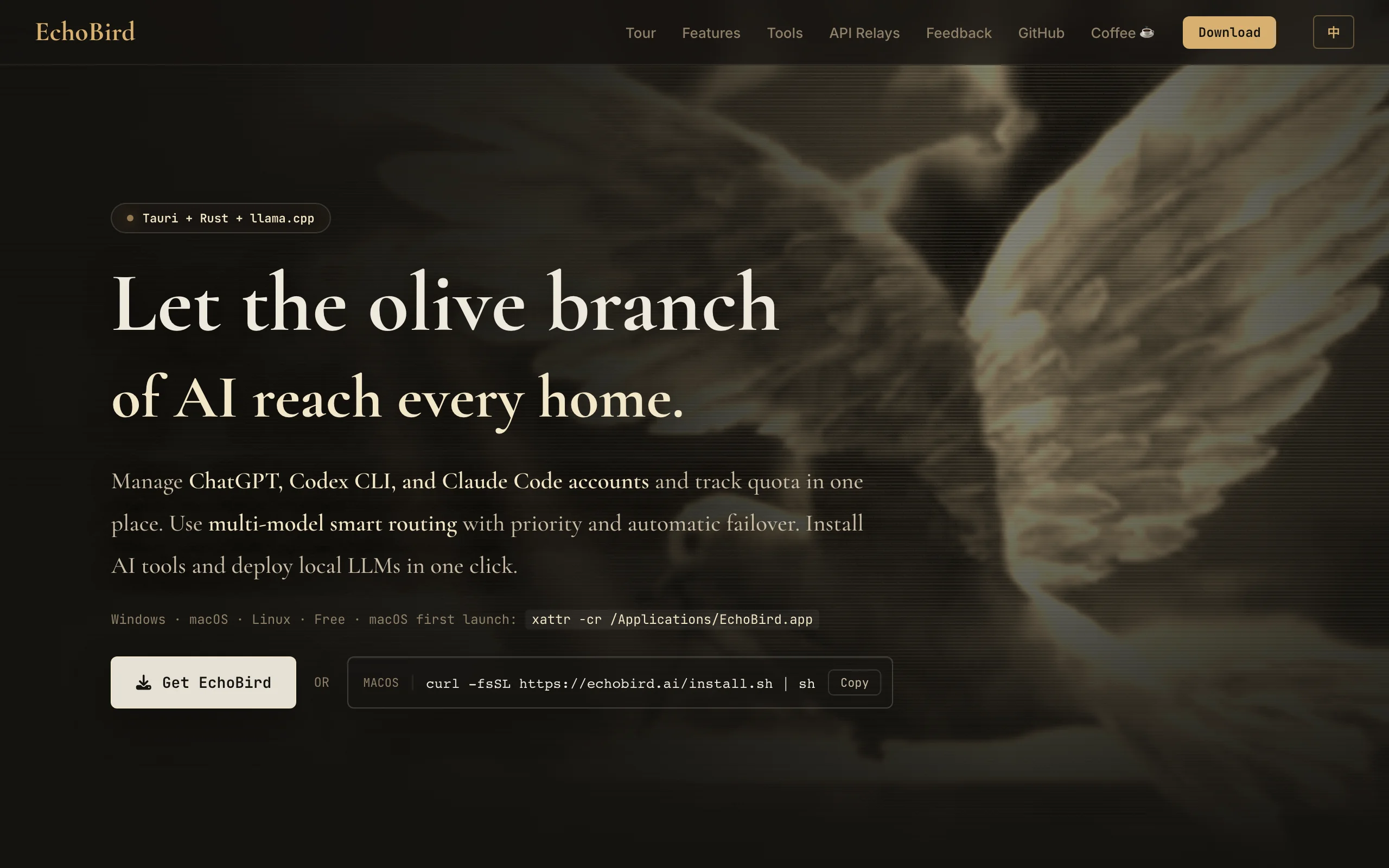
EchoBird is an open-source AI Agent desktop management tool built with a Tauri + Rust architecture. It unifies installation, configuration, and execution of CLI-driven AI coding agents—Claude Code, Codex, OpenClaw, and 12+ others—through a graphical interface. Its core component, Model Nexus, centralizes API keys, base URLs, and other model parameters for shared configuration across agents. It also ships llama.cpp, vLLM, and SGLang for one-click local LLM deployment. EchoBird dramatically lowers the barrier to AI dev tools so developers can launch and manage multiple agents without deep CLI or environment expertise, improving productivity.
Image source: Official article
Technical positioning and domain: EchoBird sits in AI developer tooling as a desktop orchestration hub for AI coding agents. It is not a standalone model or app but an integrated platform for model management, environment setup, app launch, and remote assistance—filling the gap for a unified, approachable desktop manager in the Agent ecosystem.
Research background: Developer Edison 7009 open-sourced EchoBird on GitHub. The motivation: agents like Claude Code and Codex rely on CLI install and config, which is hostile to beginners, and model settings cannot be shared across tools, causing duplicate work. EchoBird uses GUI and automation to fix this, with network optimizations for China that auto-select mirrors to reduce install failures.
Core value: EchoBird turns “configure an AI Agent from scratch” into “a few clicks.” It solves three problems: lowering the skill floor for non-technical users; eliminating repeated API/model config when switching agents via a unified center; and addressing privacy and unstable network access through built-in local inference and network tuning.
Technical characteristics: Tauri + Rust keeps the installer around 50MB with fast startup and low resource use. Conversational install-and-repair—natural-language instructions for AI to diagnose and fix dependencies—is a standout feature rare among desktop managers.
2. Key Features
Conversational install and repair: EchoBird’s most differentiated capability. Users need not manually fix Python version conflicts, missing dependencies, or env vars—describe needs in natural language (e.g., “install Claude Code for me”) and built-in AI detects the environment, downloads deps, and installs or repairs. Supports local diagnosis and remote assistance, simplifying ops.
One-click local LLM deployment: Built-in llama.cpp, vLLM, and SGLang. Pick a quantization (e.g., Q4_K_M) in the GUI, click START, and the system downloads the model, configures ports, and starts inference—running local LLMs as simply as opening an app.
Model Nexus model hub: The configuration hub. Set API Key, Base URL, Model Name, and Protocol once; all installed agents share them. Supports DeepSeek, OpenAI, Anthropic, Qwen, Kimi, and more, with one-click speed tests to pick optimal endpoints.
App manager: Card-based view of installed agents and projects. See status in one place; one-click start, stop, or model switch—no juggling terminals or config files.
My AI Projects: Import and manage self-built AI apps or games. For Vibe Coding developers, this acts as a personal AI tool launcher for quick start and test.
AI news aggregation: AI News and Star Projects modules deliver daily tech briefs—keeping industry context inside the tool and reducing app switching.
3. How to Use
- Requirements and install: EchoBird uses Tauri + Rust—no Python or Node.js runtime required. Install by OS:
| - Windows: In PowerShell run `irm https://echobird.ai/install.ps1 |
|---|
| - macOS/Linux: In terminal run `curl -fsSL https://echobird.ai/install.sh |
Package is ~50MB; the correct x64 or arm64 build downloads automatically.
Install target agents: Launch EchoBird and open App Management. Cards show Claude Code, Codex, OpenClaw, and 12+ agents. Install one first, verify stable run, then add others to avoid env conflicts.
Configure Model Nexus: Open Model Hub, click Add Provider, and fill four required fields:
- API Key: From your provider (OpenAI, DeepSeek, etc.).
- Base URL: API endpoint.
- Model Name: e.g., gpt-4o.
- Protocol: Usually OpenAI-compatible format.
After setup, use Speed Test to verify connectivity.
Bind models and launch agents: In App Management, open Settings on an installed agent card, assign a Model Nexus profile, then click Launch. EchoBird handles parameters in the background—no manual terminal or config edits.
4. Pros and Cons
| Pros |
|---|
| Very low barrier: Conversational install and GUI replace complex CLI with clicks and natural language—beginners can deploy agents in minutes. |
| Unified config hub: Model Nexus “configure once, use everywhere” avoids repeating API keys across agents, improving efficiency. |
| Network optimization: Auto mirrors for China reduce install failures for Claude Code, Codex, and similar tools—friendly for domestic users. |
| Lightweight stack: Tauri + Rust ~50MB installer, fast startup, lower footprint than many Electron tools. |
5. Comparison with Similar Tools
| Dimension | EchoBird | Pinokio |
|---|---|---|
| Core positioning | Desktop hub for AI coding agents | One-click installer for open creative AI apps |
| Target tools | Claude Code, Codex, OpenClaw, Aider, etc. | Stable Diffusion, ComfyUI, AudioCraft, etc. |
| Model config | Model Nexus shared across agents | Per-app config, no unified hub |
| Install method | Conversational AI env detect and repair | Script one-click, auto Python/deps |
| Local LLM | Built-in vLLM/SGLang/llama.cpp one-click | Often via Oobabooga etc. |
| Project management | Import custom AI apps/games | Community scripts, 1000+ tools |
| Data privacy | Local data, no cloud upload | Fully local |
Selection guidance: Engineers using AI coding agents (Claude Code, Codex) get the smoothest unified GUI from EchoBird—especially conversational install and Model Nexus. For image/audio creative apps, Pinokio’s larger library fits better. For quick local LLM test (Llama, Qwen), Ollama’s minimal CLI remains most efficient.
6. Editor's Take
EchoBird brings distinct innovation to AI developer tooling. Its headline is conversational install-and-repair—not a bolt-on but a rethink of download-config-run. Tauri + Rust over Electron shows thoughtful UX on footprint and speed. Model Nexus hits a real pain point for multi-agent workflows: repeated configuration—a pattern others should study.
Practically, EchoBird lowers Agent barriers, especially in China where mirror tuning fixes chronic install failures. Ecosystem scale and depth are still early—limited agents, basic project features. Best for beginners to coding agents, developers switching agents often, and teams wanting local deployment for privacy.
Future growth depends on community and upstream agent breadth. Expanding agent support and deeper project features (version control, CI/CD) could make it a standard AI dev desktop.
Basis: best graphical solution today for unified multi-agent management, lightweight and innovative. −0.5 for small ecosystem and solo-project maintenance uncertainty.
7. Use Cases
Beginner onboarding to AI coding agents: Try Claude Code or Codex without fear of CLI—conversational install and GUI get a full agent running in minutes.
Multi-agent switching workflows: Frontend with Claude Code, backend with Aider—configure Model Nexus once and share across all agents, no repeated API keys.
Local privacy deployment: Finance, healthcare, or enterprise scenarios use built-in vLLM/SGLang for on-prem LLMs—all data stays local for compliance.
Team remote ops: Leaders or DevOps use remote server features to install and repair agent environments for the team—diagnose conflicts without per-machine troubleshooting.
Vibe Coding personal tool library: Import custom AI apps or mini-games into My AI Projects for a personalized launcher to test and demo quickly.
8. FAQ
Q: Is EchoBird free? Any paid tiers?
A: Fully open source and free on GitHub under an open license. All features are free today—no paywall or subscription.
Q: Which operating systems are supported?
A: Windows, macOS, and Linux, x64 and arm64—including Apple Silicon M-series.
Q: Do I need my own API key?
A: Yes. EchoBird does not provide models or API service. Obtain keys from OpenAI, DeepSeek, Anthropic, Qwen, etc., and configure in Model Nexus. EchoBird manages and distributes config, not compute.
Q: How does conversational install-repair work? Does it need internet?
A: Built-in AI analyzes env logs and dependencies and runs repair commands. Core logic is local; first use may need internet for scripts/deps. After setup, agent launch and switching can be offline.
Q: Can I use EchoBird commercially or in enterprise?
A: Yes, under the open license. Enterprises should prefer built-in local inference (vLLM/SGLang/llama.cpp) for privacy—verify compliance against your security policy.
9. Project Links
- Official site: https://echobird.ai/
- GitHub: https://github.com/edison7009/EchoBird/
Related AI Model Articles

OpenMuse – CopilotKit Open-Source Personal AI Assistant
OpenMuse is an open-source personal AI assistant project developed by the CopilotKit team. Its core design philosophy is "giving an Agent a computer" — by combining a persistent browser, optional Linu...

In-Depth Review of Longcat-2.5-preview: Meituan's Next-Generation Multimodal Long-Range Agent Model
LongCat-2.5-preview is Meituan's latest next-generation large model. Building upon the 1.6T total parameters, approximately 48B active parameters, and native 1M token context of LongCat-2.0, it marks ...

Review of DeepSeek Harness Desktop: How the Official GUI Client Lowers the Bar for Agent Usage
DeepSeek Harness Desktop is the official graphical client launched by DeepSeek, designed to provide a visual interface for the originally command-line-based DeepSeek Harness framework. After users log...

Step Code – In-Depth Review of StepFun's Open-Source Terminal Programming Agent
Step Code is an open-source terminal programming agent launched by StepFun, licensed under the MIT License, which allows developers to complete the full workflow of code writing, debugging, execution,...
© All Rights Reserved. Some content on this site is partially generated by AI with human review.