
Codex Security CLI – OpenAI's Open-Source AI Code Security Scanning CLI Tool
Executive Summary:
Codex Security CLI is an open-source AI code security scanning command-line tool developed by OpenAI, based on the semantic understanding capabilities of large language models. It was previously a clo...
1. What is Codex Security CLI
Codex Security CLI is an open-source AI code security scanning command-line tool developed by OpenAI, based on the semantic understanding capabilities of large language models. It was previously a closed-source security plugin integrated into Codex. This tool can understand the overall logic of a project like a security engineer, automatically identifying security vulnerabilities in the code, deeply verifying the authenticity of attack paths, and intelligently filtering out false positives, while generating directly applicable repair patches. It supports integration into CI/CD pipelines for automated security gates, primarily targeting team and enterprise-level large-scale code repository management, aiming to improve the efficiency and accuracy of code security audits through AI capabilities.
Technical Positioning and Domain: It belongs to the AI-driven static application security testing (SAST) domain. However, unlike traditional rule- or pattern-based SAST tools, Codex Security CLI leverages the semantic understanding power of large language models to identify security vulnerabilities at the level of code logic and cross-file dependencies, making its approach closer to the way human security engineers conduct audits. It does not rely on predefined vulnerability signatures, but instead identifies complex security issues such as logical flaws, privilege escalation, and injection attacks by understanding the context and intent of the code.
Development Background: Developed by OpenAI, it originated from the security scanning plugin embedded within its Codex product. Codex itself is an AI programming assistant, and during its development, it accumulated experience in code security analysis. OpenAI has open-sourced this internal tool to provide the broader developer community with advanced AI-based security analysis capabilities, reduce the barriers to enterprise security audits, and promote best practices in AI-assisted security development.
Core Value: It addresses the core pain points of traditional static analysis tools, such as high false positive rates, difficulty in understanding complex business logic, and vague remediation suggestions. By validating attack paths with AI, it significantly reduces invalid alerts and provides directly applicable patches, helping development teams detect and fix security vulnerabilities early on, accelerating the security development process, and reducing remediation costs. Additionally, its CI/CD integration capabilities make security scanning a part of the development pipeline, enabling continuous security.
2. Key Features
Intelligent Vulnerability Scanning: Based on semantic understanding from large language models, the tool can analyze the overall logic of a project like a security engineer, identifying user input points, cross-file data flows, and potential attack surfaces. It does not rely on fixed rules, but instead understands the intent of the code, thereby uncovering logical vulnerabilities that traditional tools struggle to detect, such as unsafe deserialization, privilege escalation, and cross-site request forgery. The scan covers multiple common vulnerability types and is continuously updated.
False Positive Filtering and Attack Path Verification: After detecting potential vulnerabilities, the tool actively verifies whether there is a realistic and exploitable attack path. By simulating the attack process and analyzing data and control flows, it filters out non-exploitable false positives, focusing developers' attention on real threats, significantly reducing noise, and improving the efficiency of security audits. This capability is not available in traditional SAST tools.
Automatic Fix Suggestions and Patch Generation: For confirmed vulnerabilities, the tool not only provides explanations of the dangerous code and suggestions for correct implementation, but also directly generates applicable code patches. Developers can review and merge these patches, significantly reducing the workload for fixing vulnerabilities and accelerating the closed-loop process from detection to resolution. Patches are context-aware and offer high adaptability.
CI/CD Pipeline Integration: Supports seamless integration into continuous integration/continuous deployment processes via command line or API. Scan records are automatically saved, enabling security teams to continuously track the status of vulnerabilities, implement automated security gates, and prevent code with vulnerabilities from entering production environments, ensuring the security of the software supply chain. Compatible with mainstream CI platforms such as GitHub Actions, GitLab CI, Jenkins, etc.
Flexible Authentication Methods: Supports two authentication modes: individual developers can quickly get started by logging in via ChatGPT (
npx codex-security login); team CI environments can set theOPENAI_API_KEYenvironment variable, eliminating the need for interactive authentication and adapting to automated pipelines, balancing flexibility and security. API keys should be properly managed.Flexible Configuration of Scan Parameters: Allows users to specify the underlying model (e.g.,
--model gpt-5.6-terra) and scan depth (--effort high), enabling adjustment of scan intensity according to project size and security requirements, achieving a balance between performance and accuracy to meet different scanning scenarios. Additionally, output formats and ignored paths can be configured.
3. How to Use
Environment Requirements and Pre-installation: Ensure the system has Node.js 22+ and Python 3.10+ installed. Install the package globally via npm:
npm install @openai/codex-security -g. It is recommended to use this in a clean project environment to avoid dependency conflicts. After installation, verify it by runningcodex-security --version.Authentication and Login: Individual developers should run
npx codex-security loginand authorize using their ChatGPT account as prompted. For team or CI scenarios, set the environment variableOPENAI_API_KEYand no interactive steps are needed. Ensure the API key has the appropriate permissions and avoid committing the key to code repositories.Run Code Scanning: Navigate to the root directory of the code repository to be scanned and execute
npx codex-security scan .. The tool will automatically analyze the project structure, identify all source code files, and perform semantic scanning based on the large model. The scanning process may take several minutes, depending on the project size and the configured scan depth (--effort). Progress will be displayed in the terminal during scanning.View Scan Results: After the scan completes, the results will be output to the terminal and automatically saved in the local directory (the default path can be modified using the
CODEX_SECURITY_STATE_DIRenvironment variable). The results include vulnerability descriptions, attack path verification status, and suggested patches. They also support comparison and tracking of multiple scan results. The result files are in JSON format and can be integrated with other tools.Advanced Configuration and Optimization: You can adjust the behavior using command-line parameters, such as
--modelto specify the model version (e.g.,gpt-5.6-terra), and--effortto control the scan depth (low/medium/high). It is recommended to first usemediumdepth for performance evaluation in large projects, and then increase it as needed. You can also use--outputto specify the output format.Notes: The scanning process requires an internet connection to call the OpenAI API, so ensure network connectivity. For projects containing sensitive code, pay attention to API key security management to prevent leaks. It is recommended to combine scan results with manual review; AI should assist rather than fully replace human judgment to ensure the applicability of the suggested patches. Regularly update the tool to access the latest models and features.
4. Pros and Cons Analysis
| Pros |
|---|
| Deep Semantic Understanding: Based on large models, it understands code logic and cross-file dependencies, capable of identifying complex vulnerabilities that traditional static analysis tools might miss, such as logical flaws and cross-file attack paths. |
| Low False Positive Rate: Proactively verifies attack paths and filters out invalid alerts, reducing noise for developers and improving the efficiency of security audits. |
| Ready-to-Use: One-click installation via npm, no complex configuration required. Supports both CLI and SDK modes to adapt to different scenarios, lowering the barrier to entry and enabling quick onboarding. |
| Enterprise-Grade Compatibility: Specifically designed for large repositories and CI/CD pipelines, with persistent scan records for easy security audit tracking and support for automated gatekeeping. |
| Open Source and Free: The tool itself is open source, with publicly available code, allowing community contributions and customization, thereby reducing usage costs. |
5. Comparative Analysis with Similar Tools
| Comparison Dimension | Codex Security CLI | SonarQube (Community Edition) | Semgrep |
|---|---|---|---|
| Core Architecture | Based on semantic understanding of large language models, analyzes code logic and cross-file dependencies | Based on rule engine and abstract syntax tree analysis, combined with taint propagation | Based on pattern matching and data flow analysis, supports custom rules |
| Security Detection Capability | Can detect logical vulnerabilities and complex attack paths, with low false positive rate | Covers common security vulnerabilities (OWASP Top 10), but has a higher false positive rate | Flexible and customizable rules, but limited in detecting complex logical vulnerabilities |
| Performance and Speed | Scan speed is affected by large model inference, slower for large projects | Fast scan speed, dependent on rule engine efficiency | Fast scan speed, high rule matching efficiency |
| Deployment Method | CLI tool, installed via npm, relies on OpenAI API cloud service | Self-hosted server or cloud service, requires a database and Java environment | CLI tool, installed via pip, can run offline |
| Usability | One-click installation via npm, scan after logging in, simple configuration | Requires setting up a server and configuring quality gates, steeper learning curve | Easy to install, but writing custom rules requires learning the syntax |
| Open Source License | Open source (repository is public, license is subject to the repository) | Community edition uses LGPL license, with some features restricted | Open source (LGPL-2.1) |
| Community Ecosystem | Emerging project, community is growing, documentation is gradually improving | Mature community, with many plugins and documentation | Active community, rich rule library |
Selection Recommendations: For teams prioritizing ultimate accuracy and low false positive rates, especially those handling large-scale projects with complex business logic, Codex Security CLI's AI-based semantic understanding capabilities offer clear advantages. However, if offline operation and fully customizable rules are essential, Semgrep's open-source offline mode is more suitable. Teams that already have a SonarQube infrastructure can use Codex Security CLI as an enhanced scanning layer on top of their existing platform, complementing each other: SonarQube handles routine rule scans, while Codex Security CLI performs in-depth logical analysis. Snyk Code, as a commercial SaaS solution, is ideal for teams that want out-of-the-box functionality without the need for maintenance, but cost considerations should be taken into account. Overall, Codex Security CLI leads in innovation and precision, but has room for improvement in ecosystem maturity and performance, making it well-suited as a supplement to existing security toolchains.
6. Editor's Summary
As an open-source AI code security scanning tool provided by OpenAI, Codex Security CLI represents a significant technological innovation. It is the first to systematically apply the semantic understanding capabilities of large language models to code security audits, upgrading from traditional pattern matching to the level of logical understanding. This enables the detection of security vulnerabilities at the cross-file dependency and business logic levels, which traditional SAST tools struggle to achieve. In terms of practical value, the tool significantly reduces false positives through attack path validation and provides directly applicable repair patches, greatly enhancing the efficiency of security audits and reducing remediation costs. In terms of target users, it is particularly suitable for security engineers, development teams, and DevOps practitioners. It can serve as a core component of automated security gateways or be used for rapid security assessments of open-source projects. In terms of growth potential, as the capabilities of large models continue to improve and language support expands, Codex Security CLI is moving toward supporting more languages and types of vulnerabilities, aligning well with the standard tools for AI-assisted security development. However, its current dependency on the OpenAI API and performance overhead are issues that require attention, and support for local model inference will be an important area for improvement. Overall, Codex Security CLI represents a new direction in the SAST field and is worth the attention and experimentation of security teams.
7. Application Scenarios
Enterprise Code Auditing: Regularly scan large-scale codebases to identify potential security vulnerabilities and hidden attack surfaces in cross-file dependencies. Security teams can set up scheduled scanning tasks, automatically generate reports, track the progress of vulnerability fixes, and ensure that the codebase continuously meets security standards. Combined with CI/CD integration, automated auditing can be achieved.
CI/CD Security Gatekeeping: Automatically perform security checks before code submission or deployment, preventing vulnerable code from entering production environments. By integrating into pipelines such as GitLab CI and GitHub Actions, automated security checkpoints can be implemented, shifting security concerns to the left and reducing production risks. Failed scans can block the build process.
Open Source Project Maintenance: Help maintainers quickly review community-contributed code, identify security risks, and obtain patches for fixes. Running scans before merging PRs ensures the security of contributed code, reduces the burden of manual reviews, and improves project quality. Particularly suitable for large open source projects.
Efficiency Boost for Security Teams: Replace some manual code review tasks, focusing on real, exploitable high-risk vulnerabilities and reducing noise. Security analysts can use scan results to prioritize high-risk issues, improving the efficiency of vulnerability response. The tool can serve as an auxiliary analysis platform for security teams.
Developer Local Self-Check: Instantly scan local projects during the coding phase to detect and eliminate security risks early, reducing the cost of remediation. Developers can run scans before submitting code to ensure code quality and foster secure coding habits. Integration with editors can further enhance the experience.
8. FAQ
Q: Which programming languages does Codex Security CLI support?
A: It currently primarily supports mainstream languages such as Python, JavaScript, and TypeScript. OpenAI is continuously expanding language support; please refer to the official documentation for the specific list. Some features may be limited for other languages.
Q: Is an internet connection required during the scanning process?
A: Yes, scanning requires calling the OpenAI API, so a network connection is mandatory. Fully offline operation is not supported. In internal network environments, consider network policies such as setting up a proxy or allowing outbound traffic.
Q: How can I integrate Codex Security CLI into a CI/CD pipeline?
A: Install the tool in your CI script (e.g., npm install), set the OPENAI_API_KEY environment variable, and then run the scan command. Scan results will be output to the terminal and saved as local files, which can be further processed or parsed. It is recommended to add the scan step after the build step.
Q: Can the fix patches in the scan results be used directly?
A: Patches are AI-generated suggestions and should be reviewed by developers before merging. Although the quality of the patches is high, manual verification is still required to avoid introducing new issues. It is recommended to integrate the patches into the code review process. The patch format is standard diff.
Q: Is the tool free to use?
A: The tool itself is open source and free, but scanning depends on the OpenAI API, which may incur costs based on usage. Individual developers can obtain a certain amount of free API credits by logging in via ChatGPT. Teams should manage API costs accordingly. It is recommended to monitor API usage.
Q: How can I view historical scan records?
A: Scan records are automatically saved in a local directory (the default path can be specified using the CODEX_SECURITY_STATE_DIR environment variable). Multiple scan results can be compared and tracked for easier security audits. The result files are in JSON format and can be imported into other analysis tools.
9. Project Links
- GitHub Repository: https://github.com/openai/codex-security
Related AI Model Articles

In-Depth Review of Longcat-2.5-preview: Meituan's Next-Generation Multimodal Long-Range Agent Model
LongCat-2.5-preview is Meituan's latest next-generation large model. Building upon the 1.6T total parameters, approximately 48B active parameters, and native 1M token context of LongCat-2.0, it marks ...
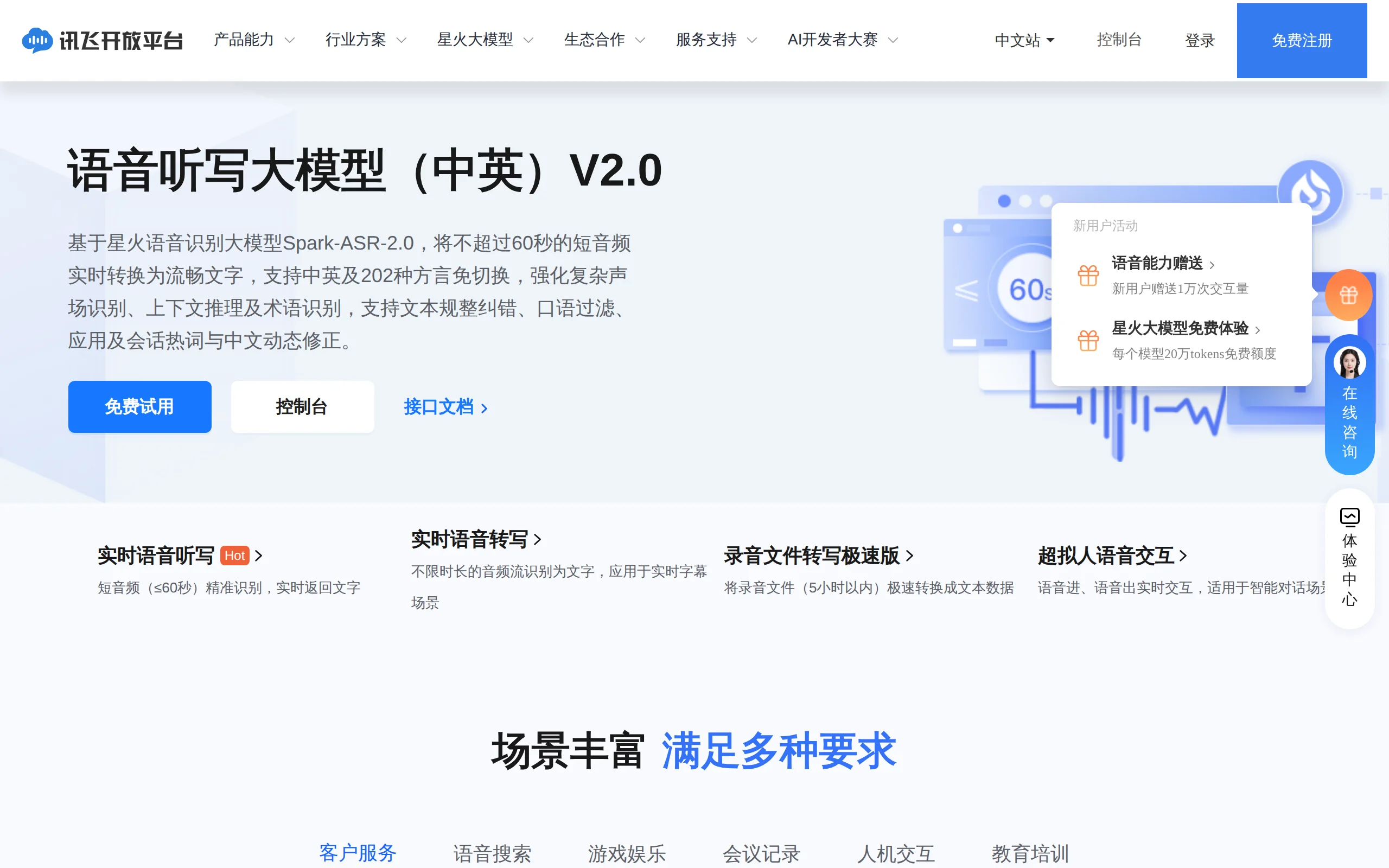
In-Depth Review of Spark-ASR-2.0: A New Paradigm in Speech Recognition with Non-Autoregressive Architecture
Spark-ASR-2.0 is the latest generation speech recognition large model launched by iFLYTEK based on its proprietary Spark-Audio speech foundation model. This model continues the non-autoregressive para...

Step Code – In-Depth Review of StepFun's Open-Source Terminal Programming Agent
Step Code is an open-source terminal programming agent launched by StepFun, licensed under the MIT License, which allows developers to complete the full workflow of code writing, debugging, execution,...
Xiaomi MiMo-V2.6 – Xiaomi's Open-Source Multimodal Model Series
Xiaomi MiMo-V2.6 is a series of fully multimodal models released and open-sourced by Xiaomi, comprising two native full-modal models: Pro and Flash. It is centered on large-scale Agentic reinforcement...
© All Rights Reserved. Some content on this site is partially generated by AI with human review.