
ChatGPT Images 2.5 – OpenAI's Next-Generation Image Generation Model

Executive Summary:
ChatGPT Images 2.5 is a new-generation image generation model launched by OpenAI in September 2026, available to all tiers of ChatGPT, ChatGPT Work, and Codex users. Compared to the previous generatio...
1. What is ChatGPT Images 2.5
ChatGPT Images 2.5 is a new-generation image generation model launched by OpenAI in September 2026, available to all tiers of ChatGPT, ChatGPT Work, and Codex users. Compared to the previous generation GPT-Image-2, this model reduces generation latency by up to 50%, while significantly enhancing its ability for precise local editing, multi-round modification consistency, and subject fidelity when using reference photos. New features such as Sketch reference, creative templates, image comment editing, and prompt sharing have transformed image creation from a purely text-driven process into a visual, interactive creation paradigm. On the API side, two models—Flare and Sunburst—are introduced, catering to fast batch generation and high-precision refinement scenarios, respectively, offering developers flexible options for balancing accuracy and speed.
Image source: Official article
Image source: official article
Technical positioning and domain: Belongs to the multimodal image generation field at the intersection of computer vision and natural language processing, covering core application directions such as text-to-image generation, image-to-image generation, precise editing, and multi-round consistent generation. This model is positioned as the flagship general-purpose model in OpenAI's image generation product lineup, balancing speed, accuracy, and interactive innovation, and is suitable for a wide range of scenarios from personal creation to enterprise-level API integration.
Development background: Developed by OpenAI, just about five months after the release of ChatGPT Images 2.0 in April 2026. The motivation for development stems from users' ongoing demand for "more precise editing, longer conversation consistency, and higher reference image fidelity," as well as the technological trend of image generation evolving from purely text-based generation to multimodal interactive creation. At the time of its release, the official emphasized that the model is "closer to your artistic vision," indicating that it has undergone specialized optimization in terms of style diversity and artistic expressiveness.
Core value: It addresses three major pain points in previous image generation models: "local edits disrupting the overall composition," "drift in results after multiple rounds of modification," and "loss of main subject features in reference images." The introduced image comment editing mechanism is similar to Figma's collaborative mode, significantly lowering the operational threshold for image refinement, allowing non-professional users to complete precise modifications by selecting areas and adding textual descriptions. The dual-tier model architecture on the API side converts inference costs into configurable product parameters, providing enterprise applications with more refined cost control methods.
Technical features: The comprehensive use of inference-side acceleration techniques such as improved visual token compression rate, parallel/speculative decoding, quantization, and caching optimization has achieved a maximum latency reduction of 50%. At the training level, the model has been specifically optimized to ensure that "local modifications do not disrupt the whole," enabling it to effectively understand "what should not be changed." It also excels in rendering complex text such as Chinese, supporting advanced layout requirements like transparent backgrounds.
2. Key Features
Precise Local Editing: Users can specify particular elements such as products, backgrounds, or text for modification, and the model only alters the designated area, keeping the rest of the composition, lighting, and style unchanged. This achieves "edit exactly where specified" precision, replacing the inefficient process of repeatedly rewriting entire images. It is ideal for high-frequency scenarios such as e-commerce product image replacement and poster text adjustments.
Multi-round Editing Consistency: When making repeated edits to the same image in a long conversation, the results from the earlier rounds remain stable, and image quality does not degrade with each iteration. The model understands what should not be changed, maintaining the stability of early modifications during multiple iterations—a feature that is relatively rare in previous autoregressive generation models.
Reference Image Fidelity: When generating new scenes or styles based on real-person photos or pet images, the model better preserves the key features of the subject, avoiding issues such as "face swapping." The model's ability to extract and reconstruct features of subjects like people and pets has significantly improved, making it suitable for personal image creation and brand material re-creation.
Sketch Input: Users can input @Sketch in the chatbox to open a canvas, draw a sketch, and provide a textual description. The AI then generates a complete image based on the sketch composition. This feature expands the creative process from pure text description to visual guidance, lowering the barrier for prompt writing and enabling faster expression of compositional intent.
Creation Templates: Predefined templates for high-frequency formats such as posters and product images are provided. Users only need to input the information and style requirements they wish to convey to quickly generate images, eliminating the need to create prompts from scratch. The template mechanism solidifies common layout design patterns, improving the efficiency and standardization of content production.
Image Comment-based Editing: Users can directly select a location on the image and leave a comment (e.g., "Change this to blue"), and the AI will only modify the annotated area. The interaction method is similar to Figma's design collaboration mode, offering a more intuitive and accurate way to convey positional information compared to text descriptions, significantly reducing the communication cost for fine-tuning.
Prompt Sharing: When sharing an image, the generated prompt can be included, allowing others to import their own photos or materials to reproduce the same creative concept. This feature connects the chain of creative dissemination and secondary creation, significantly reducing the cost of reusing high-quality visual solutions.
Dual-tier API Models: Developers can use the Images API to choose between GPT-Image-2.5 Flare (for fast bulk generation) or Sunburst (for high-precision refinement). Essentially, this allows developers to adjust the trade-off between accuracy and speed, enabling them to purchase based on their required waiting time, balancing cost and quality.
3. How to Use
Environment Requirements: To use ChatGPT Images 2.5, you need an OpenAI account. All users with a free plan or higher can access this feature. It is available on desktop, mobile (iOS/Android), and web platforms without the need for additional applications or waiting lists. For API calls, you must create an API Key on the OpenAI platform and enable the Images API service.
Direct Dialogue Generation: Simply describe your image requirements in natural language within the ChatGPT chat interface to generate images. For example, inputting "Generate a poster of a city skyline at dusk" will result in an image that matches the description. Once generated, you can view and download the image directly within the conversation flow.
Image Generation with Reference Uploads: Click the upload button to send a photo and instruct the model to change the scene, style, or perform secondary creation while preserving the main subject features. This is suitable for transforming regular photos into artistic portraits or changing backgrounds, and the model demonstrates strong capabilities in retaining facial features of people and pets.
Multi-turn Dialogue Refinement: Continuously add modification instructions to the generated image, such as "Change the background to a beach" or "Make the text blue." The model will modify only the specified parts while keeping the rest unchanged. It supports multiple iterations without causing result drift, making it ideal for progressive adjustments to composition, color schemes, and text content.
Image Annotation Editing: Directly select a location on the generated image or reference image and leave a comment. The AI will modify only the annotated area. This operation is similar to annotation comments in design collaboration tools, eliminating the need to re-describe location information, and is suitable for precise modifications to product details and text content.
Sketch Hand-drawn Drafting: Type @Sketch in the chat interface to open the drawing board, hand-draw a sketch, and add text descriptions. The AI will generate the final image based on the sketch composition. This is ideal for creative scenarios requiring clear visual layout, compensating for the limitations of pure text descriptions in conveying spatial relationships.
Template-based Rapid Image Generation: Choose from pre-set templates such as posters or product images, input product information, text, and style requirements, and generate images quickly. This is suitable for producing high-frequency, standardized content such as social media materials and e-commerce main images in bulk.
API Integration: Developers can integrate the Images API by specifying the model parameters as gpt-image-2.5-flare (fast) or gpt-image-2.5-sunburst (high precision) in their requests, embedding image generation capabilities into their own products and business processes.
Best Practices: When creating complex compositions, it is recommended to first draw a sketch using the Sketch feature and then add text descriptions, which significantly improves the match between the generated image and the intended composition. When re-creating brand materials, prioritize using the reference image upload feature to effectively maintain the continuity of brand visual elements. When multiple revisions are involved, try to complete them within the same conversation thread, leveraging the multi-turn consistency feature to avoid result drift.
4. Pros and Cons Analysis
| Pros |
|---|
| Fast generation speed: Compared to the previous generation GPT-Image-2, the generation latency has been reduced by up to 50%. In practical tests, the Flare mode can produce images at 2~4 times the speed of GPT-Image-2, significantly improving batch generation and iteration efficiency. |
| Outstanding multi-turn consistency: When repeatedly editing the same image in a long conversation, early editing results remain stable and image quality does not degrade with each turn. The model can "understand what should not be changed," a feature that significantly outperforms most competitors. |
| Innovative interaction methods: Visual creation methods such as Sketch drawing, image selection with comments, and template-based starting points break through the purely text-driven interaction model, reducing the operational barriers for image refinement and improving creation efficiency. |
| Strong Chinese and text rendering capabilities: Chinese character garbling has largely disappeared, and textual content such as posters and invitation letters is accurately rendered. It supports complex layouts like transparent backgrounds, meeting the needs of localized design and marketing materials. |
| Dual-tier API layering: The dual-tier design of Flare (fast) and Sunburst (precise) tiers productizes the trade-off between accuracy and speed, allowing developers to choose between waiting time and quality tiers as needed, achieving more refined cost control. |
5. Comparative Analysis with Similar Tools
| Comparison Dimension | ChatGPT Images 2.5 | Nano Banana Pro |
|---|---|---|
| Core Architecture | Autoregressive generation (iterative evolution of GPT-Image 2 architecture) | Gemini 3 Pro multimodal + "Thinking" inference |
| Generation Speed | Latency reduced by 50% compared to 2.0, Flare tested to be 2~4 times faster than GPT-Image-2 | Approximately 8 |
| Maximum Resolution | Up to approximately 1536×1024 (about 1.57MP) | Native maximum of 4K (3840×2160, about 8.3MP) |
| Reference Image Capability | Significant improvement in reference photo subject fidelity, no drift during multi-round editing | Can merge up to 14 reference images, maintain consistency of up to 5 characters |
| Text Rendering | Elimination of Chinese character corruption, accurate text on posters and invitations, supports transparent background | Strong text rendering in the industry (supports 10 language detection and translation), small text is clear in 4K |
| Editing Precision | Precise local editing via selection and comments, multi-round consistency is the strongest feature | Precise editing with single instructions, but multi-step editing may cause "chain reactions" that damage other areas |
| Style Tendency | Stronger artistic style, diverse styles, closer to "artistic vision" | More realistic, cinematic quality, accurate complex spatial logic |
| Interactive Innovation | Sketch drawing, image comments, templates, prompt sharing | Standard dialog-based editing, no sketch input |
| API Tiers | Dual-tiered Flare (fast) / Sunburst (precise) | Minimal / high (Thinking) two tiers |
Selection Recommendations: In applications requiring high-resolution output and strong realism (such as cinematic posters or 4K commercial assets), prioritize Nano Banana Pro, as its native 4K output and multi-character consistency capabilities offer significant advantages in professional visual production. In scenarios emphasizing creative style diversity, requiring Chinese text rendering, and involving frequent iterations—such as social media content creation, e-commerce asset updates, and personal visual projects—ChatGPT Images 2.5's speed advantage and interactive innovations (Sketch, image comments) can significantly improve production efficiency. From a developer perspective, if the product requires embedding image editing capabilities into a design collaboration workflow, ChatGPT Images 2.5's dual-tier API design and image comment editing mechanism are more appealing; if handling complex spatial logic and multi-reference image fusion is needed, evaluate Nano Banana Pro's 14-image fusion capability.
6. Editor's Summary
ChatGPT Images 2.5 demonstrates OpenAI's expansion in the image generation domain from "generation capability" to "editing capability and interactive paradigms." The core of its technological innovation does not lie in improvements in resolution or single performance metrics, but rather in treating multi-turn consistency and precise local editing as first-class citizens in model training. Although the official has not disclosed specific training methods, the model's performance suggests it has established a distinct technical advantage in understanding what should not be altered, differentiating it from similar products.
The 50% reduction in latency stems from a comprehensive application of inference-side acceleration techniques, including enhanced visual token compression, parallel/speculative decoding, quantization, and cache optimization, rather than simple increases in computational power. This efficiency optimization path offers valuable insights for developers.
In terms of practical value, ChatGPT Images 2.5 liberates image creation from the operational logic of professional design tools through features such as templates, sketches, image commentary editing, and prompt sharing, enabling users without a design background to produce precise visual content. The dual-tiered design of the API, with Flare and Sunburst, reflects a productized approach that separates precision and speed, allowing image generation capabilities to flexibly adapt to various business scenarios with different cost constraints.
The target audience is broad: individual users can quickly create social media content and personal visual projects using templates and reference images; e-commerce and marketing teams can leverage the precise local editing capabilities to rapidly iterate product images and reduce the need for re-shoots; developers can integrate image generation and editing capabilities into their own products and design collaboration workflows via the API. Limitations include a resolution ceiling and multi-image fusion capabilities that still lag behind competitors, requiring careful evaluation for professional printing and complex multi-character scenarios.
Overall, ChatGPT Images 2.5's innovations in interactive paradigms and multi-turn editing consistency are driving image generation tools from "generators" toward "creative collaboration platforms." Combined with OpenAI's rapid iteration pace (only five months since the release of version 2.0), the image generation product line remains in a phase of fast evolution. Future improvements in resolution and multi-image fusion capabilities are worth watching.
7. Application Scenarios
E-commerce and Marketing Design: Replace specific parts of product images (such as background, text, and color schemes) without the need for re-shooting. Designers can upload product photos in a conversation and refine them through multiple rounds of instructions (e.g., change background, adjust lighting and shadows, modify text) to quickly generate multiple versions of materials. A single person can rapidly iterate on new product assets, significantly reducing the costs of photography and design.
Social Media Content Creation: Use creation templates to batch generate high-frequency visual content such as posters, cover images, and banners. Combined with a prompt sharing mechanism, this allows for low-cost replication of proven viral visual styles. Operations personnel don't need professional design skills to maintain consistent brand visuals, and prompt sharing enables teams to quickly reuse high-conversion visual strategies that have already been validated.
Personal Photography and Memorial Creation: Convert old photos into high-definition digital versions or transform family photos into vintage portraits or artistic likenesses, while preserving facial features of the subjects. Based on the reference image fidelity capability, the model will not produce "wrong person" issues, making it suitable for personal photo albums, memorial gift creation, and other emotionally driven creative scenarios.
Film and Advertising Pre-visualization: Synthesize concept images such as "behind-the-scenes selfies" and character posters based on reference photos. The model ensures stable posture and composition of the subjects, making it ideal for directors and advertising creatives to quickly generate proposal visual materials in the early stages of a project, validate cinematographic language and character design concepts, and reduce trial-and-error costs during pre-production.
UI/Demo and Infographic Design: Generate demo pages, infographics, and transparent background materials with accurate text layout. The model's Chinese text rendering capability ensures that localized design content is accurately presented. Through APIs (Flare/Sunburst), it can be integrated into the design collaboration workflow, enabling the automatic generation and iteration of demo materials, icons, and functional illustrations.
8. FAQ
Q: Is ChatGPT Images 2.5 available to free users?
A: Yes. ChatGPT Images 2.5 is available to all tiers of users above the free version of ChatGPT, including desktop, mobile, and web platforms, without the need for additional applications or waiting lists. Users of ChatGPT Work and Codex can also use it. However, different subscription tiers may have differences in generation speed and usage quotas, with specific limits determined by the official account page.
Q: What are the differences between ChatGPT Images 2.5 and GPT-Image-2?
A: The main differences are reflected in four aspects: generation latency is reduced by up to 50%; the ability for precise local editing and multi-round consistency is significantly enhanced, particularly in "understanding what should not be changed"; the fidelity of the subject in reference photos (especially facial features and pet characteristics) has been greatly improved; and four new interactive features have been added: Sketch drawing, creative templates, image comment editing, and prompt sharing. Additionally, the API side has launched two new models, Flare and Sunburst, for developers to choose from based on their needs.
Q: How should developers choose between the Flare and Sunburst API models?
A: Flare is designed for fast batch generation, with real-world generation speeds reaching 2–4 times that of GPT-Image-2. It is suitable for scenarios where generation speed is critical and large-scale material production is required (e.g., batch iteration of e-commerce product images, social media content pipelines). Sunburst is designed for high-precision refinement, focusing more on image quality and editing accuracy, making it ideal for creative scenarios with high detail requirements (e.g., brand visual identity, film concept art). Developers should weigh their actual speed-quality needs and cost budgets for their specific use cases.
Q: How is the Chinese text rendering in ChatGPT Images 2.5?
A: The official claims that the Chinese text rendering capability has significantly improved compared to previous generations. Content such as posters and invitations that include Chinese text no longer suffer from garbled characters, and the text is accurately rendered. It also supports complex layout requirements such as transparent backgrounds, making it suitable for marketing materials, presentation pages, and infographic creation that involve Chinese font design.
Q: When making multiple rounds of edits to the same image, will the results from the earlier rounds be lost?
A: No. Multi-round editing consistency is one of the core improvements in ChatGPT Images 2.5. When the model repeatedly modifies the same image in a long conversation, the results from the earlier rounds remain stable, and image quality does not degrade with each round. The model can recognize and retain previously edited areas while only processing the new instructions.
Q: Can facial features of people be preserved when generating images based on a reference photo?
A: Yes. Through specialized optimization for reference image fidelity, the model can better retain key features of the subject when generating new scenes or styles based on real-person or pet photos. Facial features will no longer experience issues such as "face swapping." This feature is superior to previous generations and is applicable to scenarios such as transforming personal photos into artistic portraits or changing backgrounds.
Q: How to use the Sketch drawing feature?
A: Type @Sketch in the ChatGPT chat box to open the canvas. After drawing a sketch and adding a textual description, the AI will generate a complete image based on the sketch composition. This is ideal for scenarios where a clear visual layout is required, compensating for the limitations of pure text descriptions in expressing spatial relationships and lowering the barrier for prompt writing.
9. Project Links
- Product Official Website: https://chatgpt.com/images/
- Official Announcement: https://openai.com/index/introducing-chatgpt-images-2-5/
- Previous Generation Model Announcement (ChatGPT Images 2.0): https://openai.com/zh-Hans-CN/index/introducing-chatgpt-images-2-0/
Related AI Model Articles

In-Depth Review of Longcat-2.5-preview: Meituan's Next-Generation Multimodal Long-Range Agent Model
LongCat-2.5-preview is Meituan's latest next-generation large model. Building upon the 1.6T total parameters, approximately 48B active parameters, and native 1M token context of LongCat-2.0, it marks ...
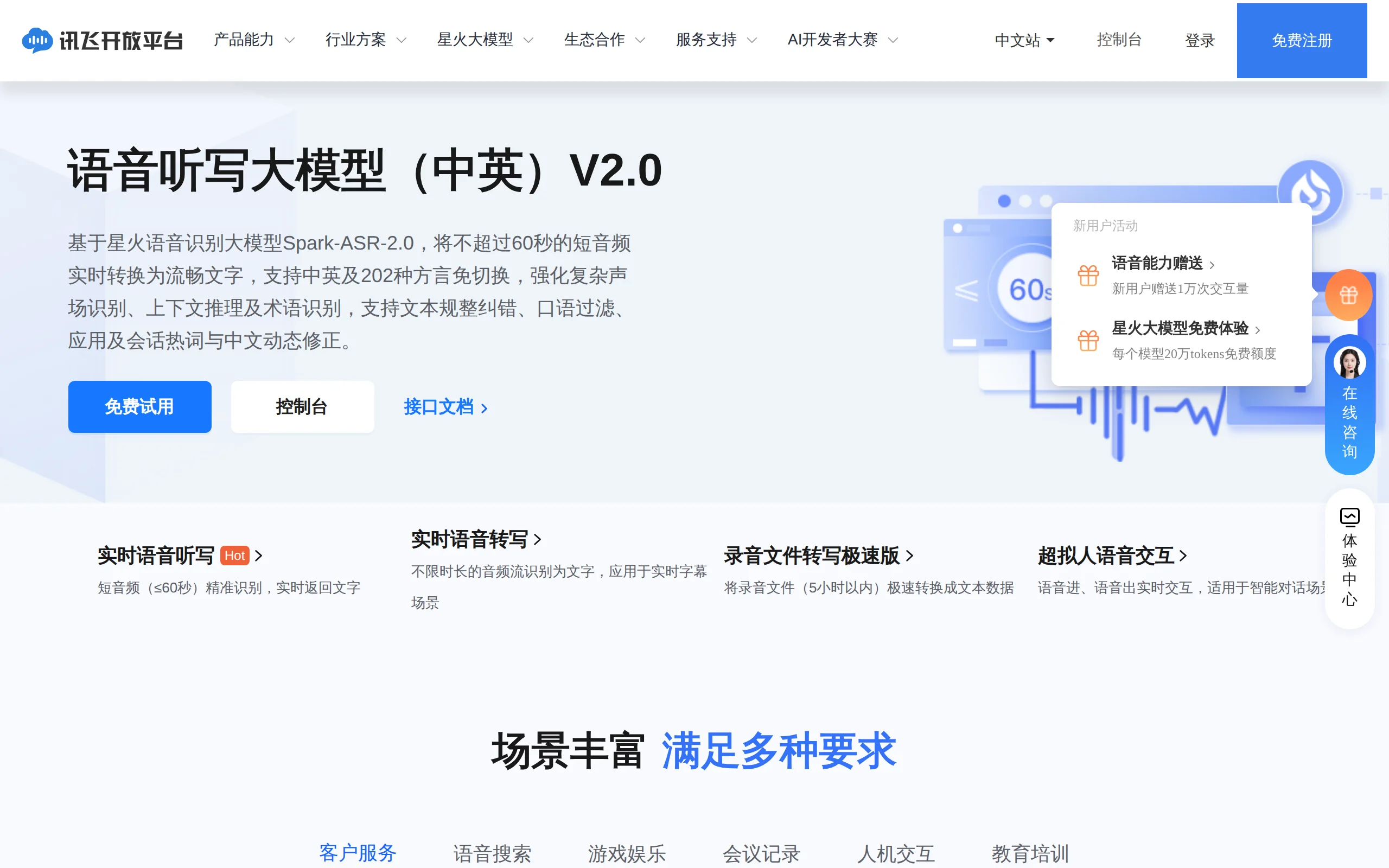
In-Depth Review of Spark-ASR-2.0: A New Paradigm in Speech Recognition with Non-Autoregressive Architecture
Spark-ASR-2.0 is the latest generation speech recognition large model launched by iFLYTEK based on its proprietary Spark-Audio speech foundation model. This model continues the non-autoregressive para...

Step Code – In-Depth Review of StepFun's Open-Source Terminal Programming Agent
Step Code is an open-source terminal programming agent launched by StepFun, licensed under the MIT License, which allows developers to complete the full workflow of code writing, debugging, execution,...
Xiaomi MiMo-V2.6 – Xiaomi's Open-Source Multimodal Model Series
Xiaomi MiMo-V2.6 is a series of fully multimodal models released and open-sourced by Xiaomi, comprising two native full-modal models: Pro and Flash. It is centered on large-scale Agentic reinforcement...
© All Rights Reserved. Some content on this site is partially generated by AI with human review.