
BrowserBC – An Open-Source Browser Operation Trajectory Generation Skill by Einsia AI
Executive Summary:
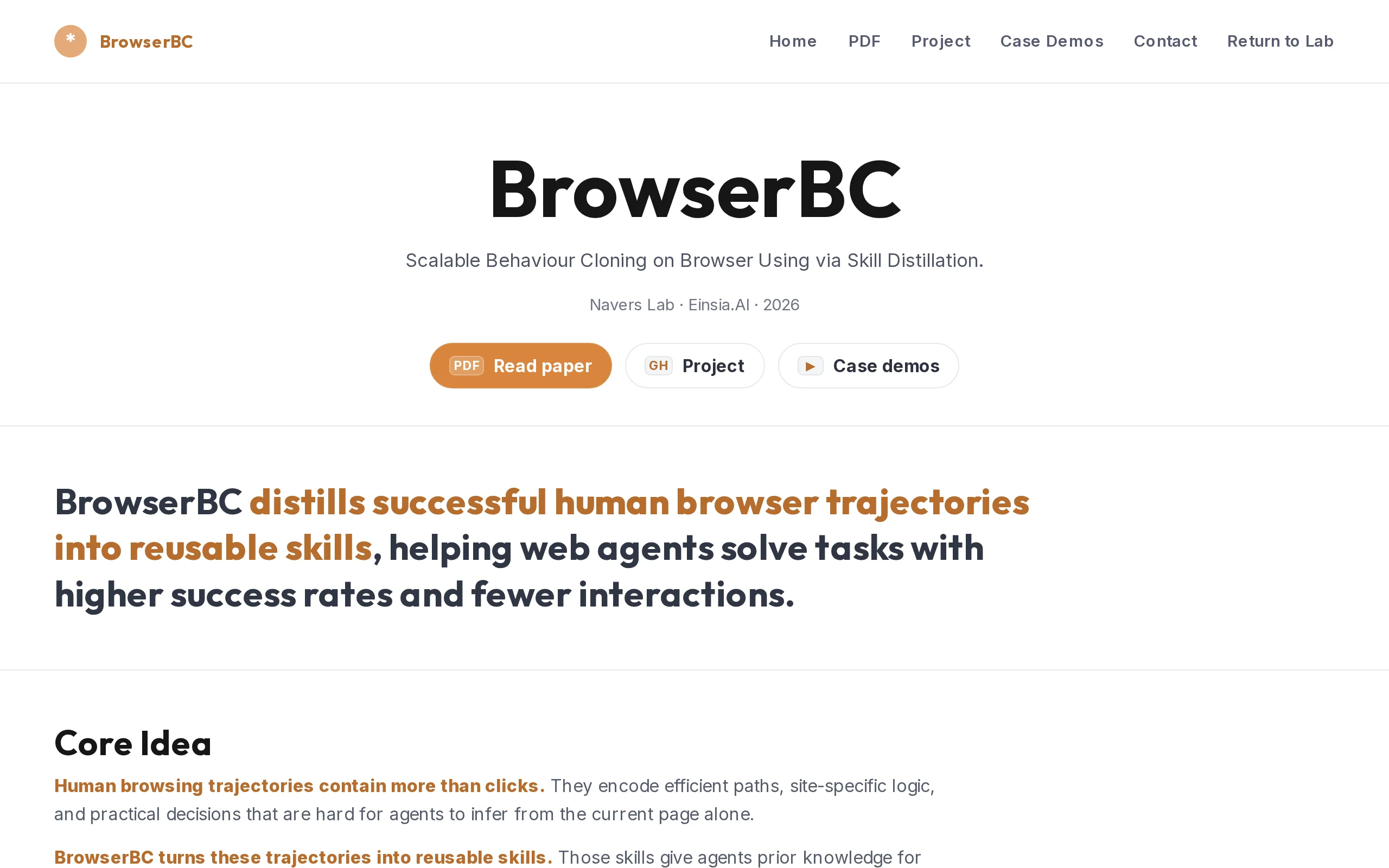
BrowserBC is an open-source project released by Navers Lab under Einsia AI. Its core goal is to transform human browser operation trajectories into reusable natural language skills, enabling Web Agent...
1. What is BrowserBC
BrowserBC is an open-source project released by Navers Lab under Einsia AI. Its core goal is to transform human browser operation trajectories into reusable natural language skills, enabling Web Agents to "clone" human operational experience and complete similar tasks more efficiently. Users only need to execute a complete task flow in the browser once, and the system will automatically distill this sequence of operations into a structured "skill card." Any model can then reproduce the operation based on this skill card, realizing the vision of "do it once, reuse it countless times." The project builds a complete closed loop from human experience to machine-executable knowledge through four modules: recording, distillation, retrieval, and execution, significantly reducing the marginal cost of Web Agent deployment.
Image source: Official article
Image source: official article
Technical Positioning and Domain: BrowserBC belongs to the intersection of Web Agent and behavioral cloning technology within the artificial intelligence field. It is not a traditional robotic process automation (RPA) tool, nor a simple browser control API, but a new paradigm that transforms human operational experience into transferable, reusable structured knowledge. Its unique positioning lies in solving the pain point of "starting from scratch for every task" in the current Web Agent domain, achieving the accumulation and reuse of operational knowledge through a "record once, execute many times" model.
Research Background: BrowserBC was developed by Navers Lab under Einsia AI. Einsia AI is a company focused on AI applications and Agent technology, with Navers Lab as its internal research laboratory. The project's research motivation stems from observing the efficiency bottlenecks of current Web Agents: even the most advanced models often require extensive trial-and-error operations for repetitive tasks, leading to high costs and low efficiency. By introducing the "skill" abstraction layer, BrowserBC aims to provide an efficient "experience learning" mechanism for Web Agents.
Core Value: The core value of BrowserBC lies in solving the "cold start" problem in Web Agent deployment. Traditional approaches—whether coordinate-based replay in RPA or zero-shot exploration with general-purpose agents—have clear limitations: the former is fragile and prone to failure, while the latter is costly and lacks accumulation. BrowserBC records human operation trajectories and distills them into natural language skill cards, enabling the transferability, reusability, and accumulation of operational knowledge. This allows a single strong model to perform distillation once, and multiple weaker models can reproduce the task at low cost, significantly reducing the deployment and operational costs of Web Agents for repetitive tasks.
Technical Features: BrowserBC's technical advantage lies in its unique "skill" abstraction layer. Instead of cloning fragile details like coordinates or DOM selectors, it converts procedural knowledge—such as operational intent, judgment logic, and exception handling—into natural language descriptions, giving it strong adaptability to page layouts. Additionally, it manages a vast number of skills through a "Skill Graph," supporting automatic merging, specialization, and linking, avoiding knowledge redundancy and forming a scalable accumulation system.
2. Key Features
Trajectory Recording: Fully captures the user's entire task process via a browser extension. This feature not only records explicit actions like clicks, inputs, and page navigations, but also synchronously collects page screenshots, DOM snapshots, and page feedback information, providing raw data for subsequent intelligent distillation. The recording process is transparent to users and requires no technical background.
Intelligent Distillation: Transforms raw, noisy operation trajectories into structured natural language skill cards. This process includes five steps: Atomize, Classify, Bucket, Distill, and Install. The core of distillation lies in stripping away fragile details such as coordinates and selectors, while retaining transferable procedural knowledge like "what to do, how to determine completion, and what to do on failure," giving skill cards strong generalization capabilities.
Skill Graph Management: Organizes a vast number of skills into an extensible Skill Graph. The system automatically merges duplicate skills, specializes general skills, and links related skills through semantic similarity calculations, forming a structured knowledge network. This management approach effectively avoids skill redundancy and supports continuous expansion and optimization of skills.
Skill Retrieval and Execution: When executing a task, the Agent retrieves the most relevant skill cards based on the current page's semantic state. The retrieved skill cards provide guiding operational procedures rather than mechanical coordinate replication. The Agent autonomously decides how to implement each step based on the real-time page state, thereby adapting to dynamic changes in page layout.
Local Deployment: Offers a local deployment version called "Journey Forge Local." This version is implemented purely in Python, with all recording data, skill cards, and configuration information stored on the user's local machine. Only the distillation step requires calling the configured LLM API, maximizing data privacy and security. This version already supports integration with Claude Code and Claude Desktop.
Cross-Model Reuse: The generated skill cards are described in pure natural language, allowing them to be freely transferred and reused across different models. After a strong model (e.g., GPT-4) completes a distillation, the generated knowledge can be directly invoked and executed by multiple weaker models (e.g., Llama 3), achieving a cost optimization effect of "one distillation, multiple benefits."
3. How to Use
Environment Requirements & Prerequisites: You need an operating system with Python 3.8 or higher installed (Linux or macOS recommended), along with the Chrome browser. You also need to prepare an LLM API Key (e.g., OpenAI, Anthropic, etc.) for calling during the distillation process.
Configure and Run the Local Server: After cloning the GitHub repository, copy the configuration file (
journey_forge/config.example.toml) and rename it toconfig.toml. Set the LLM API Key and model parameters in the configuration file. Then, runpython journey_forge/app.pyin the project root directory to start the local server. Once the server is running, access the control panel via a browser at(link to be updated after official release).Build and Load the Browser Extension: Navigate to the
extensiondirectory, runnpm installto install dependencies, then executenpm run buildto build the extension. After building, go to the Chrome extensions management page (chrome://extensions/), enable "Developer mode", click "Load unpacked", and select theextension/dist/chrome-mv3folder to load the extension.Record a Task: Click the extension icon in the browser to start recording. Perform a target task as usual (e.g., booking a hotel, filling out a form). After completing the operation, click the extension icon again to stop recording. The system will prompt you to label the task intent (e.g., "Book a hotel in Paris"), then upload the recorded trajectory data.
Automatic Distillation: After uploading the trajectory, the backend pipeline automatically starts the distillation process. This process includes five steps: atomization, classification, bucketing, distillation, and installation, taking approximately 1-3 minutes. Once distillation is complete, the generated skill card is automatically installed into the local skill library.
Using Skills: For Claude Code, skills are automatically installed to the
~/.claude/skills/directory and can be directly invoked by the Agent. For Claude Desktop, users need to download the.zipfile from the control panel and upload it in Claude Desktop under Settings → Skills. If you want Claude Desktop to actually execute browser operations, you also need to configure the Playwright MCP server in the control panel.
4. Pros and Cons Analysis
| Pros |
|---|
| Highly transferable skills: Skill cards are in pure natural language format, allowing free transfer and reuse across different models. A strong model can distill once, and a small model can reproduce at low cost, significantly reducing long-term deployment costs. |
| Strong page layout adaptability: Instead of cloning coordinates or DOM selectors, it clones the semantic logic of "what to do + how to determine completion," enabling skills to generalize even when page layouts change, with robustness far exceeding traditional RPA. |
| Significantly improves task success rate: On the WebArena-Hard benchmark, the success rate increased from 60.5% to 81.4% (+20.9%); on ClawBench, it rose from 32.9% to 68.4% (+35.5%), demonstrating substantial improvement. |
| Reduces interaction costs: The average number of tool calls decreased from 31.2 to 22.7 (a 27.3% reduction), effectively cutting down the Agent's exploratory navigation behavior and improving execution efficiency and response speed. |
5. Comparison of Similar Tools
| Dimension | BrowserBC | Traditional RPA / Quick Macro | Playwright / MCP Tools |
|---|---|---|---|
| Core Positioning | Human trajectory → Reusable skill | Recorded coordinates → Mechanical replay | Browser control API |
| Reuse Method | Natural language skill card, semantic reuse | Fixed coordinate/selector replay | Requires writing code scripts |
| Page Change Adaptability | Strong (strips fragile details) | Very weak (fails on layout change) | Medium (requires maintaining selectors) |
| Knowledge Accumulation | Accumulates skill graph, continuously expandable | Scripts pile up, hard to manage | Relies on codebase maintenance |
| Execution Cost | Strong model distilled once, cheap reuse with small models | Low runtime cost | High development cost |
| Data Privacy | Local deployment, data stays on machine | Runs locally | Local/cloud both possible |
Selection Recommendations: If a team needs to perform a large number of repetitive operations on frequently changing web pages and wants to reduce long-term deployment costs, BrowserBC is the optimal choice. It allows multiple weak models to replicate operations through a single distillation and has strong robustness against page layout changes. For scenarios requiring extremely high execution stability and real-time performance (e.g., financial trading), traditional RPA's coordinate replay, though fragile, still offers advantages in execution speed and low system resource consumption. If the team has strong development capabilities and the task logic is complex and variable, Playwright / MCP tools provide the most flexible programming control, but require ongoing code maintenance. For one-time, exploratory web tasks, the zero-shot capability of general Web Agents is most convenient, but the cost is high and knowledge cannot be accumulated.
6. Editor's Take
BrowserBC is a highly innovative attempt in the Web Agent domain. It precisely captures a core pain point in current Agent applications: the "cold start" problem of repetitive tasks. By introducing the "skill card" abstraction layer, BrowserBC transforms human operational experience into structured, reusable knowledge, enabling a paradigm shift from "exploring from scratch every time" to "record once, reuse many times." Its technical architecture is elegantly designed, especially the "intelligent distillation" process, which effectively strips away fragile details like coordinates and selectors through steps such as atomization, classification, and bucketing, while preserving operational intent and judgment logic. This gives the generated skill cards strong generalization capabilities, allowing stable execution even when page layouts change.
From a practical value perspective, BrowserBC's performance on benchmarks is impressive. It achieves a 20.9% success rate improvement on WebArena-Hard and a 35.5% improvement on ClawBench, demonstrating the effectiveness of its approach. Additionally, the average number of tool calls is reduced by 27.3%, indicating significantly fewer exploratory actions by the Agent, leading to improved execution efficiency and cost optimization. Its local deployment version also offers a major advantage in data privacy, making it particularly suitable for industries with strict data security requirements, such as finance and healthcare.
The target audience for this project is primarily developers and technical teams, especially those handling large-scale web automation tasks. Its future development potential is enormous. As the skill graph expands and optimizes, BrowserBC has the potential to build a vast, reusable operational knowledge base, becoming the "GitHub" of the Web Agent field. However, the current version still has room for improvement, such as the distillation process's reliance on LLM APIs and the stability of skill graph management in large-scale scenarios. Overall, BrowserBC is an open-source project worth close attention, offering new ideas and powerful tools for the practical application of Web Agents.
7. Application Scenarios
Travel Booking & Price Comparison: Enter dates, locations, and number of guests on booking sites like Airbnb and Booking.com, apply filters (ratings, price, amenities), review search results, and sort to find the best accommodation options. After recording the operation once with BrowserBC, the Agent can automatically complete subsequent price comparisons and booking tasks.
E-commerce Shopping & Filtering: Search for products on shopping platforms, apply multiple filter criteria (price range, brand, rating), compare product details, add items to the cart, and complete the checkout process. In this scenario, BrowserBC's skill cards can handle page layout changes, ensuring stable execution of filtering logic.
Backend Management Operations: Perform repetitive management tasks such as product listing, order processing, inventory updates, and user permission configuration on e-commerce backends, CMS systems, or admin panels. These operations typically involve multiple steps with fixed workflows, making them ideal for automation via BrowserBC.
Community Forum Interaction: Search for topics, filter posts, participate in discussions, gather information, or perform moderator management tasks on forums like Reddit. BrowserBC's skill cards can simulate human browsing and interaction patterns, enabling efficient forum data collection and management.
Cross-Site Information Integration: Tasks that require collecting, comparing, and integrating information from multiple websites, such as cross-platform price comparison, multi-source data aggregation, and competitor monitoring. By recording operations once for each site, the Agent can automatically complete cross-site data collection and integration.
Development Tool Usage: Perform code repository operations (login, create projects, submit Issues, merge requests), CI/CD configuration, or documentation browsing on development platforms like GitHub and GitLab. BrowserBC's skill cards can automate these repetitive development and operations tasks.
8. FAQ
Q: Can skill cards generated by BrowserBC be used on non-Chrome browsers?
A: Currently, BrowserBC's browser extension only supports Chrome. However, the generated skill cards are in plain natural language format, theoretically parseable by any model supporting Web Agent operations, as long as the model has browser control capabilities. Support for other browsers may be expanded in the future.
Q: How long does the distillation process take? What are the requirements for the LLM model?
A: The distillation process typically takes 1-3 minutes, depending on the length and complexity of the operation trajectory. This process requires calling an LLM API. It is recommended to use strong models like GPT-4 or Claude 3.5 Sonnet to ensure the quality of the distilled skill card. Using weaker models may result in unclear logic or missing key steps in the skill card.
Q: Are skill cards editable and modifiable?
A: In the current version, skill cards are stored locally as files (in the ~/.claude/skills/ directory) after generation. Users can directly edit these text files to modify skill card content, such as correcting operation steps or adding exception handling logic. However, direct editing requires users to have a certain level of natural language description ability.
Q: What is the biggest advantage of BrowserBC compared to RPA tools?
A: The biggest advantage is its robustness to page layout changes. RPA tools rely on fixed coordinates or DOM selectors, so scripts immediately fail when the page layout changes (e.g., website redesign). In contrast, BrowserBC's skill cards contain semantic operation logic. Even if the position of page elements changes, the Agent can autonomously find the target elements and execute operations based on the skill card's guidance.
Q: How is data security ensured in the local deployment version?
A: In the local deployment version (Journey Forge Local), all data, including recorded trajectories, skill cards, and configuration information, is stored on the user's local machine. The system only sends processed partial trajectory data to the user-configured LLM API for inference during the distillation step. Users can choose to use a locally deployed LLM (e.g., Llama 3) to completely avoid data transmission outside.
Q: How does the Skill Graph work?
A: The Skill Graph uses semantic similarity algorithms to automatically associate, merge, or specialize newly generated skills with existing ones. For example, if a user records the operation "Book a hotel in Paris" twice, the system will recognize their high similarity and automatically merge them into a more general skill. The goal of the Skill Graph is to build a structured, non-redundant knowledge network, facilitating quick retrieval and reuse by the Agent.
9. Project Address
- Project Blog: https://lab.einsia.ai/browserbc/
- GitHub Repository: https://github.com/Einsia/Browser-BC
- Technical Paper: https://lab.einsia.ai/browserbc/paper
Related AI Model Articles

OpenMuse – CopilotKit Open-Source Personal AI Assistant
OpenMuse is an open-source personal AI assistant project developed by the CopilotKit team. Its core design philosophy is "giving an Agent a computer" — by combining a persistent browser, optional Linu...

In-Depth Review of Longcat-2.5-preview: Meituan's Next-Generation Multimodal Long-Range Agent Model
LongCat-2.5-preview is Meituan's latest next-generation large model. Building upon the 1.6T total parameters, approximately 48B active parameters, and native 1M token context of LongCat-2.0, it marks ...

Review of DeepSeek Harness Desktop: How the Official GUI Client Lowers the Bar for Agent Usage
DeepSeek Harness Desktop is the official graphical client launched by DeepSeek, designed to provide a visual interface for the originally command-line-based DeepSeek Harness framework. After users log...

Step Code – In-Depth Review of StepFun's Open-Source Terminal Programming Agent
Step Code is an open-source terminal programming agent launched by StepFun, licensed under the MIT License, which allows developers to complete the full workflow of code writing, debugging, execution,...
© All Rights Reserved. Some content on this site is partially generated by AI with human review.