
Nanobot – An Open-Source Personal AI Assistant from HKU's Data Intelligence Lab
Executive Summary:
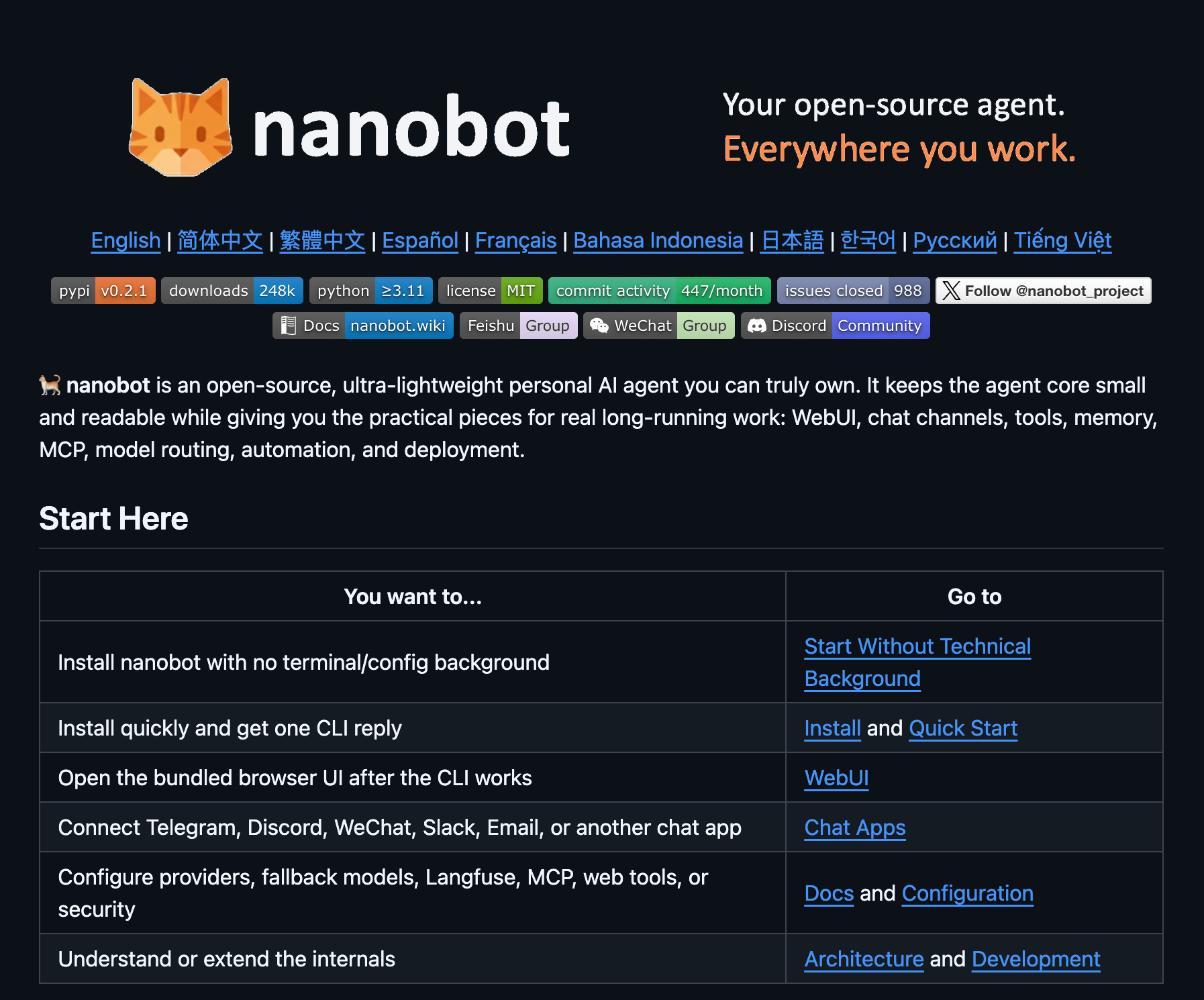
Nanobot is an ultra-lightweight, open-source personal AI assistant framework developed by the Data Intelligence Lab at the University of Hong Kong (HKUDS). In roughly 4,000 lines of code, it faithfull...
1. What Is Nanobot
Nanobot is an ultra-lightweight, open-source personal AI assistant framework developed by the Data Intelligence Lab at the University of Hong Kong (HKUDS). In roughly 4,000 lines of code, it faithfully replicates the core functionality of the OpenClaw agent — covering web search, file operations, scheduled tasks, persistent memory, voice interaction, and more. It's capable of powering 24/7 market analysis, full-stack development assistance, calendar management, and personal knowledge bases. Compared to OpenClaw's 430,000-line codebase, Nanobot achieves comparable productivity with 99% less code, meaning developers can read through the entire source in just a few hours and quickly grasp how AI agents invoke tools, manage memory, and plan tasks under the hood.
Technical Focus: Nanobot sits squarely in the AI agent framework space, focused on building lightweight, highly customizable personal assistants. Its goal is to give developers a codebase they can fully understand and extend — ideal for private deployments and bespoke agent configurations.
Development Background: Built and open-sourced by HKU's Data Intelligence Lab, a research group with deep expertise in data science, knowledge graphs, and agentic systems. Nanobot was born from a conviction that AI assistants should be simpler and more transparent — breaking free from the black-box nature of commercial offerings and putting developers back in control.
Core Value Proposition: Nanobot tackles the key pain points of traditional AI assistant development: bloated codebases, steep learning curves, and limited customizability. Through modular design and explicit dependency injection, developers can build personalized AI assistants without wading through layers of abstraction or massive repositories. Multi-model LLM support and cross-platform messaging further ensure flexibility and real-world utility.
Key Technical Highlights: A four-module minimalist architecture (Agent Loop, Memory, Skill Loader, Message Bus), unified model routing via OpenRouter supporting Claude, GPT, Gemini and more, native Telegram and WhatsApp integration, and a hot-pluggable dynamic tool system.
Core Module Overview
Nanobot is organized into four tightly coordinated modules, each with a clear responsibility:
| Module | Responsibility |
|---|---|
| Agent Loop | Orchestrates interaction between the LLM and tools in a perceive-decide-act-learn cycle |
| Memory | Persistent storage and retrieval of conversation context, supporting long-term recall |
| Skill Loader | Dynamically extends functionality with hot-pluggable modules |
| Message Bus | Unified routing for internal and external communications, ensuring consistent cross-platform UX |
2. Key Features
Agent Core Engine: Built on large language models, Nanobot implements a complete closed loop of autonomous task planning, tool invocation, and multi-turn dialogue. User input flows through the Prompt builder for context assembly, then to the LLM for reasoning and decision-making. The model determines which tools to call and generates execution instructions. Once tools complete their work, results feed back to the model, updating memory state — forming a full perceive-decide-act-learn cycle.
Real-Time Information Retrieval: Integrated web search capabilities enable real-time fetching and deep analysis of external information. This powers use cases like financial market monitoring, tech news tracking, and competitive analysis — ensuring the assistant always has access to the latest data.
File System Operations: Full read/write access to the file system, supporting create, read, update, and delete operations. Developers can leverage this to build local personal knowledge bases, parse PDF documents, organize notes, and manage code repositories.
Cross-Platform Messaging: Native support for Telegram (via the official Bot API) and WhatsApp (via a web protocol bridge). All channel messages are normalized through the internal message bus before being dispatched to the Agent, ensuring a consistent experience regardless of platform. Users can interact with their AI assistant from their phone, anytime, anywhere.
Intelligent Scheduled Tasks: A built-in cron-like scheduler supports automated task execution on predefined intervals. Configure timed reminders, periodic data scraping, automatic report generation, and other workflows that run unattended around the clock.
Long-Term Memory: A persistent storage layer captures the full conversation context and interaction history, enabling long-term memory recall. The assistant remembers user preferences, past conversations, and work habits to deliver an increasingly personalized experience over time.
Voice Message Recognition: Integration with Groq's Whisper service provides high-speed automatic transcription and understanding of voice messages. Users can simply send a voice note instead of typing — a major convenience boost for mobile usage.
Ready-to-Use Scenario Templates: Four pre-built application templates ship out of the box — Financial Analyst (real-time market monitoring and investment insights), Dev Assistant (code writing and debugging), Calendar Manager (meeting scheduling and reminders), and Knowledge Q&A (document retrieval and question answering). Use them as-is or customize them as a starting point.
3. How to Use
Environment Setup
System Requirements: Runs on Linux, macOS, and Windows. Python 3.8 or later is recommended, with pip available.
Clone the Repository: Download the Nanobot source code and install dependencies.
Clone the repository
git clone https://github.com/HKUDS/nanobot.git
cd nanobot
Install dependencies
pip install -r requirements.txt
Configure Your LLM
- Model Routing: Nanobot uses OpenRouter for unified model routing, supporting Claude, GPT, Gemini, and other major cloud models. Local vLLM deployments are also supported.
config.yaml example
llm:
provider: openrouter # or local_vllm
model: claude-3-sonnet # options: gpt-4, gemini-pro, etc.
api_key: your_api_key_here
Set Up Messaging
- Telegram Bot Setup: Create a bot via @BotFather on Telegram, grab the API token, and add it to the config file.
Messaging configuration
messaging:
telegram:
enabled: true
bot_token: your_telegram_bot_token
whatsapp:
enabled: false # enable as needed
Launch & Go
- Start the Service: Run the launch command. Nanobot will automatically load configurations, initialize the Agent, and connect to your messaging channels.
Start Nanobot
python main.py
Or use CLI mode (no Telegram required)
python main.py --mode cli
Extend with Custom Skills
- Add Custom Skills: Create a new skill module in the
skills/directory following the standard interface. It will be automatically loaded at runtime.
skills/my_custom_skill.py example
class MyCustomSkill:
name = "my_skill"
description = "Custom skill description"
async def execute(self, params: dict) -> str:
    # Implement your custom logic
    result = await self.process(params)
    return result
4. Pros and Cons
| Pros |
|---|
| Minimalist Architecture: Just 4,000 lines of code — 99% leaner than OpenClaw's 430,000-line codebase. Developers can read through the entire source in a few hours, making the learning curve virtually flat. |
| Modular & Hot-Pluggable: Four cleanly separated modules (Agent Loop, Memory, Skill Loader, Message Bus) with dynamic skill loading from the skills/ directory make extending functionality effortless. |
| Multi-Model LLM Support: Unified routing via OpenRouter lets you seamlessly switch between Claude, GPT, Gemini, and other models — plus local vLLM deployments for private hosting. |
| Cross-Platform Messaging: Native Telegram and WhatsApp support with standardized message bus processing ensures a consistent experience across platforms. |
| Persistent Memory: Built-in long-term memory with persistent context storage and history recall enables a genuinely personalized assistant experience. |
5. Competitor Comparison
| Dimension | Nanobot | OpenClaw | Auto-GPT |
|---|---|---|---|
| Codebase Size | ~4,000 lines | ~430,000 lines | ~10,000 lines |
| Architecture | Four-module minimalist | Enterprise microservices | Plugin-based |
| LLM Support | OpenRouter multi-model + local vLLM | Built-in multi-model | Primarily OpenAI |
| Messaging Channels | Telegram + WhatsApp | Proprietary client | Web interface |
| Memory System | Persistent file storage | Database storage | Vector database |
| Extensibility | skills/ directory hot-loading | API plugin system | Plugin marketplace |
| Learning Curve | Very low (hours to read) | High (massive codebase) | Moderate |
| Best For | Learning agent internals, personal customization | Enterprise production | Automated task execution |
| License | MIT | Commercial | MIT |
How to Choose
- Learning AI Agent fundamentals: Go with Nanobot. Its transparent, minimal codebase is the fastest way to understand how tool calling, memory management, and task planning actually work.
- Enterprise production deployments: OpenClaw offers the most comprehensive feature set for commercial environments demanding stability and depth.
- Autonomous task execution: Auto-GPT shines at decomposing and executing complex task chains with minimal human intervention.
- Multi-channel personal assistant: Clawdbot supports the widest range of messaging platforms, with a Gateway architecture designed for seamless cross-platform switching.
6. Editor's Take
Nanobot is a masterclass in minimalism. In an era where AI agent frameworks routinely run tens of thousands of lines, Nanobot delivers a fully functional agent — complete with task planning, tool invocation, memory management, and cross-platform messaging — in just 4,000 lines. That's not just impressive engineering; it's a statement about what's truly essential in an agent architecture.
From a technical standpoint, the four-module design reflects strong software engineering principles. The Agent Loop, Memory, Skill Loader, and Message Bus each have clear boundaries and responsibilities, connected through explicit dependency injection rather than layers of abstraction. This makes Nanobot arguably the best educational resource available today for understanding how AI agents work at a fundamental level.
On the practical side, Nanobot punches above its weight for personal use. The pre-built templates for financial analysis, development assistance, and calendar management cover the most common personal assistant needs, and native Telegram/WhatsApp support means you can reach your assistant from anywhere. That said, for enterprise-grade deployments requiring deeper functionality and battle-tested reliability, there's still room to grow.
Best Suited For: - AI developers and researchers (learning agent architecture)
Individual users (building a private, self-hosted AI assistant)
Tech enthusiasts (tinkering, customizing, and extending)
★★★★☆ (4/5)
Rating Breakdown: Architectural elegance (5/5), educational value (5/5), feature breadth (4/5), documentation quality (3/5), community activity (3/5). Overall, Nanobot stands out as a top contender in the lightweight agent framework space and comes highly recommended for anyone interested in AI agents.
7. Use Cases
Real-Time Financial Analysis: Run Nanobot as a 24/7 market watcher that scrapes stock, crypto, and forex data via web search, then leverages LLM analysis to generate investment insight reports. Query your latest market briefing right from Telegram — no need to open a laptop.
Full-Stack Development Assist: Configure Nanobot with the Dev Assistant template and let it handle code generation, debugging, and file operations. Describe what you need in plain language, and Nanobot writes the code, modifies files, and executes commands — your own on-call engineering partner.
Smart Calendar Management: Combine the scheduled task module with persistent memory to automate meeting scheduling, reminders, and to-do tracking. Over time, the assistant learns your scheduling preferences and work patterns, offering increasingly personalized time management suggestions.
Personal Knowledge Base: Use Nanobot's file operation capabilities to aggregate PDFs, notes, code snippets, and other private documents into a local knowledge base. Ask questions in natural language and get answers sourced from your own data — like having a personal search engine for your documents.
On-the-Go Remote Assistant: Interact with your AI assistant via Telegram or WhatsApp from anywhere, without being tied to a computer. Perfect for frequent travelers and mobile workers who need to handle information lookups, task management, and code reviews on the go.
8. FAQ
Q: What's the relationship between Nanobot and OpenClaw?
A: Nanobot is an ultra-lightweight reimplementation of the OpenClaw agent. OpenClaw weighs in at around 430,000 lines of code with comprehensive functionality but a steep learning curve. Nanobot distills the core capabilities into just 4,000 lines — a 99% reduction — while retaining key features like task planning, tool invocation, and memory management. It's designed as the ideal starting point for learning agent fundamentals.
Q: Which LLMs does Nanobot support?
A: Nanobot uses OpenRouter for unified model routing, giving you access to Claude (Anthropic), the GPT family (OpenAI), Gemini (Google), and other major cloud models. It also supports local vLLM deployments for data privacy and self-hosted scenarios. Switching models is as simple as updating the config file.
Q: How do I extend Nanobot with new capabilities?
A: Nanobot uses a dynamic tool system where all functionality lives as skill modules in the skills/ directory, automatically loaded at runtime. To add a new capability, simply create a Python file in that directory following the standard interface contract — no changes to core code required.
Q: How does Nanobot's memory system work?
A: Nanobot persists conversation context and interaction history to local storage. Every dialogue exchange, tool invocation result, and user preference is recorded and stored. In subsequent conversations, the Agent automatically retrieves relevant historical context to deliver a coherent, personalized experience.
Q: What are the hardware requirements?
A: Nanobot itself is extremely lightweight — any standard computer can run it. If you're using cloud-based LLMs via OpenRouter, the local machine only needs to handle the agent logic, so hardware demands are minimal. For local vLLM model deployments, you'll want an NVIDIA GPU with at least 16 GB of VRAM.
Q: How do I set up Telegram and WhatsApp messaging?
A: Telegram is the easiest to configure — create a bot via @BotFather, grab the token, and drop it into the config file. WhatsApp uses a web protocol bridge that requires scanning a QR code to authorize via WhatsApp Web. Both channels funnel messages through the internal message bus for standardized processing, ensuring a consistent experience.
Q: Does Nanobot support languages other than English?
A: Absolutely. Nanobot's language capabilities depend on the backend LLM. When connected to multilingual models like Claude, GPT-4, or Gemini, Nanobot can conduct conversations, plan tasks, and generate content in Chinese, English, and other supported languages.
9. Resources
- GitHub Repository: https://github.com/HKUDS/nanobot
- OpenClaw (Original Project): https://github.com/openclaw
Related AI Model Articles

Review of DeepSeek Harness Desktop: How the Official GUI Client Lowers the Bar for Agent Usage
DeepSeek Harness Desktop is the official graphical client launched by DeepSeek, designed to provide a visual interface for the originally command-line-based DeepSeek Harness framework. After users log...

Step Code – In-Depth Review of StepFun's Open-Source Terminal Programming Agent
Step Code is an open-source terminal programming agent launched by StepFun, licensed under the MIT License, which allows developers to complete the full workflow of code writing, debugging, execution,...
In-Depth Review of Claude Opus 5.5: A Revolution in Programming Efficiency and Safety for Anthropic's Flagship Model
Claude Opus 5.5 is the first flagship model in Anthropic's Claude 5.5 series, launched in June 2026. It is positioned as a high-end AI model designed for enterprise-level agent programming, complex kn...
In-Depth Review of GPT-6 Sol: A Cost-Effective Revolution in OpenAI's Mid-to-High-End Large Model
GPT-6 Sol is a mid-to-high-end large model introduced by OpenAI, derived from the GPT-6 Astra base model. It brings Astra's reasoning, programming, factual accuracy, and Agent capabilities down to a m...
© All Rights Reserved. Some content on this site is partially generated by AI with human review.