
MAI-Image-2.5-Pro – Microsoft's High-Precision Image Generation Model

Executive Summary:
MAI-Image-2.5-Pro is a high-precision image generation model developed by Microsoft's AI team, focusing on generating high-quality main visual images, realistic photographs, and commercial design mate...
1. What is MAI-Image-2.5-Pro
MAI-Image-2.5-Pro is a high-precision image generation model developed by Microsoft's AI team, focusing on generating high-quality main visual images, realistic photographs, and commercial design materials. This model ranks third on the Arena text-to-image leaderboard, particularly excelling in the field of realistic photography. It also supports text rendering within images and natural language instruction editing. It has been deeply integrated into core Microsoft products such as Bing Image Creator, PowerPoint, and OneDrive. Compared to GPT-Image-2, it reduces GPU costs by 84%, balancing performance and efficiency.
Image source: Official article
Image source: official article
Technical positioning and domain: MAI-Image-2.5-Pro belongs to the intersection of computer vision and natural language processing in the field of generative AI models. Its unique positioning lies in providing high-fidelity, controllable, and cost-optimized image generation capabilities for enterprise users. Unlike general-purpose image generation models, this model is designed from the ground up for the Microsoft product ecosystem, emphasizing end-to-end integration and data security.
Development background: This model was independently developed by Microsoft's AI team based on internal training processes, without distilling any third-party models, ensuring technical autonomy and controllability. Microsoft has deep expertise in the field of generative AI, having previously launched products such as the GPT-Image series. MAI-Image-2.5-Pro represents the latest iteration in the image generation direction, aiming to improve generation quality while reducing GPU costs.
Core value: MAI-Image-2.5-Pro addresses common issues in enterprise-level image generation, such as high costs, poor controllability, and inaccurate text rendering. Through an independent architecture and specialized optimization, it significantly reduces inference costs while maintaining high fidelity. Additionally, it lowers the creation barrier via natural language editing, enabling non-professional users to quickly generate high-quality visual content.
Technical features: The model uses a self-developed architecture and is trained on cleaned, traceable enterprise-level data, ensuring data quality and security. It has undergone specialized optimization for image fidelity, text rendering accuracy, and natural language understanding, securing a third-place position on the Arena text-to-image leaderboard. Furthermore, it has been validated in Microsoft's large-scale product environments, achieving approximately a 25% reduction in P95 latency compared to GPT-Image-2, demonstrating production-grade efficiency.
2. Key Features
High-precision image generation: Supports the creation of high-quality main visual images, realistic photography, and commercial design materials. The model excels particularly in the field of realistic photography, capable of rendering fine details in lighting, texture, and color, meeting the high demands for image realism in professional scenarios such as advertising and brand design.
Image detail editing: Allows for precise adjustments and localized modifications to existing images, such as replacing specific objects, adjusting colors, or textures. This feature is based on the model's deep understanding of image semantics, enabling accurate editing without compromising the overall composition.
Text rendering within images: Specifically optimized for the accuracy of text generation within images, effectively avoiding issues such as garbled text, blurriness, or distortion. This capability is crucial for scenarios requiring precise text layout, such as brand logos and poster headlines, significantly enhancing the usability of commercial design.
Natural language editing instructions: Users can adjust the generated content through natural language descriptions, without needing to learn complex parameter settings. For example, inputting "change the background to a sunset tone" or "add more plants to the scene" allows the model to understand and adjust in real time, greatly reducing the barrier to entry for content creation.
Image-to-image conversion: Supports style transfer or content reconstruction based on a reference image, such as converting a photo into an oil painting style or generating a complete scene from a sketch. This feature provides designers with an efficient tool for creative iteration, facilitating quick exploration of different visual directions.
Seamless cross-product integration: The model is deeply integrated into Microsoft core products such as Bing Image Creator, PowerPoint, and OneDrive, allowing users to directly invoke it without switching platforms. For instance, users can input instructions via the "Design" or "Image Generation" features in PowerPoint to generate accompanying images for presentations, enabling real-time visual creation in office scenarios.
3. How to Use
MAI-Image-2.5-Pro is currently available as a cloud service and does not require local installation. Users can access it through the following methods:
Using Bing Image Creator: Visit Bing Image Creator, where MAI-Image-2.5-Pro is now fully available as the default model. Simply describe the desired image in natural language within the input box, for example, "a golden retriever running in the sunset, realistic style," and high-quality images can be generated. After generation, you can choose to download or further edit the image.
Using in PowerPoint: Open a PowerPoint presentation and click on the "Design" or "Image Generation" feature in the menu bar (ensure that your version is updated to support this functionality). Enter a natural language instruction in the pop-up window, such as "generate a slide image with a blue gradient background for a tech product launch," and the model will automatically generate and insert the image into the current slide. Users can also edit the inserted image for finer details, such as adjusting colors or adding text.
Using in OneDrive: Log in to OneDrive and upload the image you want to edit. Click the "Edit" button in the image preview interface and select the "Smart Optimization" or "Style Adjustment" feature. The model will automatically analyze the image content and provide optimization suggestions or allow users to make modifications through text instructions, such as "enhance contrast" or "convert to watercolor style."
Best Practices and Prompt Optimization: To achieve the best generation results, it is recommended to include key elements such as the subject, scene, style, and lighting in your description. For example, "an orange cat sitting on a wooden windowsill, afternoon sunlight, realistic photography, high detail." Avoid vague or contradictory descriptions. For text rendering needs, clearly specify the text content and position, such as "add white bold text 'Summer Sale' in the top-left corner of the image." Since the model has been optimized for natural language understanding, everyday language is sufficient to effectively drive the model—there is no need to use specific formats刻意.
4. Pros and Cons Analysis
| Pros |
|---|
| Leading Accuracy: Ranked third on the Arena text-to-image leaderboard, with particularly strong performance in realistic photography, capable of generating high-fidelity images that meet professional design requirements. |
| Text Rendering Breakthrough: High accuracy in generating text within images, supporting complex layouts and brand design needs, significantly outperforming many similar models. |
| Significant Cost Efficiency: Compared to GPT-Image-2, it reduces GPU costs by 84% and lowers P95 latency by approximately 25%, achieving production-level efficiency while maintaining quality. |
| Natural Language Editing is User-friendly: Users do not need professional parameters; they can adjust image content using everyday language, lowering the barrier to entry for creation and making it suitable for non-designers. |
5. Comparative Analysis with Similar Tools
| Comparison Dimension | MAI-Image-2.5-Pro | GPT-Image-2 (OpenAI) | DALL-E 3 (OpenAI) |
|---|---|---|---|
| Developer | Microsoft AI Team | OpenAI | OpenAI |
| Core Architecture | Independently developed, no third-party distillation | Based on GPT architecture | Based on diffusion model + CLIP |
| Text Rendering in Images | Specifically optimized, high accuracy | Supported but with moderate precision | Supported, with medium precision |
| Natural Language Editing | Supports intuitive text instructions for adjustments | Supports Prompt editing | Supports Prompt editing |
| Production Integration | Integrated into Bing, PowerPoint, OneDrive | Mainly integrated into products like ChatGPT | Integrated into ChatGPT Plus, Bing |
| GPU Cost | 84% lower than GPT-Image-2 | Baseline reference | Higher (requires ChatGPT Plus subscription) |
| Ranking on Leaderboards | Third in text-to-image generation on Arena | No specific ranking disclosed | No specific ranking disclosed |
| Pricing | $106 per million Tokens | No comparative data disclosed | Included in ChatGPT Plus ($20/month) |
Selection Recommendations: For users requiring high-precision realistic photography and commercial design materials, and who deeply utilize the Microsoft office ecosystem, MAI-Image-2.5-Pro is the optimal choice. Its seamless integration with PowerPoint and OneDrive significantly enhances productivity, and its text rendering capabilities offer unique advantages in brand design. If users prioritize artistic creativity and style diversity, Midjourney excels in areas such as abstract art and illustration, though it has a steeper learning curve and requires operation on an independent platform. For developers with limited budgets and the need for flexible integration, DALL-E 3 offers controllable API access costs, but its text rendering and detail editing capabilities are inferior to those of MAI-Image-2.5-Pro. Overall, MAI-Image-2.5-Pro has an irreplaceable integration advantage in enterprise-level applications and within the Microsoft ecosystem, while Midjourney and DALL-E 3 each focus on specific creative scenarios and general usability.
6. Editor's Summary
MAI-Image-2.5-Pro represents a significant technological advancement for Microsoft in the field of image generation. Its core innovation lies in integrating high-fidelity generation, precise text rendering, and natural language editing into a single, independently developed architecture, while also validating cost efficiency through extensive product environment testing. The 84% reduction in GPU costs compared to GPT-Image-2 indicates that Microsoft has achieved substantial breakthroughs in inference optimization, making high-quality image generation more feasible in commercial scenarios. From a technical perspective, the model has not been distilled from third-party models, ensuring technical autonomy and data traceability, which is particularly critical for enterprise users.
In terms of practical value, MAI-Image-2.5-Pro directly lowers the barrier for non-designers to access high-quality visual content. PowerPoint users can now generate presentation visuals without needing to learn specialized software, and OneDrive users can quickly optimize personal photos. These use cases cover core needs in office and everyday creative workflows. However, the model's deep integration with the Microsoft ecosystem also means it cannot be used outside of this platform, making it less flexible for teams that require custom workflows or cross-platform deployment.
The primary target users include marketing professionals who need to quickly generate commercial assets, working professionals looking to enhance the visual quality of their presentations, and individual users who manage large volumes of images in OneDrive. For professional designers, the model can serve as an auxiliary tool for generating initial creative drafts, but fine-grained control will still require specialized software. In terms of future development potential, as Microsoft continues to invest in generative AI, MAI-Image-2.5-Pro is expected to be integrated into more products (such as Word and Teams) and to evolve in areas like multilingual support and real-time collaboration. However, with competitors like Midjourney and Stable Diffusion continuously improving in open-source ecosystems and artistic styles, Microsoft must demonstrate its long-term competitiveness within its closed ecosystem.
7. Application Scenarios
Advertising and Brand Visual Design: Generate high-precision commercial posters, product packaging, and brand promotion materials, with accurate text layout within images. Advertising teams can quickly iterate through different designs using natural language instructions, such as "Generate a tech-themed poster with a deep blue background and a white bold logo in the top-left corner." The model can produce high-quality outputs within seconds, significantly shortening the design cycle.
Smart Image Generation for Office Documents: PowerPoint users can quickly generate or edit presentation images using natural language instructions, without switching to design software. For example, when preparing a quarterly report, entering "Generate an abstract chart showing data growth trends with a blue gradient style" will yield visual elements that match the theme, enhancing the professionalism of the document.
Cloud Storage Image Optimization: OneDrive users can upload photos and then use built-in editing features to intelligently optimize and adjust the style. For instance, converting a regular travel photo into a watercolor painting style or automatically enhancing the details of low-light photos, improving retention rates and sharing experiences.
E-commerce Product Display: Generate photorealistic product images and scene images, with support for detail editing to meet the requirements of multi-platform displays. Merchants can input "Generate a top-down view of a white sports shoe on a wooden floor with natural lighting," and then later adjust the background color or add promotional text to quickly adapt to the main image requirements of different e-commerce platforms.
Creative Content Iteration: Designers can quickly adjust image styles, composition, and elements through text descriptions, accelerating the creative iteration process. For example, during the initial design phase, inputting "A futuristic city night scene, neon lights, cyberpunk style" will generate a base image, which can then be refined using instructions such as "Add flying cars" or "Change to a rainy scene," without the need to start from scratch.
8. FAQ
Q: Is MAI-Image-2.5-Pro free to use?
A: The model offers a free trial quota through Bing Image Creator, but advanced features and commercial use require payment via Microsoft API. Image output pricing is $106 per million Tokens. For specific free quotas, please refer to the latest policies from Bing Image Creator.
Q: How can I use MAI-Image-2.5-Pro to generate images with text?
A: Clearly specify the text content, position, and style in your description, for example, "Add centered blue bold text 'Spring Promotion' at the bottom of the image." The model has been specially optimized for text rendering and can accurately generate clear text to avoid garbled output. It is recommended to use English for the best results.
Q: Compared to DALL-E 3, which model is better?
A: Both models have their own strengths. MAI-Image-2.5-Pro excels in realistic photography, text rendering, and cost efficiency, and is deeply integrated with the Microsoft office ecosystem. DALL-E 3 performs well in creative diversity and general-purpose use, but is slightly inferior in text rendering accuracy and cost control. The choice depends on the specific use case: prioritize MAI for office and commercial design, and consider DALL-E 3 for creative exploration.
Q: Does the model support Chinese instructions and Chinese text rendering?
A: The model is primarily optimized for English scenarios, and its understanding of Chinese instructions may not be as precise as with English. The accuracy of Chinese text rendering is also lower than with English. It is recommended to use English descriptions when generating Chinese text and then adjust using image editing tools. Microsoft plans to enhance multilingual support in the future.
Q: Can MAI-Image-2.5-Pro be used for commercial projects?
A: Yes, but you must comply with Microsoft's terms of use. Images generated via API or Bing Image Creator can be used for commercial purposes, but you must ensure that they do not contain illegal or infringing content. It is recommended to review the Microsoft service agreement to confirm specific restrictions.
Q: Is local deployment supported for MAI-Image-2.5-Pro?
A: No. MAI-Image-2.5-Pro is a Microsoft cloud service and is only available through Bing Image Creator, PowerPoint, OneDrive, and API. It does not support local deployment or self-hosting. If you need a locally deployable image generation model, consider open-source solutions such as Stable Diffusion.
9. Project Links
- Official news release page: https://microsoft.ai/news/introducing-mai-image-2-5-pro-and-mai-voice-2-flash/
- Microsoft AI official website: https://www.microsoft.ai/
- Bing Image Creator: https://www.bing.com/create
- Microsoft PowerPoint image generation feature: Integrated into Microsoft 365 subscription edition, see https://www.microsoft.com/microsoft-365/powerpoint
- OneDrive editing feature: Integrated into OneDrive, see https://www.microsoft.com/microsoft-365/onedrive
Related AI Model Articles
Hy Image3.5 preview – A High-Value Professional-Level Image Generation Model from Tencent HunYuan
Hy Image3.5 preview is a high-value professional-level image generation model launched by Tencent HunYuan, designed to address the complex needs of high-quality image generation, precise text renderin...
Qwen-Image-2.1 Review: How a 7B Lightweight Open-Source Model Balances Text-to-Image Generation, Image Editing, and Native Transparency Channels
Qwen-Image-2.1 is a new generation of open-source image generation model developed by the Qwen team at Alibaba. Despite having only 7B parameters in its visual generation component, it achieved a comp...
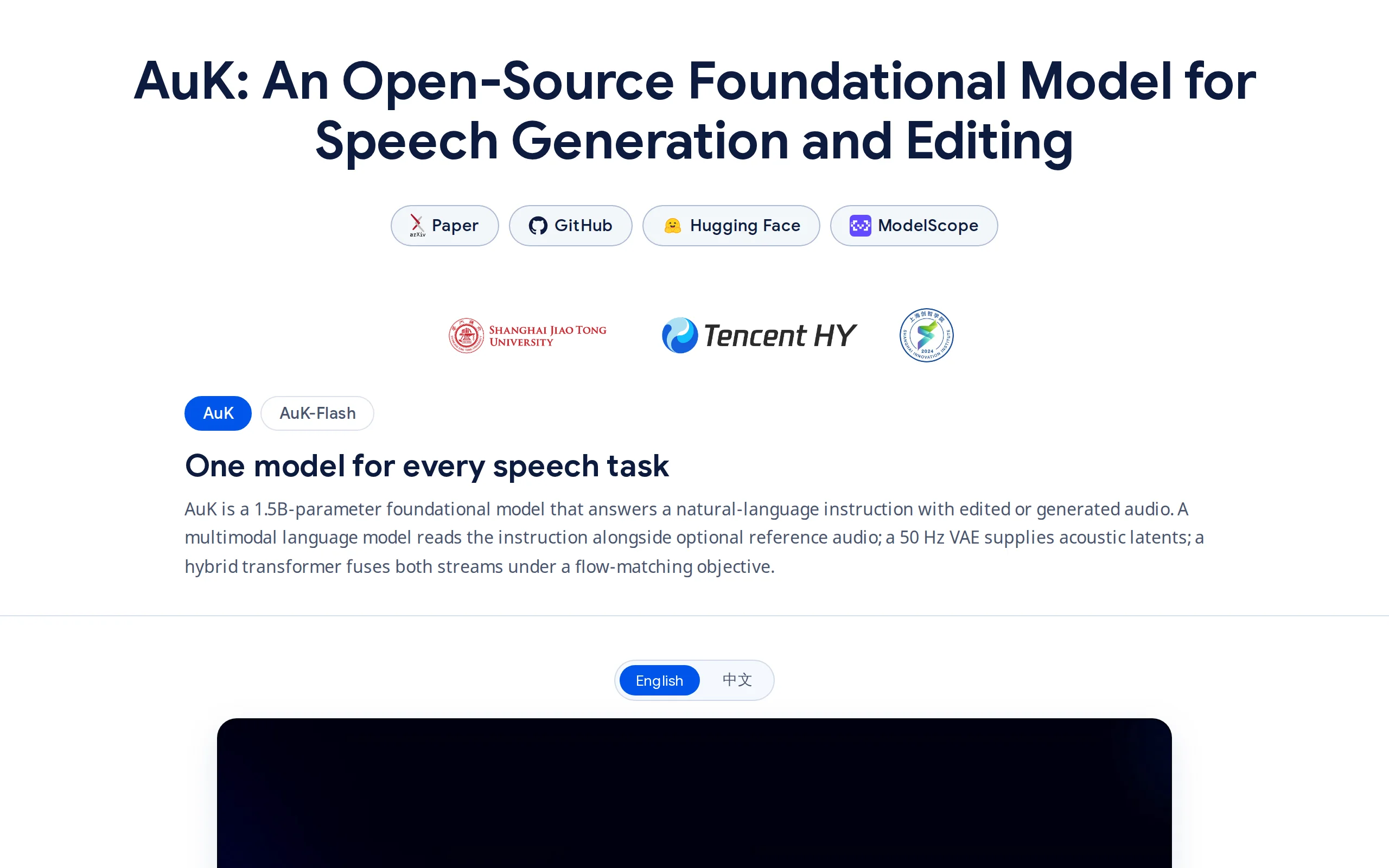
AuK – Tencent HunYuan's Open-Source Foundation Model for Speech Generation and Editing
AuK is an open-source foundation model for speech generation and editing developed by the Tencent HunYuan team, featuring 1.5 billion parameters and utilizing a flow-matching diffusion architecture in...
LLaDA-Image – A Unified Image Generation and Editing Model Open-Sourced by Ant Group
LLaDA-Image is a 6B parameter unified image generation and editing model open-sourced by the inclusionAI Lab at Ant Group. This model adopts an innovative training approach, first pre-training purely ...
© All Rights Reserved. Some content on this site is partially generated by AI with human review.